EasyManua.ls Logo

Yamaha MT3X - Mixer Pan and Fader Controls; REC SELECT and SYNC Switches

Yamaha MT3X
92 pages
Print Icon
To Next Page IconTo Next Page
To Previous Page IconTo Previous Page
Loading...
©
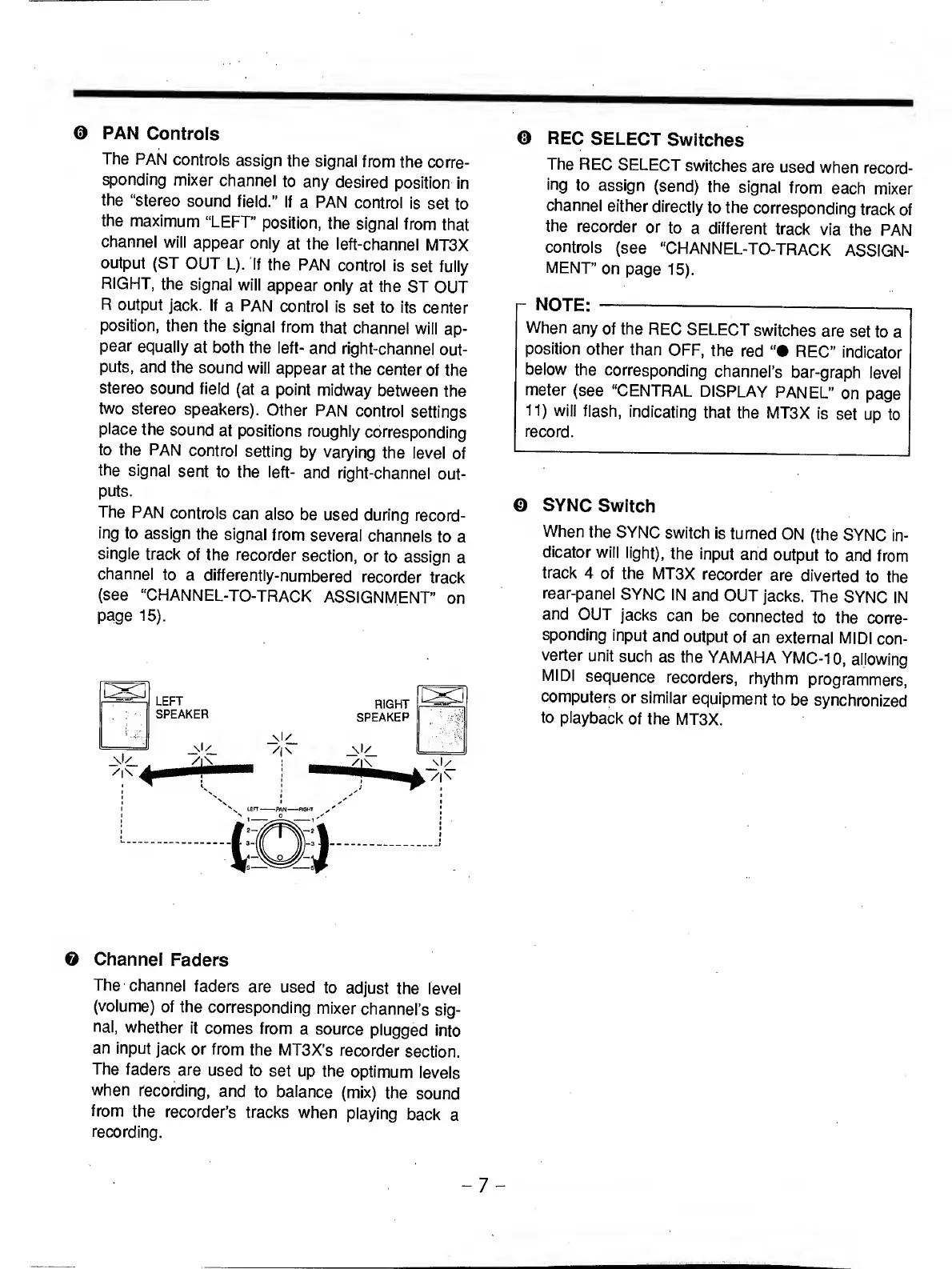
PAN
Controls
The
PAN
controls
assign
the
signal
from
the
corre¬
sponding
mixer
channel
to
any
desired
position
in
the
“stereo
sound
field.”
If
a
PAN
control
is
set
to
the
maximum
“LEFT”
position,
the
signal
from
that
channel
will
appear
only
at
the
left-channel
MT3X
output
(ST
OUT
L).
If
the
PAN
control
is
set
fully
RIGHT,
the
signal
will
appear
only
at
the
ST
OUT
R
output
jack.
If
a
PAN
control
is
set
to
its
center
position,
then
the
signal
from
that
channel
will
ap¬
pear
equally
at
both
the
left-
and
right-channel
out¬
puts,
and
the
sound
will
appear
at
the
center
of
the
stereo
sound
field
(at
a
point
midway
between
the
two
stereo
speakers).
Other
PAN
control
settings
place
the
sound
at
positions
roughiy
corresponding
to
the
PAN
control
setting
by
varying
the
ievel
of
the
signal
sent
to
the
left-
and
right-channel
out¬
puts.
The
PAN
controls
can
also
be
used
during
record¬
ing
to
assign
the
signal
from
several
channels
to
a
single
track
of
the
recorder
section,
or
to
assign
a
channel
to
a
differently-numbered
recorder
track
(see
“CHANNEL-TO-TRACK
ASSIGNMENT"
on
page
15).
O
Channel
Faders
The
channel
faders
are
used
to
adjust
the
level
(volume)
of
the
corresponding
mixer
channel’s
sig¬
nal,
whether
it
comes
from
a
source
plugged
into
an
input
jack
or
from
the
MT3X’s
recorder
section.
The
faders
are
used
to
set
up
the
optimum
levels
when
recording,
and
to
balance
(mix)
the
sound
from
the
recorder’s
tracks
when
playing
back
a
recording.
©
REC
SELECT
Switches
The
REC
SELECT
switches
are
used
when
record¬
ing
to
assign
(send)
the
signal
from
each
mixer
channel
either
directly
to
the
corresponding
track
of
the
recorder
or
to
a
different
track
via
the
PAN
controls
(see
“CHANNEL-TO-TRACK
ASSIGN¬
MENT”
on
page
15).
r
NOTE:
-—-—,
When
any
of
the
REC
SELECT
switches
are
set
to
a
position
other
than
OFF,
the
red
“•
REC”
indicator
below
the
corresponding
channel’s
bar-graph
level
meter
(see
"CENTRAL
DISPLAY
PANEL”
on
page
11)
will
flash,
indicating
that
the
MT3X
is
set
up
to
record.
©
SYNC
Switch
When
the
SYNC
switch
is
turned
ON
(the
SYNC
in¬
dicator
will
light),
the
input
and
output
to
and
from
track
4
of
the
MT3X
recorder
are
diverted
to
the
rear-panel
SYNC
IN
and
OUT
jacks.
The
SYNC
IN
and
OUT
jacks
can
be
connected
to
the
corre¬
sponding
input
and
output
of
an
external
MIDI
con¬
verter
unit
such
as
the
YAMAHA
YMC-10,
allowing
MIDI
sequence
recorders,
rhythm
programmers,
computers
or
similar
equipment
to
be
synchronized
to
playback
of
the
MT3X.
-
7
-

Related product manuals