EasyManua.ls Logo

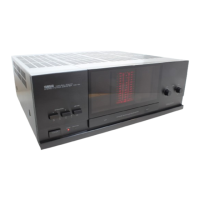
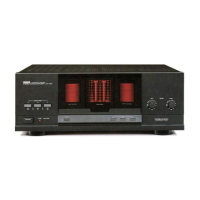
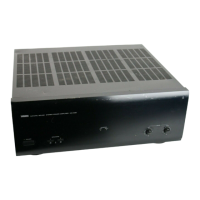
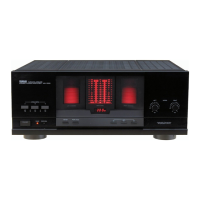
Yamaha MX-630 - Controls and Their Functions; Front Panel Controls; Rear Panel Terminals

Yamaha MX-630
12 pages
Print Icon
To Next Page IconTo Next Page
To Previous Page IconTo Previous Page
Loading...
(See
Fig.
Ell
)
FRONT
PANEL
@
POWER
switch/indicator
(POWER)
Press
this
switch
to
switch
ON
the
power.
The
indicator
above
it
will
illuminate
while
the
power
is
ON.
Press
the
switch
again
to
switch
OFF
the
power.
Note
the
following
cautions.
e
Before
switching
ON
the
power,
be
sure
to
set
the
volume
control(s)
of
the
control
amplifier
to
the
lowest
setting
in
order
to
avoid
damage
to
the
speakers.
9
[he
speaker-protection
circuit
functions
to
mute
speaker
sound
reproduction
for
a
few
seconds
after
the
power
is
switched
ON.
Q
SPEAKERS
switches
(SPEAKERS)
MX-830
These
switches
permit
you
to
select
any
of
the
speaker
pairs
connected
to
the
A,
B
and/or
C
terminals
by
pressing
the
appropriate
switch(es)
to
the
ON
position.
Note:
If
speakers
are
connected
to
terminals
B,
but
not
to
terminals
C,
be
sure
to
press
only
the
switch
B
when
listening
via
pair
B.
Pressing
switch
C
as
well
will
cut
off
the
sound
from
pair
B,
because
B
and
C
are
connected
in
series.
(The
same
is
true
if
speakers
are
connected
to
terminals
C
and
switch
B
is
pressed.)
MX-630
These
switches
permit
you
to
select
any
of
the
speaker
pairs
connected
to
the
A
and/or
B
terminals
by
pressing
the
appropriate
switch(es)
to
the
ON
position.
Q
CLIPPING
indicators
(CLIPPING)
These
indicators
illuminate
if
an
overload
is
applied
to
this
unit
due
to
excessive
input.
(When
this
indicator
illuminates,
reduce
the
input
level
by
using
the
output
level
control
on
the
contro!
amplifier
or
other
component
connected
to
this
unit.)
©
Speakers
level
controls
(LEVEL)
These
controls
are
used
for
adjustment
of
the
volume
level
of
the
sound
reproduced
through
the
speaker
systems
connected
to
this
unit.
Turning
a
control
clockwise
increases
the
volume
level
from
the
speaker
system(s)
corresponding
to
that
control.
|
REAR
PANEL
@
INPUT
terminals
(INPUT)
These
terminals
are
for
connections
from
a
control
amplifier.
Refer
to
the
section
"CONNECTIONS"
for
detailed
information.
Q
Ground
terminal
knob
(GND)
Make
a
connection
between
this
terminal
and
the
same
terminal
of
the
control
amplifier
if
making
the
connection
results
in
less
hum
or
other
noise.
@
Speakers
terminals
These
terminals
are
for
connections
to
the
speaker
systems.
Refer
to
the
section
"CONNECTIONS"
for
detailed
information.
Q
Unswitched
AC
outlet
(AC
OUTLET
UNSWITCHED)
(U.S.A.,
Canada
and
General
models
only)
This
unswitched
AC
outlet
can
be
used
for
connection
of
the
power
coi
from
another
audio
component.
Note
that
the
power
to
that
component
not
affected
by
the
ON
or
OFF
setting
of
the
POWER
switch
of
this
un
Note:
The
component
connected
here
should
have
a
rating
of
no
more
than
200W.

Related product manuals