EasyManua.ls Logo

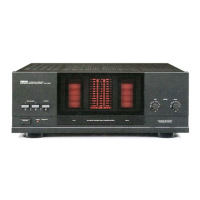
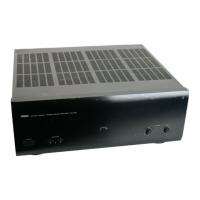
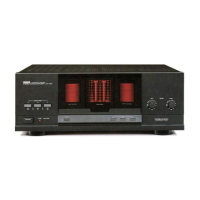
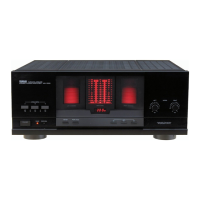
Yamaha MX-A5000 - User Manual

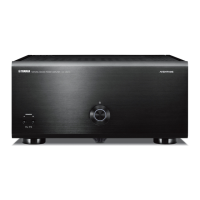
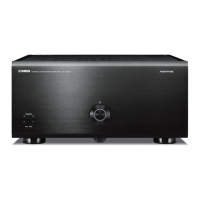
Yamaha MX-A5000
28 pages
Print Icon
To Next Page IconTo Next Page
Loading...
English
Français
Deutsch
Español
Русский
中文
한국어
Power Amplifier/Ampli de Puissance
Owner’s Manual
Mode d’emploi
Bedienungsanleitung
Manual de Instrucciones
Инструкция по эксплуатации
使用说明书
사용 설명서
MX-A5000_om_UCTKABGLVF.book Page 1 Thursday, April 4, 2013 5:28 PM

Other manuals for Yamaha MX-A5000

Questions and Answers

  • K
    kbooneAug 13, 2025
    Why won't my Yamaha MX-A5000 power on?
    • C
      Craig BarkerAug 13, 2025
      If the power indicator on your Yamaha Amplifier is blinking, this means the protection circuitry has been activated three times consecutively, disabling the power. As a safety precaution, contact your nearest Yamaha dealer or service center to request repair. If the internal microcomputer has frozen due to an external electric shock or a drop in the power supply voltage, disconnect the power cable from the AC wall outlet and plug it in again. Also, if an external device is connected to the TRIGGER (IN) jack, press down the power button on the unit and then turn on the external device.
  • L
    Leah JohnsonAug 17, 2025
    Why does my Yamaha MX-A5000 turn off (standby mode) immediately?
    • J
      jonesphilipAug 17, 2025
      Your Yamaha Amplifier might immediately enter standby mode if it was turned on while a speaker cable was shorted. Ensure that you twist the bare wires of each speaker cable firmly and reconnect them to both the unit and speakers. Also, the unit could be shorted because the speaker terminals are in contact with metal parts. Ensure there is enough free space on the back of the unit.
  • T
    Tristan StaffordAug 20, 2025
    What to do if my Yamaha Amplifier power does not turn on?
    • H
      Herbert PetersenAug 20, 2025
      If the Yamaha Amplifier power does not turn on, it could be due to several reasons. First, the protection circuitry might have been activated three times consecutively, disabling the power. In this case, contact your nearest Yamaha dealer or service center to request repair. Second, the internal microcomputer might have frozen due to an external electric shock or a drop in the power supply voltage. Try disconnecting the power cable from the AC wall outlet and plugging it back in. Third, an external device might be connected to the TRIGGER (IN) jack. Press down the power button on the unit and then turn on the external device.
  • M
    Mason FoxAug 25, 2025
    Why does my Yamaha MX-A5000 Amplifier enter standby mode automatically?
    • K
      Kristen CruzAug 25, 2025
      The Yamaha Amplifier might enter standby mode automatically because the auto-standby function is enabled. To disable it, set the AUTO POWER STANDBY switch to “OFF”. Alternatively, the protection circuitry could be activated because the volume of an external device connected to the unit is too high; try turning down the volume of the external device. The protection circuitry may also be activated if the temperature inside the unit is too high, ensure the unit is in a well-ventilated area with enough ventilation space around it.
  • O
    ogreenAug 27, 2025
    What to do if no sound is coming from a specific speaker on my Yamaha MX-A5000?
    • T
      Thomas EscobarAug 28, 2025
      If no sound is coming from a specific speaker, check if the speakers connected to the CH.2 A/B terminals are turned off. If so, press SPEAKERS A/B to turn on the speakers. Also, the XLR balanced cable (or RCA unbalanced cable) connecting the unit and pre-amplifier might be defective, or the speaker cable connecting the unit and speaker might be defective. If there is no problem with the connection, replace the cable.
  • C
    ccantuSep 1, 2025
    Why is there no sound coming from a specific speaker on my Yamaha MX-A5000 Amplifier?
    • M
      Micheal GraySep 1, 2025
      If no sound is coming from a specific speaker on your Yamaha Amplifier, it might be because the speakers connected to the CH.2 A/B terminals are turned off. Press SPEAKERS A/B to turn on the speakers. Another possible cause is a defective XLR balanced cable (or RCA unbalanced cable) connecting the unit and pre-amplifier, or a defective speaker cable connecting the unit and speaker; if there is no problem with the connection, replace the cable.
  • N
    nancy93Sep 4, 2025
    How to fix Yamaha MX-A5000 when another channel sound is coming from a specific speaker?
    • X
      xparsonsSep 4, 2025
      If sound from another channel is coming from a specific speaker, the CH SELECTOR setting is not correct. Change the CH SELECTOR setting so that it matches your speaker system.
  • B
    Brian JonesSep 8, 2025
    What to do if my Yamaha MX-A5000 turns off (standby mode) immediately?
    • C
      Christopher MarquezSep 8, 2025
      If your Yamaha Amplifier turns off (standby mode) immediately, it could be because the unit was turned on while a speaker cable was shorted. Twist the bare wires of each speaker cable firmly and reconnect them to the unit and speakers. Another cause could be the unit being shorted because the speaker terminals came into contact with metal parts of the AV rack, etc. Ensure there is enough space on the back of the unit.

Summary

Precaution for use

Installation and Safety Precautions

Guidelines for environment, ventilation, and electrical safety.

Key Features

High-Quality Power Amplification

Details on the 11-channel, 150W amplifier.

Connectivity and Expansion

Balanced/unbalanced inputs, bi-amp, multi-speaker support.

Advanced Functionality

Trigger function for synchronized power control.

Front Panel Overview

Front Panel Controls

Identification of buttons and indicators on the front panel.

Power Button and Indicator

Operation of the power key and status light.

Speaker A;B Selection

Controls for managing speaker pairs.

Rear Panel Overview

Rear Panel Components

Identification of rear panel connectors and controls.

Speaker Terminals and Impedance Selector

Connectors for speakers and impedance setting.

Input and Control Jacks

Trigger jacks, AC IN, and CH. SELECTOR.

Input Jack Details

XLR and RCA Input Connections

Using balanced XLR and unbalanced RCA input jacks.

BAL;UNBAL Switch Operation

How to select between XLR and RCA inputs.

Connections Guide

Pre-amplifier and Speaker Hookup

Diagram and instructions for connecting pre-amp and speakers.

Connecting Speakers

Speaker Impedance Considerations

Understanding impedance requirements for connected speakers.

Speaker Cable Connection Methods

How to connect cables using bare wire, banana plugs, or lugs.

Power Cable and Unit Operations

Connecting the Power Cable

Steps to connect the unit to an AC power source.

Basic Power On;Off Control

Procedure for turning the unit on and off.

Automatic Standby Function

How the unit automatically enters standby mode.

Power Indicator Brightness Adjustment

Method to dim the front panel power indicator.

Trigger Functionality

Synchronized Power Control

Using trigger jacks for coordinated power on/off.

Advanced Speaker Configurations

Bi-amp Speaker Setup

Configuring the unit for bi-amplified speaker systems.

Multi-Speaker and Bi-amp Options

Using multiple speakers or bi-amping for center channels.

Appendix: Signal Path Diagram

Input-Output Signal Flow

Visual representation of audio signal routing.

Troubleshooting Common Issues

Power and Standby Problems

Solutions for power not turning on or immediate standby.

No Sound or Incorrect Channel Audio

Diagnosing and fixing audio output problems.

Technical Specifications

Input and Output Specifications

Details on input sensitivity, impedance, and output power.

General and Power Specifications

Information on power supply, consumption, and dimensions.

Yamaha MX-A5000 Specifications

General IconGeneral
Receiver type-
Audio output channels- channels
Dynamic power per channel (4 Ohm)350 W
Power output per channel (1KHz@6 Ohm)230 W
Power output per channel (1KHz@8 Ohm)190 W
Power output per channel (20-20KHz@8 Ohm)- W
HDMI in0
12V triggerYes
Phono inputs (RCA)11
Connectivity technologyWired
Speakers connectivity typeRCA
Ethernet LANNo
Supported radio bandsNot supported
Product colorSilver
Power consumption (typical)650 W
Weight and Dimensions IconWeight and Dimensions
Depth463.5 mm
Width435 mm
Height210 mm
Weight25400 g

Related product manuals