EasyManua.ls Logo

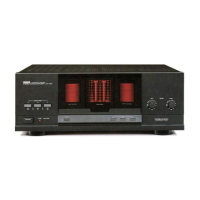
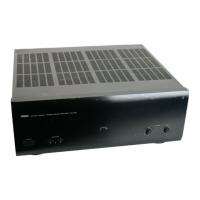
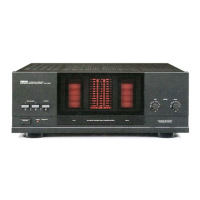
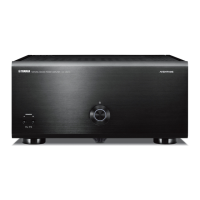
Yamaha MX-A5200 - User Manual

Yamaha MX-A5200
28 pages
Print Icon
To Next Page IconTo Next Page
Loading...
English
Français
Español
Português
Русский
ѣᮽ
ଞ˲߭
Power Amplifier/Ampli de Puissance/Усилитель мощности
Owner’s Manual
Mode d’emploi
Manual de Instrucciones
Manual do Proprietário
Инструкция по эксплуатации
ֵ⭞䈪᱄Ҝ
ۉࡅ۳ֵۭ
@YAMAHA
MX-A5200

Other manuals for Yamaha MX-A5200

Questions and Answers

  • D
    dmitchellJul 27, 2025
    Why won't my Yamaha MX-A5200 Amplifier power on?
    • J
      Jacqueline RobersonJul 28, 2025
      The Yamaha Amplifier might not turn on because the protection circuitry has been activated three times consecutively, disabling the power as a safety precaution. In this case, contact your nearest Yamaha dealer or service center to request repair.
  • R
    Reginald WardAug 1, 2025
    How to disable auto standby on Yamaha MX-A5200 Amplifier?
    • K
      Kimberly DurhamAug 1, 2025
      Your Yamaha Amplifier might be entering standby mode automatically because the auto-standby function is enabled. To disable it, set the AUTO POWER STANDBY switch to “OFF”.
  • N
    Natalie PerryAug 7, 2025
    What to do if Yamaha MX-A5200 has no sound from a specific speaker?
    • A
      amanda57Aug 7, 2025
      If no sound is coming from a specific speaker connected to your Yamaha Amplifier, and the speakers are connected to the CH.3 A/B terminals, press SPEAKERS A/B to turn on the speakers. If this doesn't solve the problem, the XLR balanced cable (or RCA unbalanced cable) connecting the unit and pre-amplifier may be defective, or the speaker cable connecting the unit and speaker may be defective. If there is no problem with the connection, replace with another cable.
  • T
    Taylor PerkinsAug 11, 2025
    What to do if my Yamaha MX-A5200 turns off immediately?
    • S
      Sharon DoyleAug 11, 2025
      If your Yamaha Amplifier immediately turns off and goes into standby mode, it could be due to a shorted speaker cable. Twist the bare wires of each speaker cable firmly and reconnect them to the unit and speakers.
  • A
    Adam PhamAug 16, 2025
    How to fix Yamaha MX-A5200 if there is no sound?
    • C
      Catherine MillerAug 16, 2025
      If there is no sound from your Yamaha Amplifier, ensure that the BAL/UNBAL switch setting is correct and matches your connections. Change the BAL/UNBAL switch setting to the correct position.
  • R
    Robert PachecoAug 21, 2025
    Why is another channel's sound coming from a specific speaker on my Yamaha Amplifier?
    • R
      Rodney WilsonAug 21, 2025
      Another channel's sound might be coming from a specific speaker on your Yamaha Amplifier because the CH SELECTOR setting is incorrect. Change the CH SELECTOR setting so that it matches your speaker system.

Summary

IMPORTANT SAFETY INSTRUCTIONS

Graphical Symbols Explanation

Explains symbols used in the manual for safety alerts.

Record Serial Number

Prompts user to record the serial number for future reference.

FCC Compliance Information

Unit Modification Warning

Warns against unauthorized modifications which may void FCC authority.

Cable and Installation Requirements

Emphasizes using quality shielded cables and following installation instructions.

FCC Part 15 Compliance Statement

Declares product meets FCC Part 15 requirements for digital devices.

General Precautions

Risk of Serious Injury or Death

Content indicating risk of serious injury or death.

Power Supply and Cord Safety

Precautions related to the power cord, plug, and voltage.

Water and Fire Warnings

Precautions to prevent fire hazards and water damage.

Disassembly and Maintenance

Warning against disassembling or modifying the unit and care instructions.

Specific Handling Precautions

Risk of Injury Warnings

Content indicating risk of injury.

Power and Installation Safety

Guidelines for safe power connection and unit installation.

Hearing Loss and Handling Cautions

Warnings about high volume and handling hot surfaces.

Operational Notices

Power Cord and Usage Notices

Reminders for unplugging the unit and proper cord use.

Installation and Handling Guidelines

Advice on placement, environmental factors, and handling.

Connection and Maintenance Advice

Instructions for connecting devices and cleaning the unit.

Installation and Usage Precautions

Ventilation and Speaker Terminal Safety

Installation guidelines for ventilation and handling speaker terminals.

Volume Control Importance

Importance of connecting to a device with volume control.

Features

High-Quality Power Amplifier

Details on the 11-channel high-output amplifier and its components.

Connection Flexibility

Information on balanced/unbalanced inputs and chassis structure.

Advanced Speaker Configuration Support

Explains support for bi-amp, bridge, and multi-speaker setups.

Trigger Function for Power Control

Details on synchronizing power switching with other devices.

Part Names and Functions

Front Panel Overview

Identifies and explains the controls and indicators on the front panel.

Rear Panel Layout

Identifies and explains the connectors and switches on the rear panel.

Input Jacks (XLR;RCA)

Details on connecting to pre-amplifiers via XLR and RCA jacks.

Connections

Pre-amplifier and Speaker Connections

Illustrates how to connect a pre-amplifier and speakers to the unit.

Speaker Cable Connection Methods

Guides on preparing and connecting speaker cables using various methods.

Power Cable Connection and Unit Power On;Off

Steps to connect the power cable and operate the unit's power.

Other Functions

Auto-Standby Function

Explanation of the auto-standby feature and how to enable/disable it.

Power Indicator Dimming

Procedure to dim the front panel power indicator.

Trigger Function for Device Synchronization

How to synchronize the unit's power with other devices using trigger jacks.

Advanced Speaker Configuration

Bi-amp Connections

Guide for bi-amp connections to enhance sound quality.

Bridge Connection for Front Speakers

Instructions for bridging front speakers for high-powered sound.

Multi-Speaker Setups

Methods for using multiple speakers for single channels or zones.

Appendix

Input-Output Signal Path Diagram

Diagram illustrating the signal flow through the unit's inputs and outputs.

Troubleshooting Common Problems

Table providing common problems and their solutions.

Technical Specifications

Detailed technical specifications of the unit's performance and features.

Dimensions and Weight

Physical dimensions and weight of the unit.

Connection Examples

11.2-channel Home Theater System

Example of connecting for a 11.2-channel home theater system.

5-channel Bi-amp System

Example of a 5-channel bi-amp system setup.

Multi-Zone Speaker Setup

Example for a 5-channel main zone with two 2-channel zones.

9-channel Front Bridge Connection

Example of a 9-channel home theater with front bridge connection.

Yamaha MX-A5200 Specifications

General IconGeneral
Channels11
High Slew Rate AmplifierYes
Power Output (8 ohms)150 W
Total Harmonic Distortion (THD)0.06%
Damping Factor150
Speaker Impedance4Ω - 16Ω
Dimensions (W x H x D)435 x 192 x 463.5 mm

Related product manuals