EasyManua.ls Logo

Yamaha N-100 - User Manual

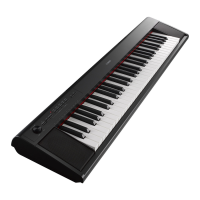
Yamaha N-100
42 pages
Print Icon
To Next Page IconTo Next Page
Loading...
ENGLISH
DEUTSCH
FRANÇAIS
ESPAÑOL
FR
DE
EN
Owners Manual
Bedienungsanleitung
Mode demploi
Manual de instrucciones
ENGLISH
DEUTSCH
FRANÇAIS
ESPAÑOL
ES
Digital Piano
N-100

Other manuals for Yamaha N-100

Questions and Answers

  • M
    megan40Jul 30, 2025
    Why is the volume low or no sound on my Yamaha N-100 Musical Instrument?
    • M
      Mark FordJul 30, 2025
      If the overall volume is low, or no sound is heard, the Master Volume may be set too low. Adjust it to an appropriate level using the [MASTER VOLUME] dial. Also, check that headphones are not connected to the headphones jack. Finally, ensure that Local Control is ON.
  • J
    Jeanette SalazarAug 9, 2025
    What to do if I hear noise from the speakers of my Yamaha N-100 Musical Instrument?
    • J
      Jaime PattersonAug 9, 2025
      The noise you are hearing from the speakers or headphones of your Yamaha Musical Instrument might be due to interference caused by a mobile phone being too close to the device. Try turning off the mobile phone or moving it further away from the instrument.
  • R
    Raymond WalterAug 19, 2025
    What to do if Yamaha Musical Instrument damper pedal not working?
    • R
      rjenkinsAug 20, 2025
      If the damper pedal has no effect, or the sound continuously sustains even when the damper pedal is not pressed, the pedal cord may not be properly connected. Make sure to securely insert the pedal cord into the [PEDAL] connector.

Summary

Special Message Section

Product Safety Markings

Explains symbols and cautions for product safety, including risk of electric shock.

Important Notice

Details product testing, modification warnings, and warranty implications.

Precautions

Warning

Basic safety precautions to avoid serious injury, shock, fire, and hazards.

Caution

Precautions to avoid physical injury to users or damage to the instrument.

Before Using the Digital Piano

Turning the Power On

Steps to connect the power cord and turn the instrument on or off.

Setting the Volume

How to adjust the overall sound level using the master volume dial.

Listening to the Demo Songs and the 50 Piano Preset Songs

Changing a Demo Song

Instructions on how to select different demo songs during playback.

Change the 50 Piano Preset Songs

Steps to select one of the 50 preset piano songs for listening.

Selecting & Playing Voices

Selecting Voices

Guide to choosing from the ten internal instrument sounds.

Using the Pedals

Explains the function of the damper, sostenuto, and soft pedals.

Connections

Troubleshooting

Specifications

Yamaha N-100 Specifications

General IconGeneral
BrandYamaha
ModelN-100
CategoryMusical Instrument
LanguageEnglish

Related product manuals