Playing the Keyboard
10 NU1 Owner’s Manual
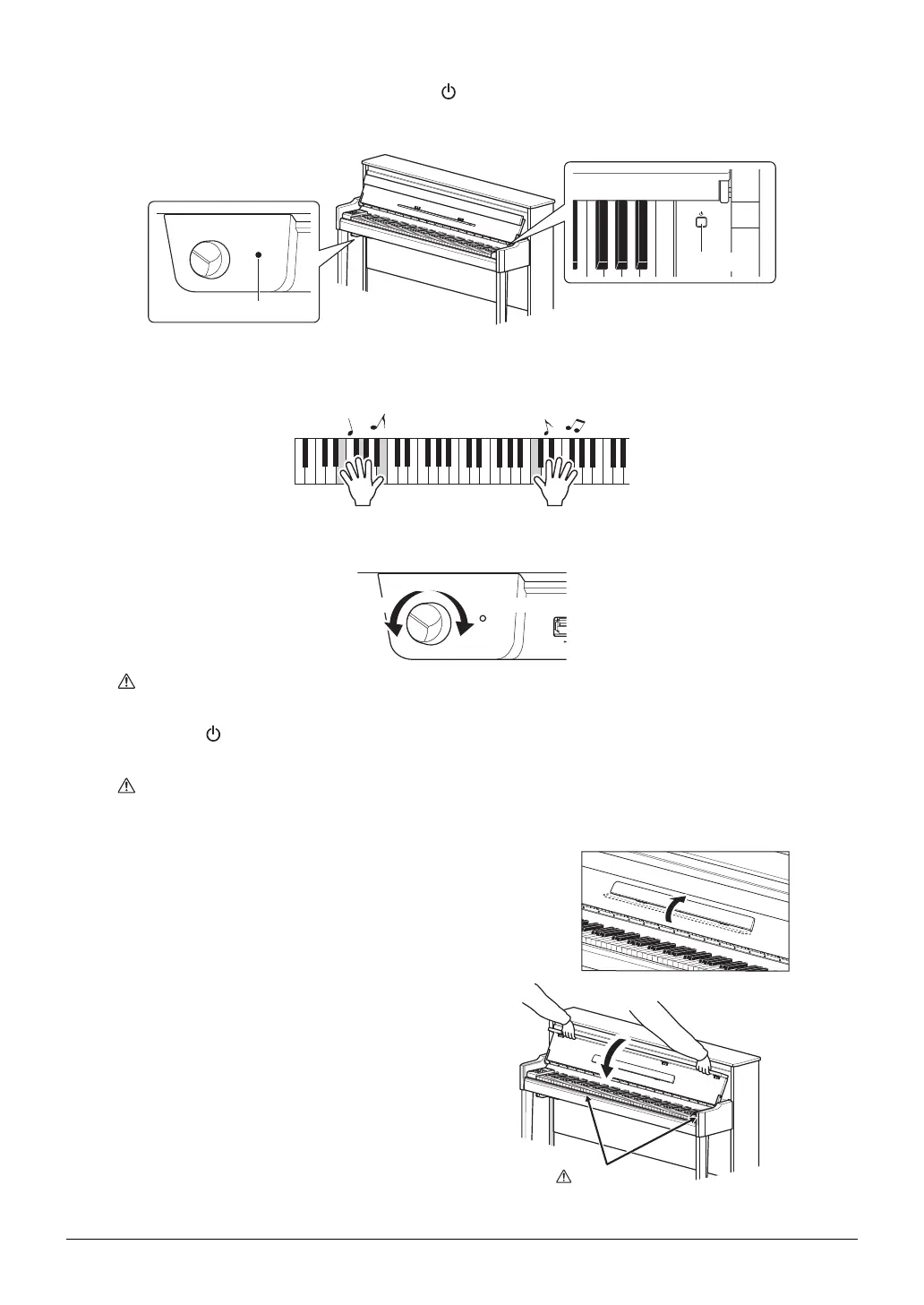
4 On the right of the keyboard, press the [ ] switch to turn on the power.
The lamp located as shown below lights up, the display (page 8) indicates “
nU1
” for a while, then the instru-
ment starts up.
NOTICE
Do not press any keys until the instrument has completely started up (approx. four seconds after turning on the switch).
Doing so may cause some keys to not sound normally.
5 Play the keyboard.
To adjust the volume:
Use the [MASTER VOLUME] control (page 8) located at the front left, just below the keyboard.
CAUTION
Avoid using this instrument at a high volume level for a long period of time, to prevent hearing damage.
6 Press the [ ] switch again to turn off the power.
The power lamp turns off.
CAUTION
A small amount of electrical current remains even after the power switch is turned off. If you plan not to use the instrument
for a long period of time, be sure to unplug the instrument from the AC outlet.
7 Close the music rest.
If you omit this operation and close the fallboard, the music
rest will hit the keyboard and may result in damage.
8 With both hands, open the folded top of the
fallboard, and close it gently.
MAXMIN
MASTER VOLUME
Power switch
The lamp lights up.
MAX
USB TO
MIN
MASTER VOLUME
The level increases. The level decreases.
CAUTION
Be careful to avoid catching your fingers
between the fallboard and the instrument.






 To Next Page