Playing Songs
PSR-E243/YPT-240 Owner’s Manual
21
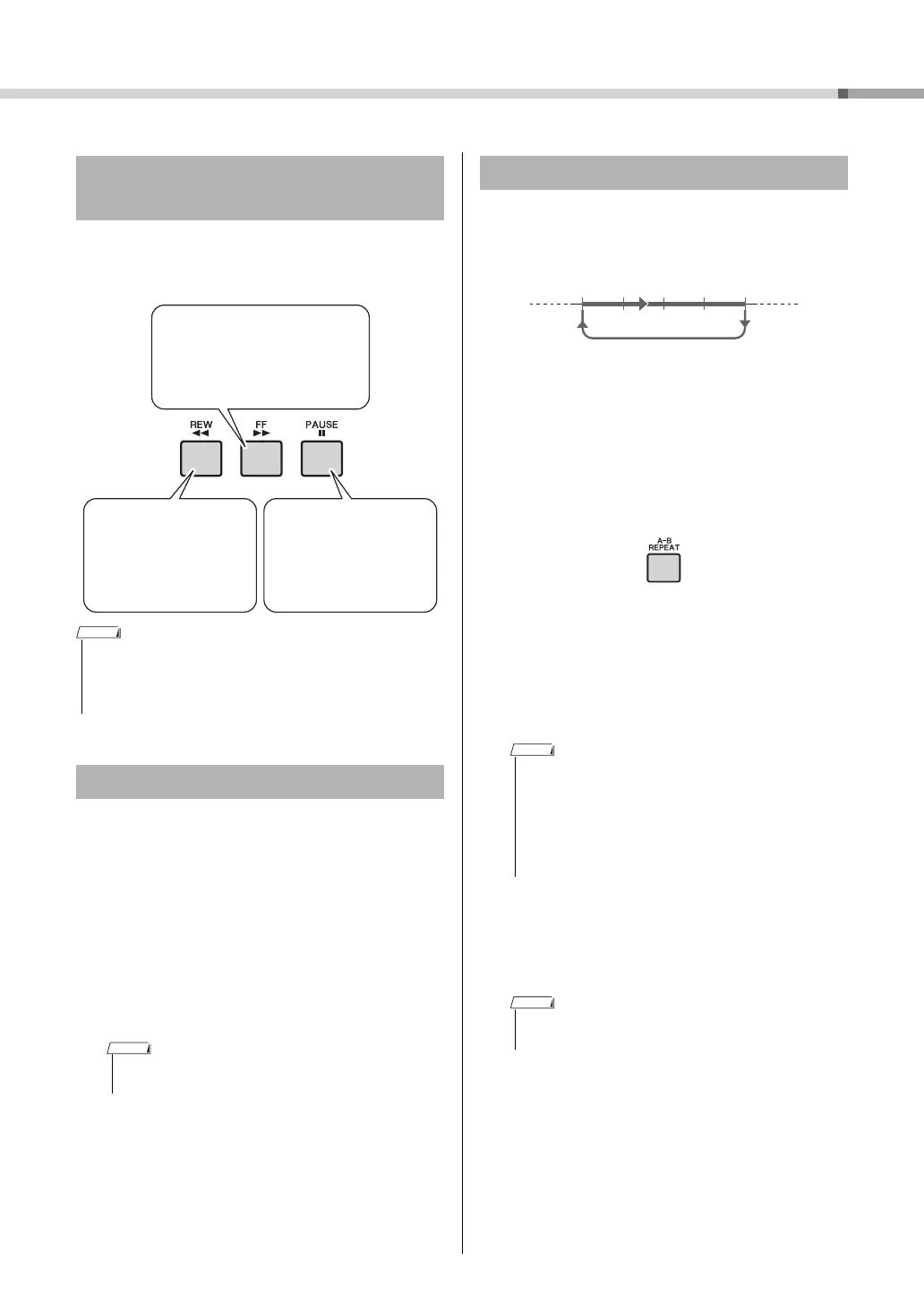
Like the transport controls on an audio player, this
instrument lets you fast forward (FF), rewind (REW)
and pause (PAUSE) playback of the Song.
You can change a Song’s melody Voice to any other
desired Voice.
1
Select a Song.
2
Select the desired Voice.
3
Press and hold the [VOICE] button for
longer than a second.
“SONG MELODY VOICE” appears in the display
for a few seconds, and the selected Voice replaces
the Song’s original melody Voice.
You can play back only a specific section of a Song
repeatedly by setting the A point (start point) and B
point (end point) in one-measure increments.
1
Start playback of the Song (page 20).
2
When playback reaches to the point you
want to specify as the start point, press
the [A-B REPEAT] button to set the A
point.
3
When playback reaches to the point you
want to specify as the end point, press
the [A-B REPEAT] button again to set
the B point.
The specified A-B section of the song will now
play repeatedly.
4
To cancel repeat playback, press the
[A-B REPEAT] button.
To stop playback, press the [START/STOP] but-
ton.
Song Fast Forward, Fast
Reverse, and Pause
• When the A-B repeat is specified, the Fast Reverse and Fast
Forward will only work within the range between A and B.
• [REW], [FF] and [PAUSE] button cannot be used during Song
playback by using the [DEMO] button.
Changing the Melody Voice
• Selecting another Song will cancel the changed Melody
Voice.
Fast Reverse
During playback, press
this button to rapidly
return to an earlier point
in the Song.
Fast Forward
During playback, press this
button to rapidly skip ahead to
a later point in the Song.
Pause
During playback, press
this button to pause play-
back, and press again to
start from that point.
NOTE
A-B Repeat
• You can also set the A-B Repeat function when the Song
is stopped. Simply use the [REW] and [FF] buttons to
select the desired measures, pressing the [A-B REPEAT]
button for each point, then start playback.
• If you want to set the start point “A” at the top of the
Song, press the [A-B REPEAT] button before starting
playback.
• The A-B Repeat function will be canceled when you
select another Song mode.
Repeat playback of this section















 To Next Page