● Functions in Self-Diagnostic Function mode
In addition to the self-diagnostic function menu items, functions as listed below are available.
• Power ON/OFF
• Master volume
• Muting
• Input selection
• Zone control
* Functions related to the tuner and the set menu are not available.
● Initial settings when Self-Diagnostic Function started
The following initial settings are used when starting self-diagnostic function.
When self-diagnostic function is canceled, these settings are restored to those before starting self-diagnostic function.
• Master volume: -20 dB / Zone volume: +2.5dB
• Input: HDMI1 / Zone input: AUDIO1
• Main menu: A1-1. DSP MARGIN
• Speaker setting: LARGE, Bass out to SWFR (All channels)
• HDMI Control: Off
• Zone 2: On
● Operation procedure of Main menu and Sub-menu
There are 25 main menu items, each of which has sub-menu items.
Main menu selection
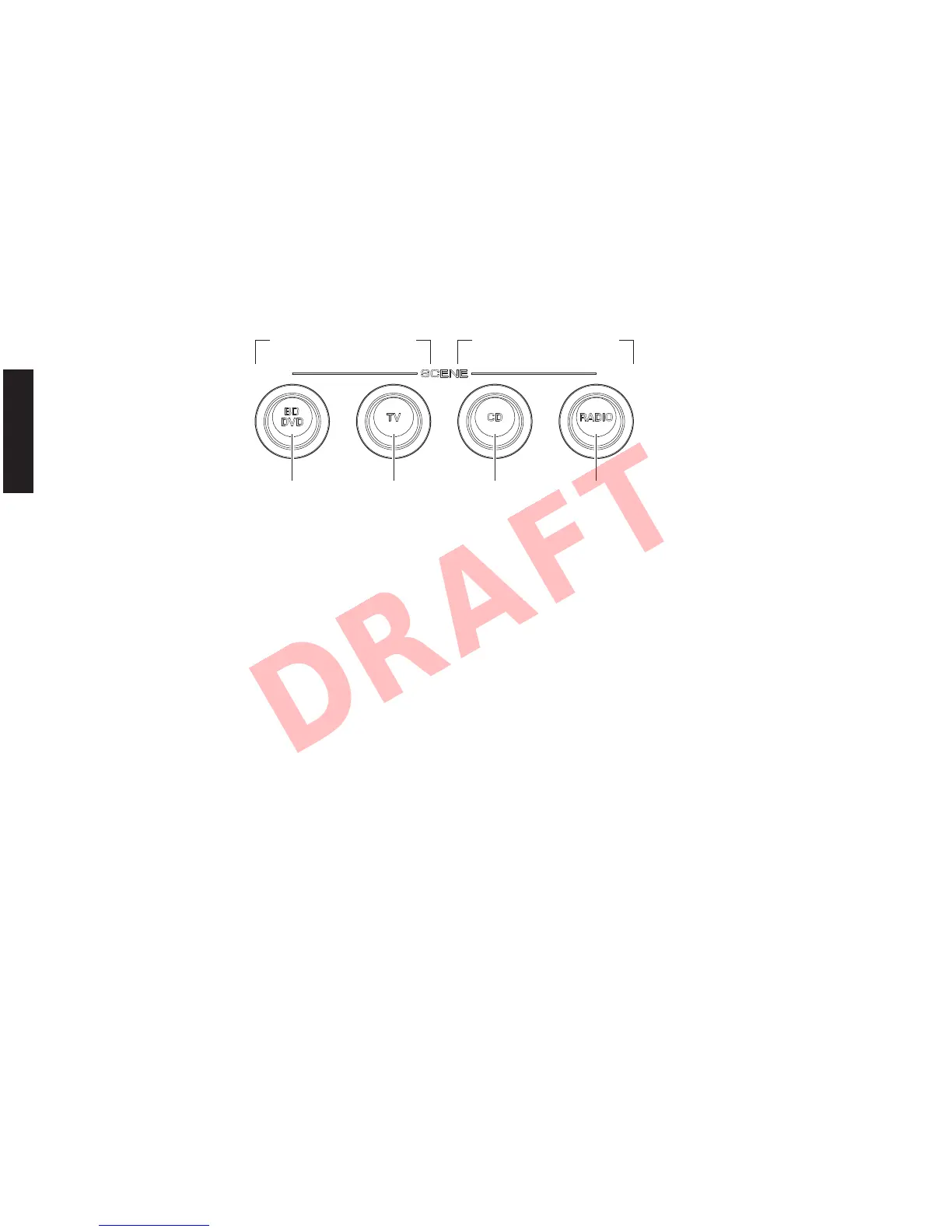
Select the main menu using “SCENE TV” (forward) and “SCENE BD/DVD” (reverse) keys.
Sub-menu selection
Select the sub-menu using “SCENE RADIO” (forward) and “SCENE CD” (reverse) keys.
Keys of this unit
Reverse Forward
Main menu selection
Reverse Forward
Sub-menu selection
34
RX-V671/HTR-6064/RX-A710
RX-V671/HTR-6064/
RX-A710













 To Next Page