C1-1
ALL:OKExt.JIG
C1-2
BUSFROM:OK
C1-2. BUS FLASH ROM
Reading/writing FLASH ROM (IC904) are checked.
OK : No error detected
NG : An error is detected
N1-5
EXTTEST:OK
OK: Normal
NG: Abnormal
--: Checking
When the sub-menu C1-10 is NG, “Ext. JIG” is displayed.
N1-5. EXT TEST
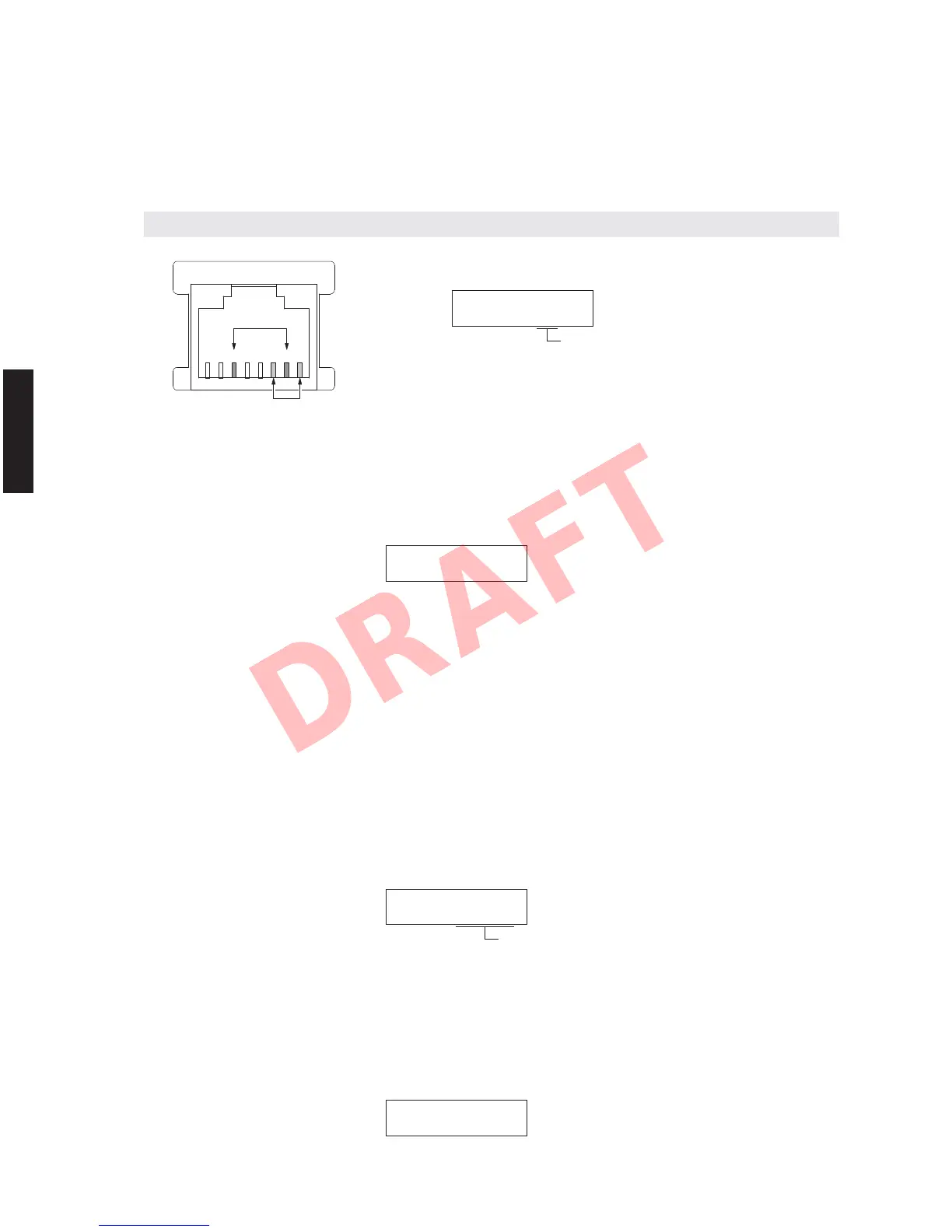
Transmission/reception of the NETWORK connector is checked.
With the power turned off, short the pins of the NETWORK port as shown in the figure below.
Start up the self-diagnostic function and select this menu.
NETWORK port
Note) Be sure to return the shorted pins to their original condition after executing this test.
N1-6. MAC ADDRESS
The MAC address is displayed.
N1-6
00A0DExxxxxx
C1. DIGITAL P.C.B. CHECK
This menu is used to check the communication and bus line connection between devices on DIGITAL P.C.B.
C1-1. ALL
The synthetic judgment result of sub-menu C1-2 to C1-16 is displayed.
OK : No error detected
NG : An error is detected
12345678
48
RX-V671/HTR-6064/RX-A710
RX-V671/HTR-6064/
RX-A710













 To Next Page