EasyManua.ls Logo

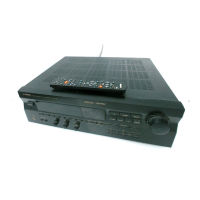
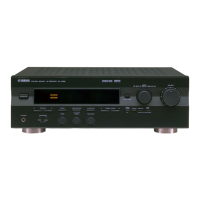
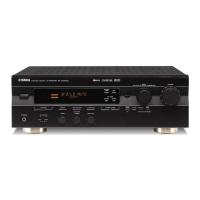
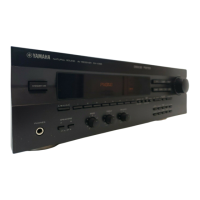
Yamaha RX-V395RDS - User Manual

Yamaha RX-V395RDS
42 pages
Print Icon
To Next Page IconTo Next Page
Loading...
RX-V395
RX-V395RDS
NATURAL SOUND AV RECEIVER
AMPLI-TUNER AUDIO-VIDEO
OWNER’S MANUAL
MODE D’EMPLOI
BEDIENUNGSANLEITUNG
BRUKSANVISNING
MANUALE DI ISTRUZIONI
MANUAL DE INSTRUCCIONES
GEBRUIKSAANWIJZING
BG

Questions and Answers

  • M
    Mr. Chris WoodAug 19, 2025
    What to do if Yamaha Receiver fails to turn on?
    • S
      Sandra RobinsonAug 19, 2025
      If your Yamaha Receiver fails to turn on, or turns into standby mode shortly after being powered on, check that the power cord is firmly plugged in. Also, ensure the IMPEDANCE SELECTOR switch on the rear panel is set firmly to either the right or left end. If the issue persists, try turning the unit to standby, disconnecting the AC power cord for 30 seconds, and then reconnecting and operating it again.
  • J
    Jessica BishopAug 21, 2025
    Why is there no sound from my Yamaha RX-V395RDS?
    • M
      Mackenzie RayAug 21, 2025
      If you are experiencing no sound or picture from your Yamaha Receiver, ensure the output cords are correctly connected, and if the problem continues, the cords may be defective. Verify that you've selected the appropriate input source using the input selector buttons. Confirm that the SPEAKERS switches are properly set to the ON position for the speakers you're using and that the speaker connections are secure.
  • W
    William SanchezAug 25, 2025
    What to do if the sound suddenly goes off on Yamaha RX-V395RDS Receiver?
    • G
      greenlukeAug 25, 2025
      If the sound from your Yamaha Receiver suddenly goes off, it could be due to the protection circuit being activated because of a short circuit. To resolve this, turn the unit into standby mode and then turn it back on to reset the protection circuit. Alternatively, the SLEEP timer may have activated; if so, cancel the SLEEP timer function.
  • S
    Sharon JacksonAug 26, 2025
    Why is Yamaha RX-V395RDS remote not working?
    • C
      Christine NelsonAug 26, 2025
      If the remote control transmitter for your Yamaha Receiver is not working, change the position of the main unit if direct sunlight or lighting is striking the remote control sensor. If that doesn't work, replace the batteries in the remote control with new ones.
  • C
    Crystal HammondAug 28, 2025
    How to fix noisy FM stereo reception on Yamaha Receiver?
    • O
      oliviacollinsAug 28, 2025
      If the FM stereo reception on your Yamaha Receiver is noisy, check the antenna connections. You might need to use a high-quality directional FM antenna. Also, try setting the TUNING MODE button to the manual tuning mode.
  • K
    Kelly PowersAug 30, 2025
    How to stop Yamaha RX-V395RDS Receiver from humming?
    • M
      Melissa StevensonAug 30, 2025
      If your Yamaha Receiver is producing a humming sound, firmly connect the audio plugs. If the problem continues, the cords may be defective. Additionally, ensure there is a GND connection between the turntable and the unit if you are using one.
  • V
    Virginia JacksonSep 1, 2025
    What causes distortion on Yamaha RX-V395RDS Receiver?
    • J
      Jacob AnthonySep 1, 2025
      If you're experiencing distortion and cannot get a clear FM reception even with a good antenna on your Yamaha Receiver, adjust the antenna placement to eliminate multipath interference.
  • S
    Steven BennettSep 3, 2025
    What to do if Yamaha RX-V395RDS Receiver cannot tune in automatically?
    • J
      James WolfeSep 3, 2025
      If you are unable to tune into a desired station using the automatic tuning method on your Yamaha Receiver because the signal is too weak, use the manual tuning method. Consider using a high-quality directional FM antenna.
  • M
    Melissa PorterSep 5, 2025
    Why is my Yamaha RX-V395RDS Receiver crackling?
    • W
      williamdeanSep 5, 2025
      If you're experiencing continuous crackling and hissing noises with your Yamaha Receiver, use an outdoor antenna and a ground wire. While this may help somewhat, it's difficult to eliminate all noise from sources like lightning, fluorescent lamps, motors, thermostats, and other electrical equipment.
  • A
    Andrew BakerSep 7, 2025
    Why is my Yamaha Receiver buzzing?
    • B
      bjonesSep 7, 2025
      If there are buzzing and whining noises coming from your Yamaha Receiver, especially in the evening, try relocating the unit away from any nearby television sets.

Summary

SUPPLIED ACCESSORIES

FEATURES

CAUTION: READ THIS BEFORE OPERATING YOUR UNIT.

NOTES ABOUT THE REMOTE CONTROL TRANSMITTER

Battery Installation and Replacement

Instructions for inserting and replacing remote control batteries.

Remote Control Operation Range

Diagram showing the effective range of the remote control.

PROFILE OF THIS UNIT

Digital Sound Field Processing

Explanation of Yamaha's DSP technology for audio enhancement.

Dolby Pro Logic Surround and DSP

How Dolby Pro Logic and DSP work together for enhanced sound.

SPEAKER SETUP

Speaker Configuration Options

Details on 5-speaker and 4-speaker configurations.

Speaker Placement Guidelines

Guidelines for positioning main, center, and rear speakers.

CONNECTIONS

Connections with Other Components

How to connect various audio/video components to the receiver.

Connecting External Decoders and DVD Players

Notes on Reproducing Discrete Signals

Requirements for discrete signal playback, including speakers and subwoofer.

CONNECTING SPEAKERS

Speaker Connection Methods

Connecting Main Speakers

Step-by-step guide for connecting main speakers using bare wire or banana plugs.

Connecting Rear and Center Speakers

Step-by-step guide for connecting rear and center speakers.

IMPEDANCE SELECTOR SWITCH

Impedance Selector Switch Operation

Instructions on how to select speaker impedance settings.

ANTENNA CONNECTIONS

Connecting the AM Loop Antenna

Steps for placing and connecting the AM loop antenna.

Ground Terminal Connection

Importance and connection of the ground terminal for safety.

CONTROLS AND THEIR FUNCTIONS

Front Panel Controls - Overview

Description of the main controls on the unit's front panel.

Front Panel Controls - Operation and Adjustment

Audio Playback Controls

Controls for headphones, speakers, presets, tone, balance, and RDS/PTY functions.

Sound Field Adjustment Controls

Buttons for selecting DSP programs, effects, center modes, and delay/level adjustments.

DISPLAY PANEL

Multi-information Display

Explains the main display panel and its various indicators.

Indicator Explanations

Details on STEREO, SLEEP, AUTO, RDS, PTY, EON, TAPE MON, and DSP indicators.

REMOTE CONTROL TRANSMITTER

Remote Control Overview

Identifies buttons on the remote and their primary functions.

Remote Control Functions

Unit Control Keys

Explains keys for controlling the receiver's functions like tuning, volume, and DSP.

Component Control Keys

Explains keys for controlling connected components like tape decks and CD players.

SPEAKER BALANCE ADJUSTMENT

Adjustment Procedure - Overview

Step-by-step guide to adjust speaker output levels using the test tone generator.

Speaker Balance Adjustment - Channel Modes and Levels

Select Center Channel Output Mode

How to select NORMAL, WIDE, or PHANTOM center modes.

Adjusting Speaker Levels

Turning up volume and adjusting balance for left/right main speakers.

Speaker Balance Adjustment - Fine Tuning and Cancellation

Adjusting Center and Rear Speaker Levels

Fine-tuning center and rear speaker output levels using the remote.

Canceling Test Tone

How to stop the speaker balance adjustment test tone.

BASIC OPERATIONS

TO PLAY A SOURCE

Steps for selecting input, speakers, and playing audio/video sources.

Listening to Dolby Digital, DTS, and Other Formats

Notes on Reproducing Discrete Signals

Requirements for discrete signal playback, including speakers and subwoofer.

TO RECORD A SOURCE TO TAPE OR MD

Recording Procedure

Steps for selecting a source and starting recording on tape or MD.

Selecting the SPEAKER System

Adjusting Bass and Treble Controls

How to adjust bass and treble frequencies for main speakers.

Adjusting Balance Control

How to adjust the left/right speaker volume balance.

Adjusting Subwoofer Output Level

How to adjust the subwoofer's output volume.

TUNING OPERATIONS

Automatic Tuning

How to use the automatic search function for radio stations.

Manual Tuning

How to manually tune to radio stations.

PRESET TUNING

To Store Stations

Steps for saving radio station frequencies to memory.

To Recall a Preset Station

Steps for selecting and listening to stored radio stations.

Memory Back-up

Information about memory retention and data loss.

AUTOMATIC PRESET TUNING

To Store Stations

How to perform automatic station storage for FM stations.

To Recall a Preset Station

How to recall stations stored via automatic preset tuning.

EXCHANGING PRESET STATIONS

Exchanging Preset Stations Procedure

Steps to swap the positions of two preset radio stations.

RECEIVING RDS STATIONS (RX-V395 RDS only)

Displaying RDS data

How to view RDS information like PS, PTY, RT, CT, EON.

Program Types in PTY Mode

Changing the RDS modes

RDS Mode Selection

How to cycle through PS, PTY, RT, CT, and frequency display modes.

Calling a program of your desired program type (PTY SEEK)

PTY SEEK Mode Operation

How to search for stations broadcasting a specific program type.

Setting Automatic Program Tuning via EON

EON (Enhanced Other Networks) Function

Automatically tuning to programs based on EON data service.

USING DIGITAL SOUND FIELD PROCESSOR (DSP)

Brief Overview of Digital Sound Field Programs

Descriptions of available DSP programs like PRO LOGIC, CONCERT VIDEO, etc.

Applying a DSP Effect to Audio Sources

DSP Effect Application Procedure

Steps for selecting and applying DSP programs to audio sources.

Adjusting Speaker Levels

Adjusting the CENTER LEVEL

How to adjust the output level of the center speaker.

Adjusting the REAR LEVEL

How to adjust the output levels of the rear speakers.

Adjusting DELAY TIME

Adjusting Delay Time

How to adjust the delay time for rear speaker effects.

SETTING THE SLEEP TIMER

Setting and Canceling Sleep Timer

How to set and cancel the unit's sleep timer function.

TROUBLESHOOTING

Troubleshooting Guide

Common problems, causes, and remedies for unit operation issues.

SPECIFICATIONS

Audio Section Specifications

Technical specifications for the unit's audio output and performance.

Input;Output and Other Specifications

Details on input sensitivity, frequency response, THD, and more.

Yamaha RX-V395RDS Specifications

General IconGeneral
TypeAV Receiver
Channels5.1
Tuner SectionFM/AM
Preset Stations40
Surround SoundDolby Pro Logic
Frequency Response10 Hz - 100 kHz
Channel separation50 dB
Video Connections3 inputs, 1 output
Dimensions (W x H x D)435 x 150 x 380 mm
Video SectionComposite and S-Video
Audio SectionDolby Pro Logic
Power Output per Channel70W (8 ohms, 20Hz-20kHz, 0.06% THD)
Input Sensitivity200mV/47k ohms
Signal to Noise Ratio96dB (CD, IHF-A)

Related product manuals