Connecting an audio device
(
Before connecting devices, be sure to read the following precautions.
(
“Precautions for preparation”(p.18)
Devices equipped with audio output jacks can be connected directly to the sound bar.
n
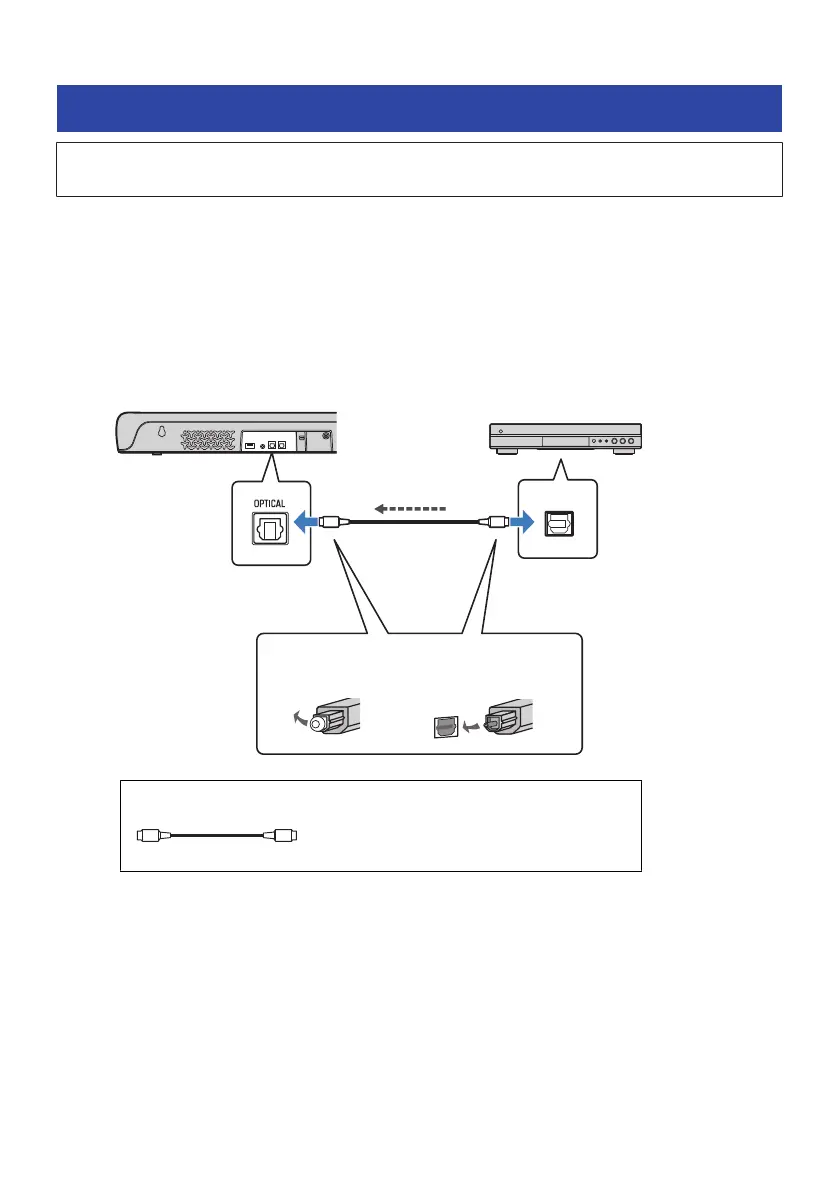
A device with a digital optical audio output jack
Connect an audio device using a digital optical audio cable.
1 Connect an audio device to the sound bar.
Sound bar (rear)
Audio device
OPTICAL jack
Digital optical
audio output
jack
Remove the cap.
1. 2.
Check the orientation
of the plug.
Audio signal
Cable to use
Digital optical audio cable (included)
30
PREPARATION > Connecting an audio device



 To Next Page