Enabling/disabling the Auto Power Standby function
Enabling the Auto Power Standby function turns off the sound bar in any of the following situations.
(
No control operations for eight hours
(
No audio input and no control operations for 20 minutes (except when ANALOG is selected as the input
source)
The default setting varies depending on the model.
Models for U.S.A., Canada, Mexico, Australia, China and Taiwan: Disabled
Models for Europe, U.K., Korea, and other areas: Enabled
1 Turn off the sound bar.
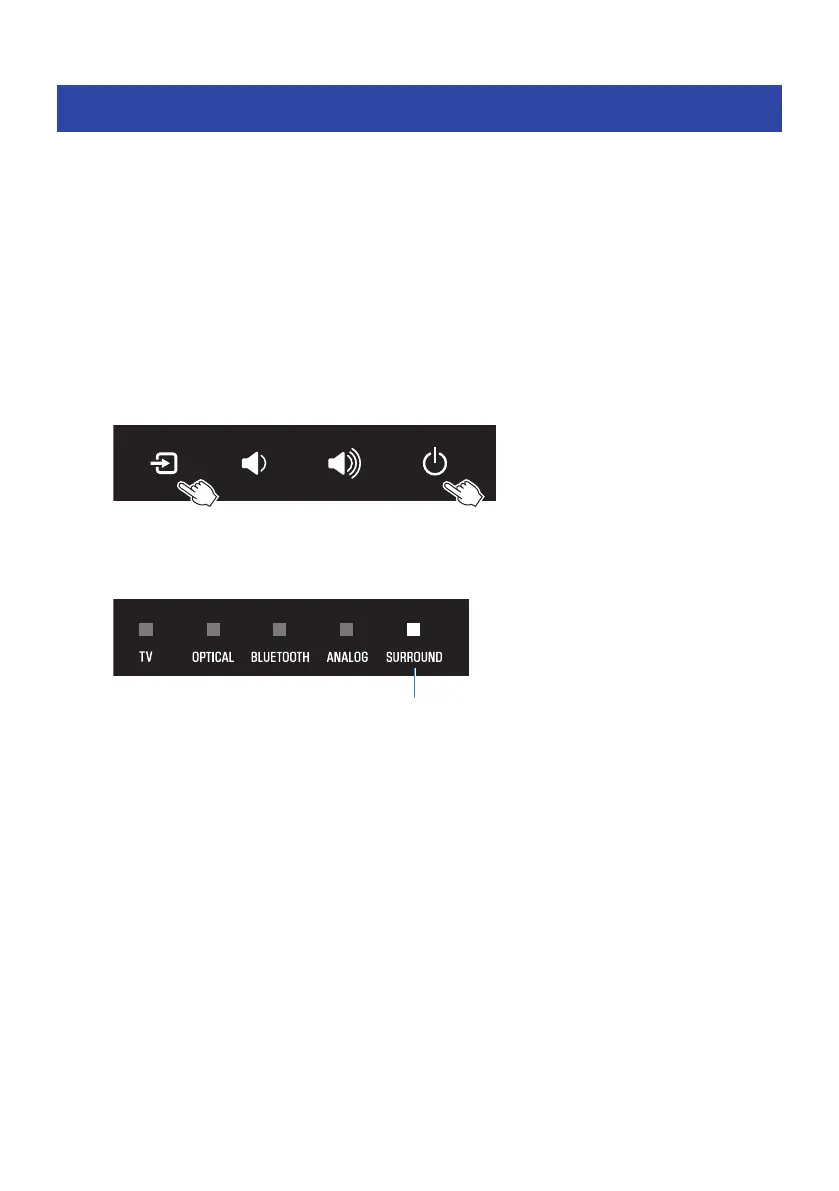
2 While holding down y on the sound bar, hold down z for at least five seconds.
The Auto Power Standby function switches from enabled to disabled, or from disabled to
enabled.
The indicator shows the setting applied as follows, and the sound bar is turned on.
Glows: disabled
Off: enabled
53
CONFIGURATION > Enabling/disabling the Auto Power Standby function



 To Next Page