Connecting a TV
Connecting a TV to the sound bar
Select the connection procedure according to the type of jacks on the TV and the functions to be used.
n
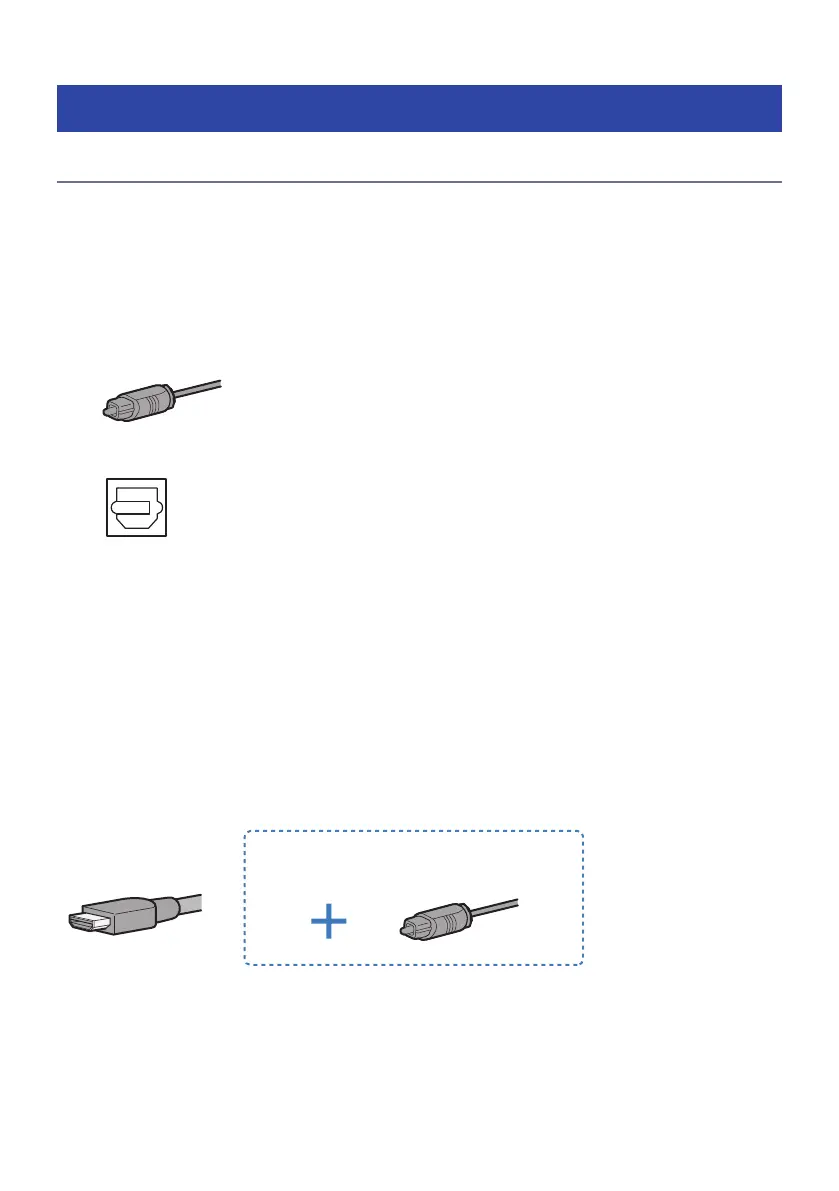
Connecting a TV equipped with a digital optical audio output jack, and controlling the
sound bar using the remote control included with this product
Connect the TV using the included digital optical audio cable.
Cable: Digital optical audio cable (included)
Jack of TV to connect to: Digital optical audio output jack
Connection procedure
“Connecting a TV using only the included digital optical audio cable”(p.24)
n
Controlling the sound bar using the TV’s remote control
Connect a TV using an HDMI cable. Prepare a commercially available HDMI cable compatible with Audio
Return Channel (ARC). When connecting to an HDMI input jack not compatible with ARC, also connect the
included digital optical audio cable.
Audio Return Channel (ARC) is a function that transmits audio signals from the TV’s HDMI input jack. An ARC-
compatible HDMI input jack is labeled as “ARC.”
Cable: HDMI cable (commercially available) and, if needed, digital optical audio cable (included)
When connecting to an HDMI input jack not
compatible with ARC
Jack of TV to connect to: HDMI input jack (compatible with ARC) and, if needed, digital optical audio output
jack
22
PREPARATION > Connecting a TV



 To Next Page