List of indicator displays
The indicators of this product display information primarily in the following ways:
n
Sound bar’s indicators
NOTE
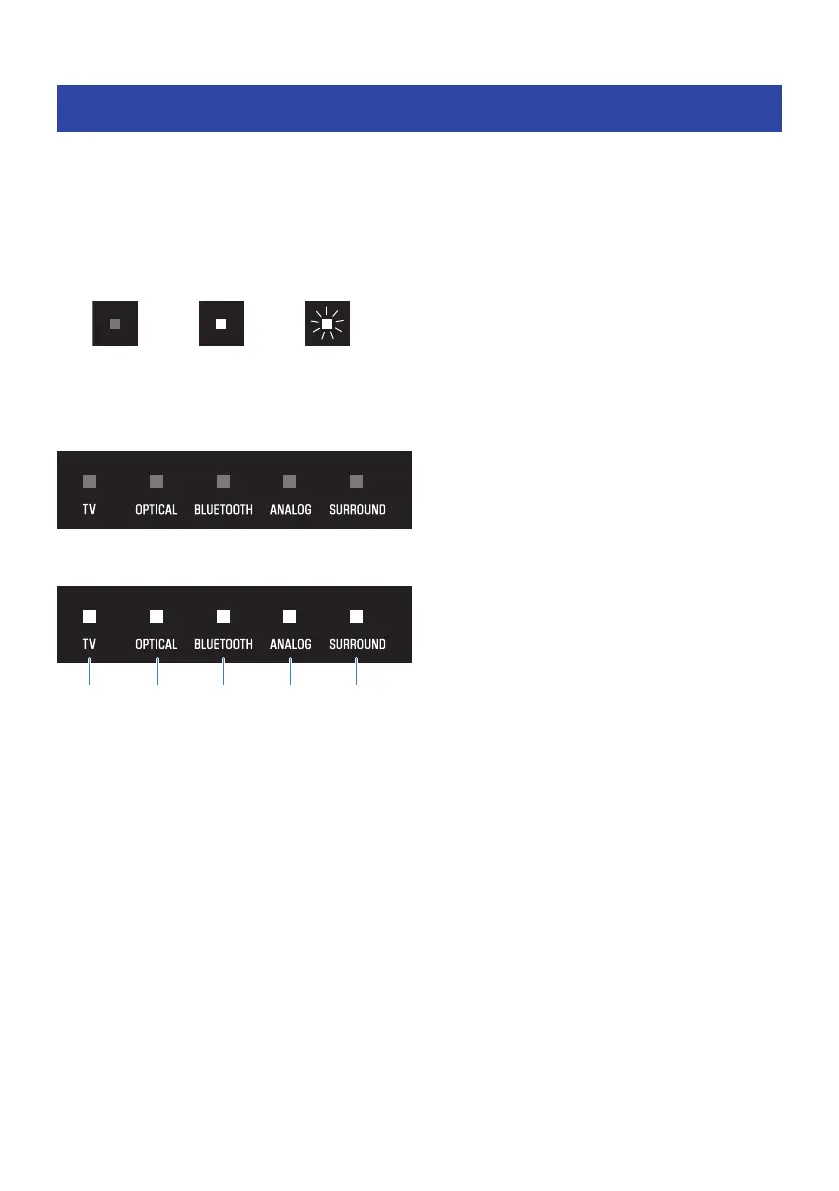
This document shows indicator glowing status as follows:
Power off state
Normal playback state
a
TV
Glowing: Playing audio from the TV
b
OPTICAL
Glowing: Playing audio from the OPTICAL input jack
c
BLUETOOTH
Glowing blue: Bluetooth device connection established
Flashing white: Bluetooth device connection wait status
d
ANALOG
Glowing: Playing audio from the ANALOG input jack
e
SURROUND
Glowing white: Surround playback
Off: Stereo playback
90
APPENDIX > List of indicator displays



 To Next Page