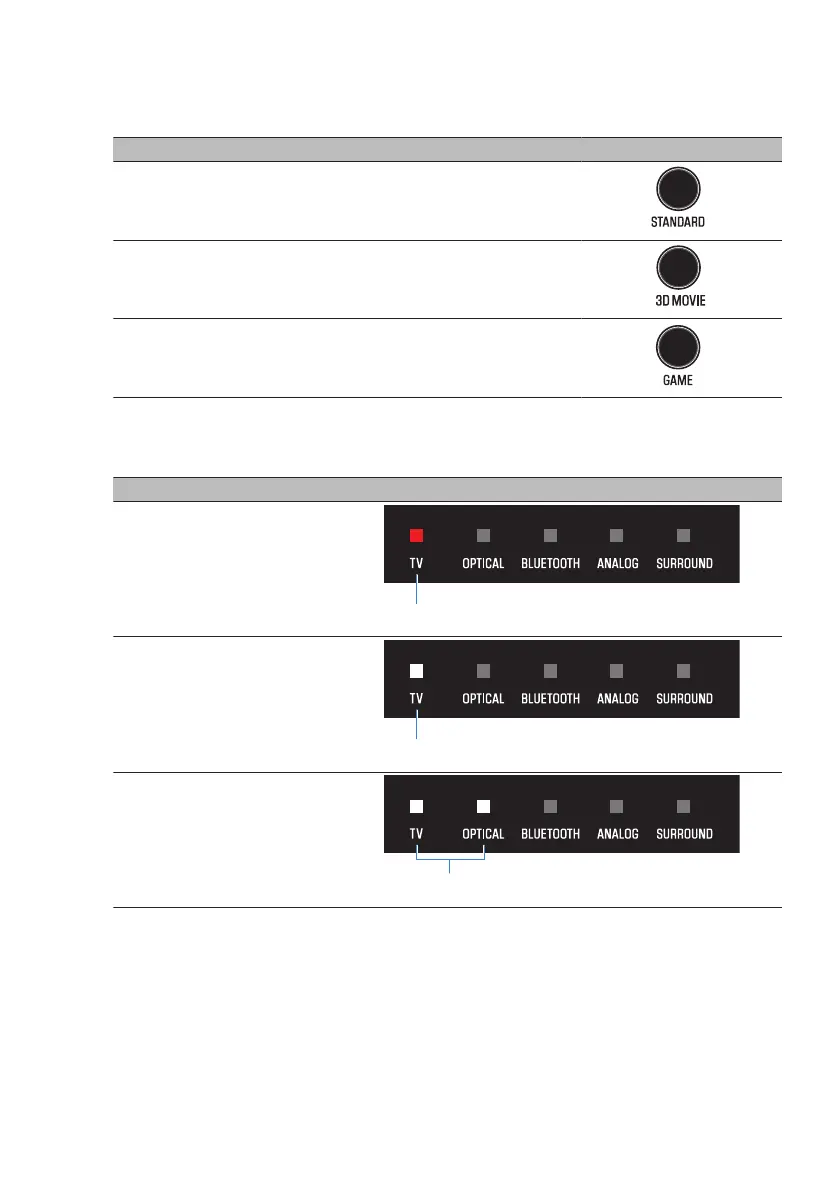
2 Hold down one of the following buttons for at least five seconds.
Compression level Function Button of remote control
Maximum compression
Apply the maximum amount of dynamic
range compression.
Standard compression
Apply an amount of dynamic range
compression well suited for a typical room.
No compression Dynamic range compression is not applied.
The dynamic range compression level setting is changed.
The indicator shows the setting status as follows, and the sound bar is turned on.
Compression level Sound bar’s indicators
Maximum compression
Standard compression
No compression
58
CONFIGURATION > Setting the dynamic range compression level



 To Next Page