5
ENGLISH
What is Sampling?
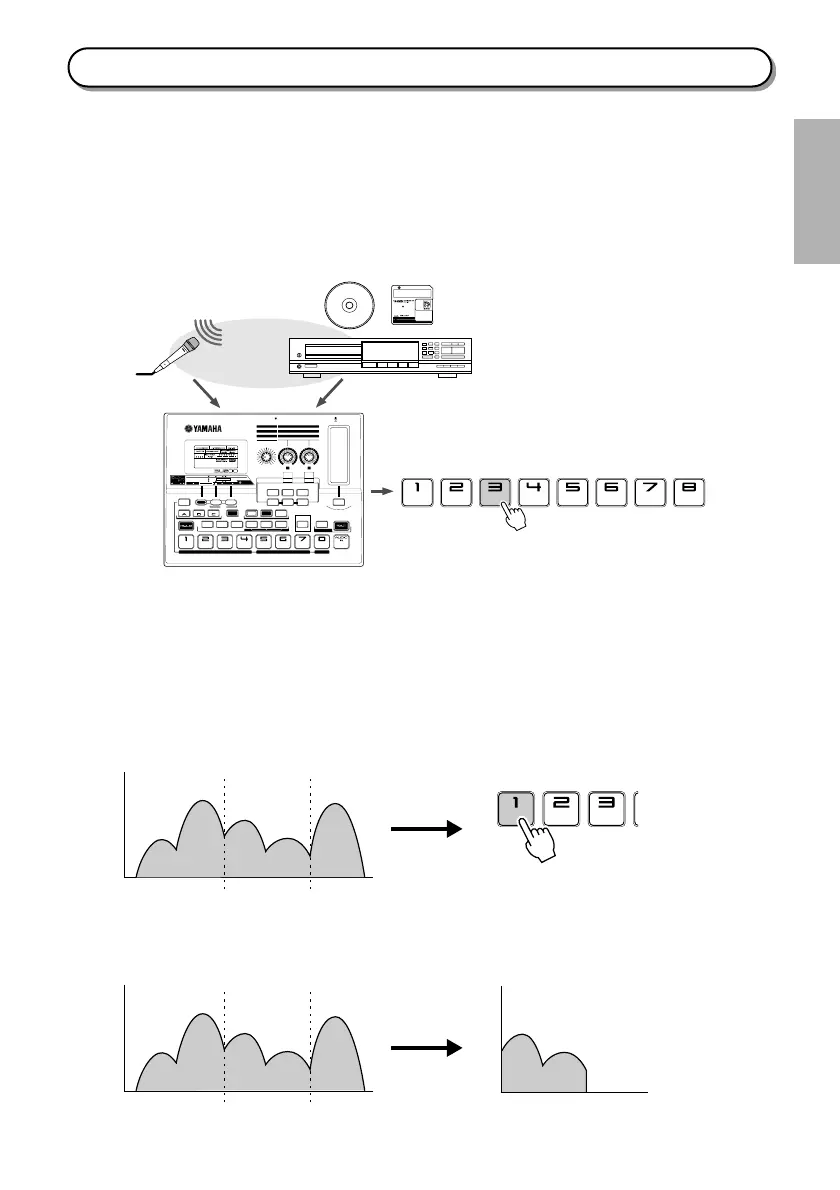
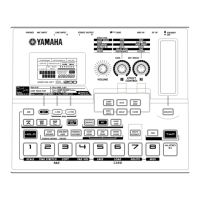
The SU200 records sound from a microphone or from input from a CD player or similar audio device. This
recording process is called
sampling
, and the recorded sounds are called
samples
. You can record a sample
into each pad, and play the sample back by pressing the pad. The SU200 can store up to 24 samples (3 banks
×
8 pads) in its internal memory.
Samples are stored in digital form, just like recordings on an audio CD. The SU200 is capable of CD-quality
recording.
●
Various playback features
In addition to playing samples back exactly as recorded, the SU200 also offers various types of special play-
back.
• Play part or all of a sample repeatedly. (Loop play)............................................................................. Page 29
• Play a sample backwards. (Reverse play)............................................................................................. Page 29
• Select the part of the sample that plays back. (Start point/end point)............................................... Page 30
The following illustration shows how playback works when you have set up start and end points and selected
loop play.
●
Sample editing
The SU200 can delete the unplayed parts of your sample.
PHONES MIC INPUT MIDI IN
REC TRGLVLDATA
EFFECT
CONTROL
VOLUME
TYPE
TYPE
LFO
LO-FI
DELAY LEVEL
RESONANCE
VARI
GATE TIME
MOD SPEED
DRIVE
TIME
CUTOFF
3.3V
CARD
DC INLINE INPUT
L R
STEREO OUTPUT
L R
BANK
JOB EXIT
RESMPL
REC
BPM
NORMAL
REVERSE
START
POINT
END
POINT
POINT
CLEAR
START
STOP
SLICE
DELAY FILTER SCRATCH
SCALE
PAD
TIME STRETCH COPY PAD VOL SAVE DELETE MIDILOAD
CARD
TIME
DIST/
LO-FI
LOOP
REMIX
TECH
MOD
DELETE
EXTRACT
ONE SHOT
LOOP
GRADE
GATE
TRIGGER
STEREO/MONO
–1/NO
+
1/YES
BANK BANK
STANDBY
ON
1
2
SAMPLING UNIT
EFFECT TYPE
LOOP REMIX
SLICE
TECHMOD
DIST/LO-FI
DELAY
FILTER
8888888
~~~~~~
~~~~~
LOOP TR
PLAY
PAD PLAY Play PAD 1 8
LOOP TRACK PLAY
Select
EFFECT
LOOP REMIX Turn KNOB 1,2
Play PAD 1 8
Press LOOP TR PLAY Button
EFFECTS
under the knobs
Select
BANK A C
CD MD
Record samples.
“ABCDE”
Press pads to play samples back.
ABC D E
Start Point End Point
C D C D C D C D......
Sample
ABC D E
CD
Start Point End point
Extract
Sample Sample


 To Next Page