Turning off the power
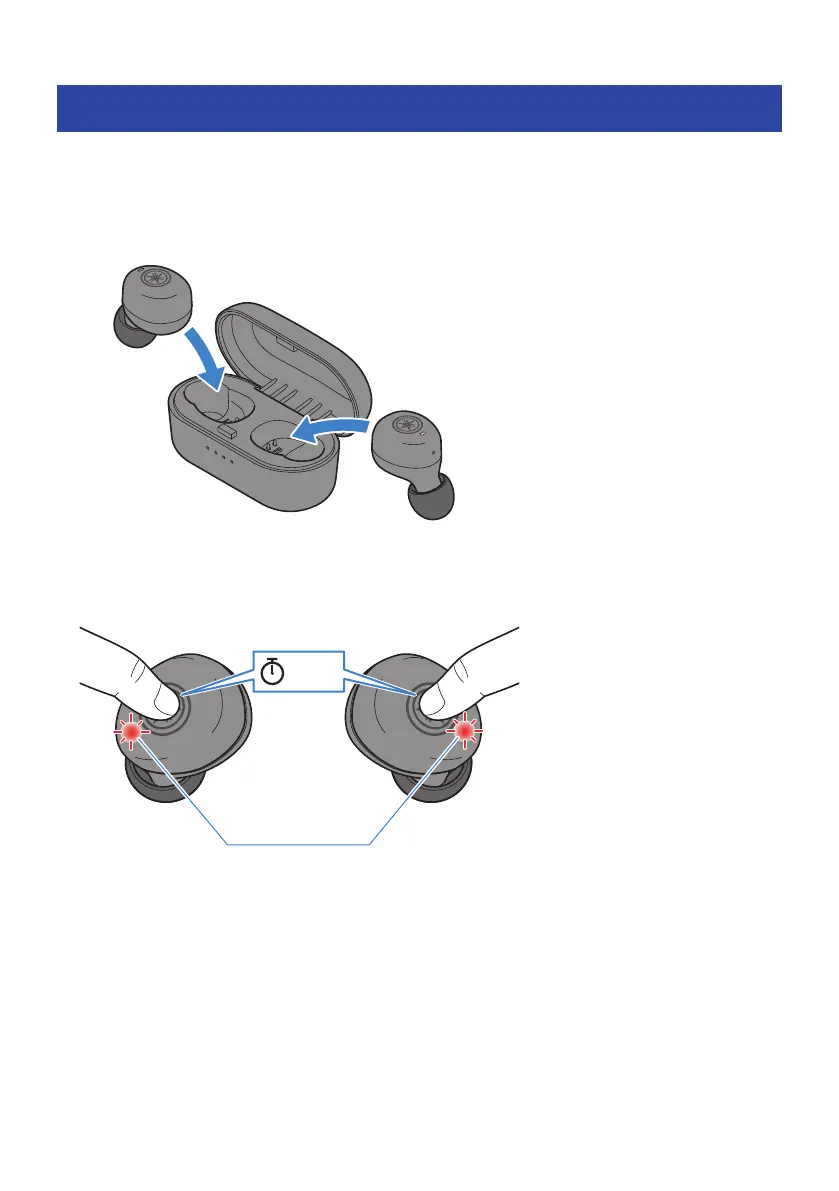
Turn off the earphones.
1 Place the earphones in the charging case.
The earphone power will turn off, and the product will enter charging mode.
NOTE
(
When you want to turn off the earphones without putting them back in the charging case, hold down the function key on each
earphone (L, R) until the indicators light red. You will hear the “Power Off” audio message in the earphones.
Red
Lights up for 1 sec
5 sec
Earphone (L) Earphone (R)
(
When the remaining battery power of the charging case is depleted, the earphones will not turn off even when they are placed in
the charging case. If this happens, use the function keys on each earphone to turn them off.
13
Charging and Powering > Turning off the power



 To Next Page