Resetting and initializing the product
Follow the steps below to reset (restart) or reinitialize this product.
[Search tag] #Q04 Reset
Resetting
This resets (restarts) the earphones. The information for devices registered (paired) will still be retained.
1 Place the earphones (L, R) in the charging case.
2 After at least 10 seconds, remove the earphone (R) from the charging case.
3 Next, remove the earphone (L) from the charging case.
Initializing
This will restore all of the earphone settings to their factory defaults. The information for devices registered
(paired) will be deleted.
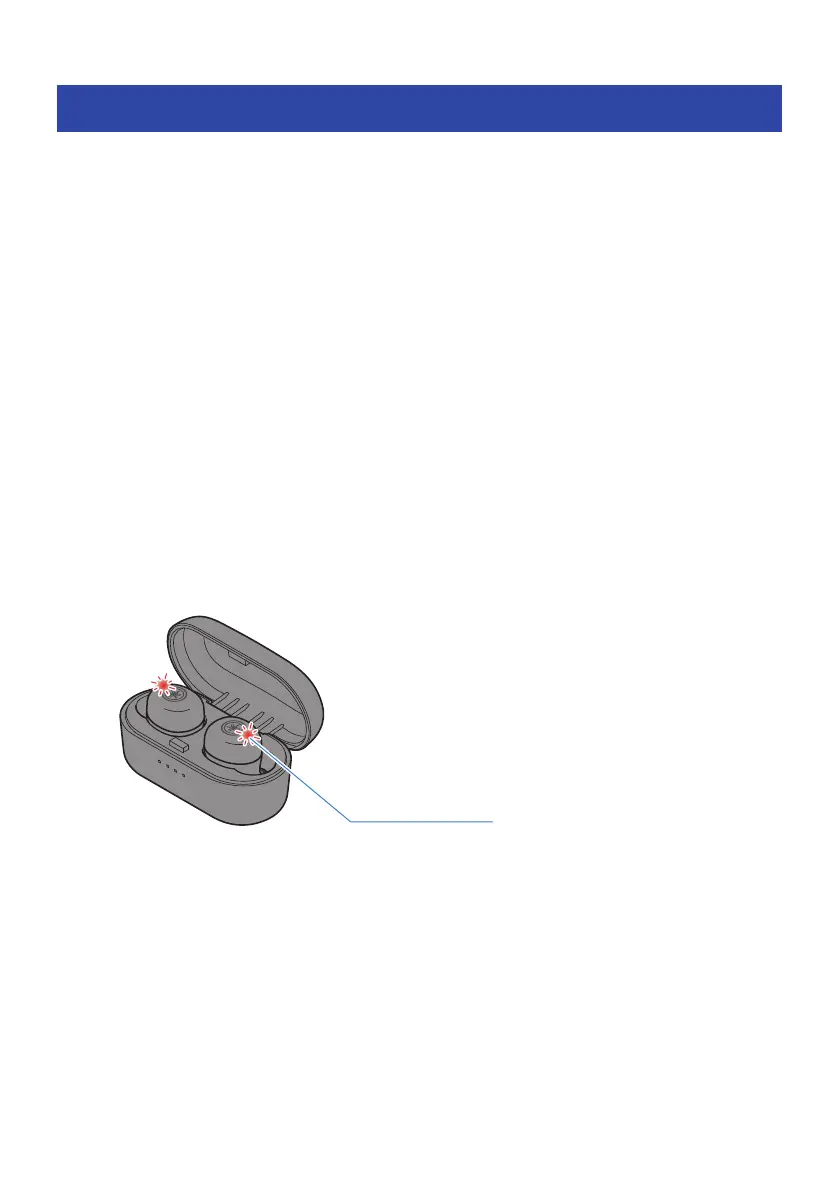
1 Place the earphones (L, R) in the charging case.
The indicators light up red (when charging is completed, the indicators will turn off).
40
Troubleshooting > Resetting and initializing the product



 To Next Page