holder
DISASSEMBLY PROCEDURE
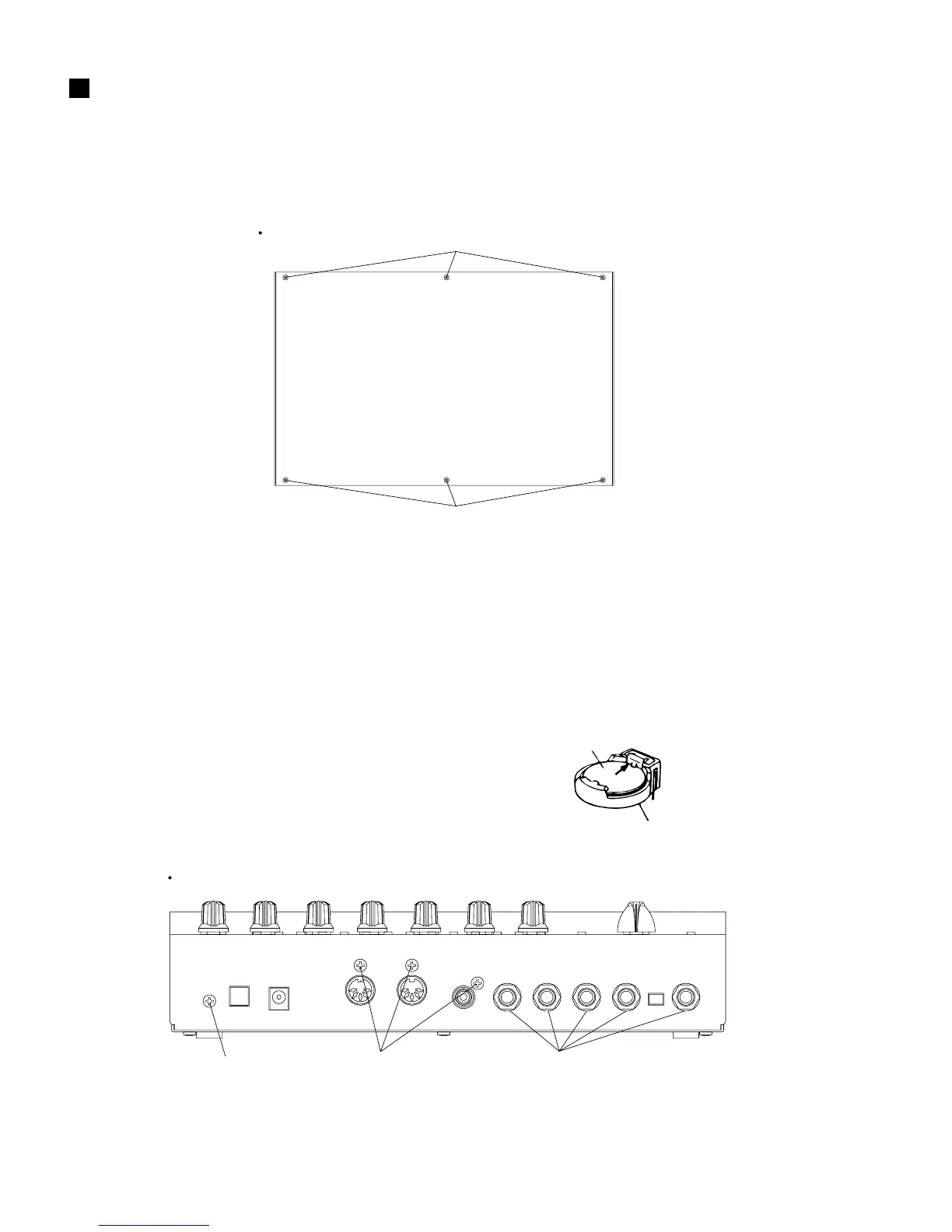
Fig.1
[30]:Bind Head Tapping Screw-B 3.0x8 MFZN2BL (EP600190)
2. DM Circuit Board
(Manhour requirement: 6 min.)
2-1. Remove the bottom case. (See Procedure 1.)
2-2. Remove the one (1) screw marked [T110A], three
(3) screws marked [T120], five (5) hexagonal nuts
marked [T50] and five (5) flat washers marked [T60]
from the rear panel and the three (3) screws marked
[T110B] from the DM circuit board. The DM circuit
board can then be removed. Remove the five (5)
toothed washer internal tooth forms marked [T70]
as well when removing the DM circuit board from
the main body. (Fig. 2)
Bottom
[30]
[30]
[T110A]
[T50][T60]
[T120]
Rear
[T50]:Hexagonal Nut 9.0 12x2 MFNI33 (LX200060)
[T60]:Flat Washer 9x14 0.5 FNM3 (VL802300)
[T110]:Bind Head Tapping Screw-B 3.0x8 MFZN2BL (EP600190)
[T120]:Bind Head Tapping Screw-P 3.0x12 MFZN2BL (VC161100)
1. Bottom Case (Manhour requirement: 1 min.)
Remove the six (6) screws marked [30]. The bottom
case can then be removed. (Fig. 1)
Battery VS246400
VS246300(Battery holder for VS246400)
• Notice for back-up battery removal
Push against the holder hook, then the
battery will pop up.
• Druk tegen de houder, de batterij springt
dan naar voren.



 To Next Page