EasyManua.ls Logo

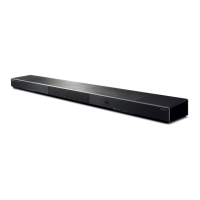
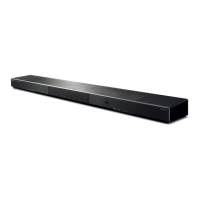
Yamaha YSP-1600 User Manual

Yamaha YSP-1600
74 pages
To Next Page IconTo Next Page
Page #1 background imageLoading...
Page #1 background image
TV Surround System
Owner’s Manual
Read the supplied booklet “Quick Reference Guide” before using the unit.
English

Table of Contents

Other manuals for Yamaha YSP-1600

Questions and Answers:

Yamaha YSP-1600 Specifications

General IconGeneral
Game modeYes
Audio decodersDTS, Dolby Digital, Dolby Pro Logic II
RMS rated power80 W
Audio output channels5.1 channels
Housing colorBlack
Bluetooth profilesA2DP, AVRCP
Docking connector typeNot supported
Wall mountable-
Recommended usageHome theatre
Audio formats supportedAAC
Woofer diameter85 mm
Number of woofer drivers2
Mid-range driver diameter28 mm
Number of mid-range drivers8
HDMI in1
Bluetooth version2.1+EDR
Connectivity technologyWired & Wireless
Receiver includedNo
Power consumption (standby)0.4 W
Power consumption (typical)25 W
Weight and Dimensions IconWeight and Dimensions
Depth130 mm
Width1000 mm
Height65 mm
Weight4700 g
Main unit dimensions (WxDxH)1000 x 130 x 65 mm

Summary

Supplied accessories

Preparing remote control

Instructions for preparing the remote control, including battery installation and operation range.

FEATURES

What you can do with this unit

Overview of the unit's capabilities and features.

Controls and functions

Explains the front panel, rear panel, and remote control layout and functions.

PREPARATIONS

General setup procedure

Step-by-step guide for initial setup, connections, and settings.

PLAYBACK

Basic operation for playback

Instructions for turning on/off, selecting sources, adjusting volume, and selecting playback modes.

Enjoying sound based on your preference

How to select surround sound effects and adjust channel volumes for optimal listening.

Wireless playback of audio via Bluetooth connection

Guides for receiving and transmitting audio wirelessly using Bluetooth technology.

NETWORKS

Connecting to a network

Instructions for establishing wired or wireless network connections for enhanced functionality.

Playing back music stored on mobile devices

Steps to play music files stored on smartphones or tablets over the network.

SETTINGS

Setup menu

Overview of the setup menu structure and how to navigate it for customization.

Updating the unit's firmware

Procedures for updating the unit's software via network or USB for improved performance.

APPENDIX

Troubleshooting

Solutions for common problems and operational issues encountered with the unit.

Glossary

Definitions of technical terms and audio/video formats used in the manual.

Specifications

Technical details and characteristics of the unit's hardware and features.

Related product manuals