EasyManua.ls Logo

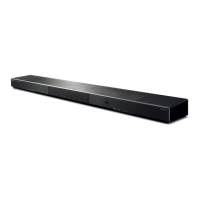
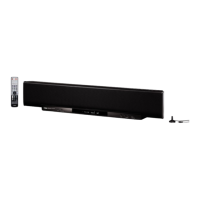
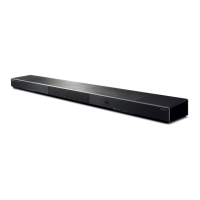
Yamaha YSP-1600B - User Manual

Yamaha YSP-1600B
76 pages
Print Icon
To Next Page IconTo Next Page
Loading...
Digital Sound Projector
Owner’s Manual
Read the supplied booklet “Quick Reference Guide” before using the unit.
English

Table of Contents

Questions and Answers

  • H
    Hunter SantiagoAug 12, 2025
    What to do if Yamaha Projector fails to turn on?
    • C
      campbellvincentAug 12, 2025
      If your Yamaha Projector fails to turn on (the STATUS indicator flashes red) or turns off soon after being powered on, it could be due to: * The AC power supply cable not being firmly connected to the AC wall outlet. Ensure the cable is properly connected. * The internal microcomputer being frozen by an external electric shock or a power supply with low voltage. Disconnect the AC power supply cable from the outlet, wait 30 seconds, and then plug it back in.
  • V
    Vanessa BrownAug 31, 2025
    How to fix Yamaha YSP-1600B Projector indicator flashing blue?
    • A
      amber59Aug 31, 2025
      If the indicator on your Yamaha Projector flashes blue, it means the firmware update has failed. Try turning the unit off and then on again, and attempt the firmware update again. If it fails again, make sure the unit is properly connected to the network. If updating via USB, ensure the USB flash drive is correctly connected to the UPDATE ONLY jack and contains the correct firmware update for your unit.
  • L
    Lauren ChaseNov 19, 2025
    Why does my Yamaha YSP-1600B Projector turn off suddenly?
    • C
      Christine NelsonNov 20, 2025
      Your Yamaha Projector might be turning off suddenly due to several reasons: 1. The internal temperature may be too high, activating the overheat protection. To solve this, wait about an hour for the unit to cool down, and then turn it back on, making sure there's enough ventilation and that the unit isn't covered. 2. If the Auto Power Standby function is enabled, the unit will turn off automatically if no operations have been performed for 8 hours, if no audio has been input for more than 20 minutes, or if no playback device has been connected to the unit’s HDMI IN jack for more than 20 minutes. To prevent this, turn the unit back on and play back the source. You can also disable the Auto Power Standby function in the setup menu or by holding down the INPUT key and pressing the z key o...

Yamaha YSP-1600B Specifications

General IconGeneral
BrandYamaha
ModelYSP-1600B
CategoryProjector
LanguageEnglish

Related product manuals