EasyManua.ls Logo

Yamaha YST-RSW300 - User Manual

Yamaha YST-RSW300
24 pages
Print Icon
To Next Page IconTo Next Page
Loading...
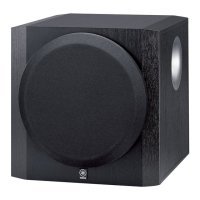
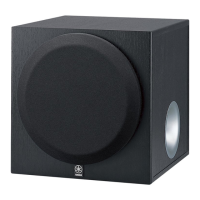
YST-RSW300
SUBWOOFER SYSTEM
UB
OWNER’S MANUAL

Other manuals for Yamaha YST-RSW300

Questions and Answers

  • G
    George RodriguezAug 19, 2025
    What to do if Yamaha YST-RSW300 Subwoofer power is not supplied?
    • A
      Angela NorrisAug 19, 2025
      If your Yamaha Subwoofer isn't supplying power, make sure the power plug is securely connected. Also, verify that the POWER switch is in the ON position.
  • C
    cjensenAug 21, 2025
    What to do if my Yamaha YST-RSW300 Subwoofer has no sound?
    • A
      Amanda PetersenAug 22, 2025
      If your Yamaha Subwoofer isn't producing sound, there are a couple of things to check: * First, make sure the volume isn't set to the minimum. Try raising the volume. * Also, ensure that the speaker cables are securely connected.
  • S
    Sonya JacksonAug 25, 2025
    How to fix Yamaha YST-RSW300 Subwoofer when there is no sound?
    • A
      Anthony CarterAug 25, 2025
      If your Yamaha Subwoofer has no sound, try these steps: First, increase the volume. Second, ensure the speaker cables are securely connected.
  • L
    Larry MasonAug 26, 2025
    What to do if Yamaha YST-RSW300 turns into the standby mode unexpectedly?
    • K
      Kevin WeberAug 26, 2025
      If your Yamaha Subwoofer turns into standby mode unexpectedly, the level of input signal might be too low. Set the AUTO STANDBY switch to the “HIGH” position.
  • B
    Brittany PotterAug 28, 2025
    Why Yamaha Subwoofer doesn't turn on?
    • G
      graycatherineAug 28, 2025
      If your Yamaha Subwoofer isn't powering on even when the STANDBY/ON switch is in the ON position, consider these potential causes: 1. The power plug might not be securely connected. Ensure it's properly plugged in. 2. The POWER switch could be in the OFF position. Make sure to set the POWER switch to ON.
  • E
    Erin WhiteAug 30, 2025
    What to do if Yamaha YST-RSW300 Subwoofer doesn't turn into standby mode automatically?
    • A
      Alexandria MurphyAug 30, 2025
      If your Yamaha Subwoofer isn't automatically entering standby mode, it might be due to noise from external appliances. Try moving the subwoofer away from these appliances or repositioning the connected speaker cables. Alternatively, set the AUTO STANDBY switch to the “HIGH” or “LOW” position; also ensure that the AUTO STANDBY switch is not set to the OFF position.
  • L
    Linda GreeneSep 1, 2025
    Why does my Yamaha YST-RSW300 Subwoofer turn into standby mode unexpectedly?
    • J
      Joseph WebsterSep 1, 2025
      If your Yamaha Subwoofer is unexpectedly turning into standby mode, the input signal level might be too low. Try setting the AUTO STANDBY switch to the “HIGH” position.
  • C
    Cindy HendersonSep 3, 2025
    Why does my Yamaha YST-RSW300 turn on unexpectedly?
    • M
      miguelpriceSep 3, 2025
      If your Yamaha Subwoofer is turning on unexpectedly, it could be due to interference from nearby appliances. Try moving the subwoofer farther away from these appliances and/or repositioning the connected speaker cables. Otherwise, set the AUTO STANDBY switch to the OFF position.
  • K
    Kathleen LarsonSep 5, 2025
    Why Yamaha YST-RSW300 Subwoofer does not turn on automatically?
    • C
      Cameron RichmondSep 5, 2025
      If your Yamaha Subwoofer isn't turning on automatically, ensure the POWER switch is in the ON position and the STANDBY/ON switch is also set to ON. Also, check that the AUTO STANDBY switch is set to either the “HIGH” or “LOW” position. If the input signal is too low, set the AUTO STANDBY switch to “HIGH”.
  • P
    Paul WheelerSep 7, 2025
    Why Yamaha Subwoofer does not turn into the standby mode automatically?
    • F
      flarsonSep 8, 2025
      If your Yamaha Subwoofer doesn't turn into standby mode automatically, it might be due to noise from external appliances. Try moving the subwoofer away from these appliances and/or reposition the connected speaker cables. Alternatively, set the AUTO STANDBY switch to the “HIGH” or “LOW” position or to the OFF position.

Summary

IMPORTANT SAFETY INSTRUCTIONS

General Safety Precautions

Provides a list of essential safety instructions and precautions for operating the unit.

CAUTION: Read this before operating your unit.

General Operating Precautions

Lists essential precautions for installation, environment, and handling to prevent damage or injury.

PLACEMENT

CONTROLS AND THEIR FUNCTIONS

Subwoofer Rear Panel Controls

Identifies and describes the POWER switch and OUTPUT terminals on the rear panel.

Subwoofer Front Panel Controls

Details the STANDBY/ON switch, AUTO STANDBY, PHASE, HIGH CUT, and VOLUME controls.

Power Switch (1)

Explains how to turn the unit on/off or put it in standby mode using the power switch.

Auto Standby Switch (5)

Details the AUTO STANDBY switch for automatic power-switching function.

Phase Switch (6)

Explains the PHASE switch for optimizing sound quality based on listening conditions.

STANDBY;ON Switch (7)

Describes how to use the STANDBY/ON switch to turn the subwoofer on or put it into standby.

HIGH CUT Control (9)

Describes how the HIGH CUT control adjusts the high frequency cut off point.

VOLUME Control (10)

Explains how to adjust the volume level using the VOLUME control.

CONNECTIONS

Connection Method Selection

Guides users to choose between connecting via line output (pin jack) or speaker output terminals.

Connecting to Line Output Terminals

Details how to connect the subwoofer to the amplifier's line output (pin jack) terminals.

Line Output Connection Diagrams

Illustrates connection diagrams for using one or two subwoofers with line output terminals.

Connecting to Speaker Output Terminals

Explains how to connect the subwoofer to the amplifier's speaker output terminals.

Speaker Output Connection Diagrams (One Set)

Illustrates connection diagrams for using one or two subwoofers with speaker output terminals (one set).

Connecting to the INPUT1;OUTPUT terminals of the subwoofer

Plug in the subwoofer to the AC outlet

AC Outlet Connection

Instructs to plug the subwoofer and other components into the AC outlet after all connections are complete.

ADJUSTING THE SUBWOOFER BEFORE USE

Initial Setup Steps

Guides on setting the VOLUME, POWER, and STANDBY/ON switch for initial use.

Sound Adjustment Procedure

Details how to adjust HIGH CUT and VOLUME controls for optimal bass response.

Phase Adjustment

Explains how to set the PHASE switch for better bass sound based on listening conditions.

AUTOMATIC POWER-SWITCHING FUNCTION

Changing the AUTO STANDBY Setting

Details how to change the AUTO STANDBY switch settings (LOW, HIGH, OFF).

FREQUENCY CHARACTERISTICS

ADVANCED YAMAHA ACTIVE SERVO TECHNOLOGY II

TROUBLESHOOTING

SPECIFICATIONS

Yamaha YST-RSW300 Specifications

General IconGeneral
TypeActive subwoofer
Driver Size10 inches
Driver TypeCone
Output Power100 W
Impedance8 ohms
Weight14.5 kg

Related product manuals