Digital Controller SIO Driver
GP-Pro EX Device/PLC Connection Manual
70
3.31 Setting Example 31
Setting of GP-Pro EX
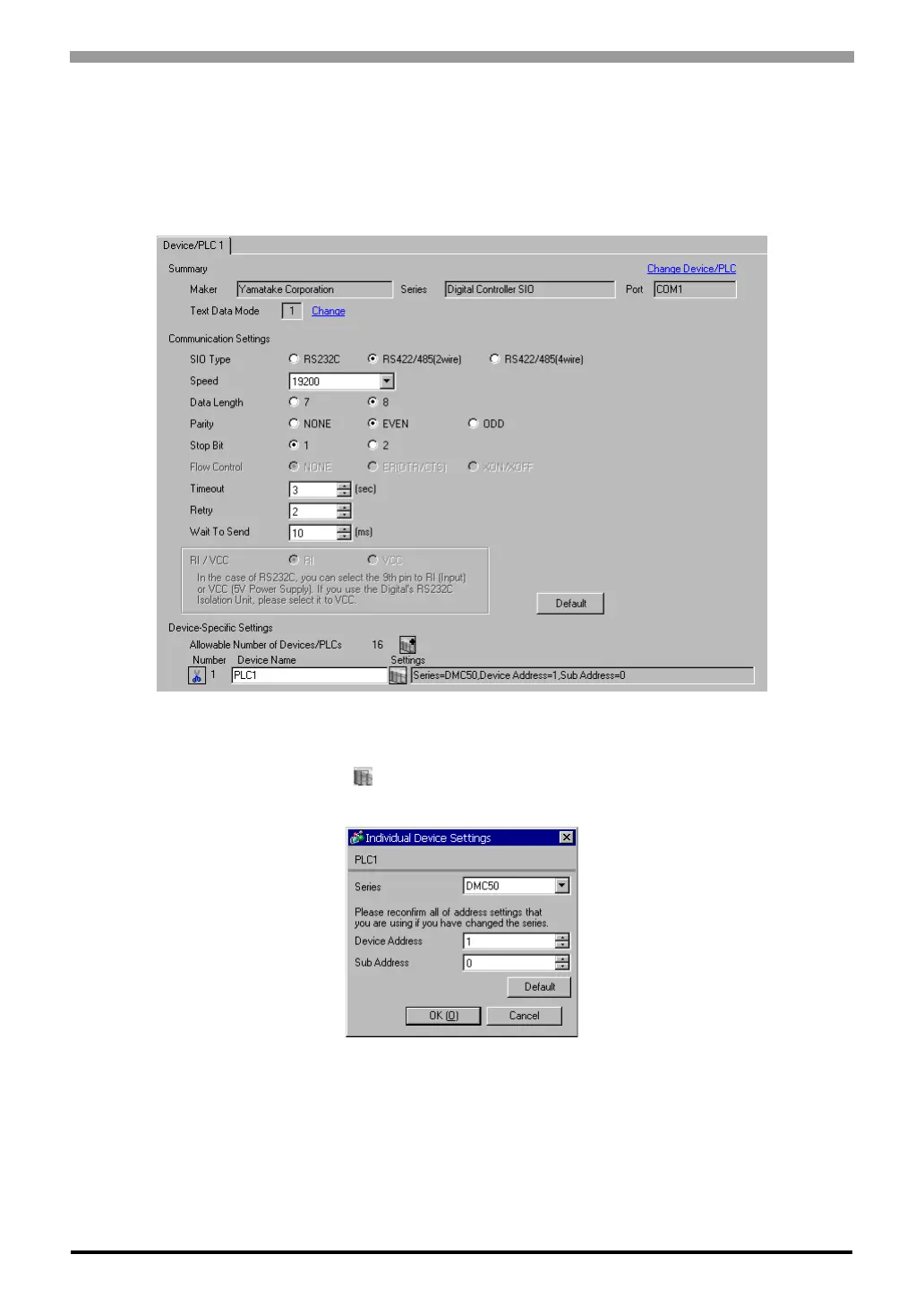
Communication Settings
To display the setting screen, select [Device/PLC Settings] from [System setting window] in the workspace.
Device Setting
To display the setting screen, click ([Setting]) of the External Device you want to set from [Device-Specific
Settings] of [Device/PLC Settings].



 To Next Page
 Loading...