PRODUCT OVERVIEW
28 JH Series Operation Manual
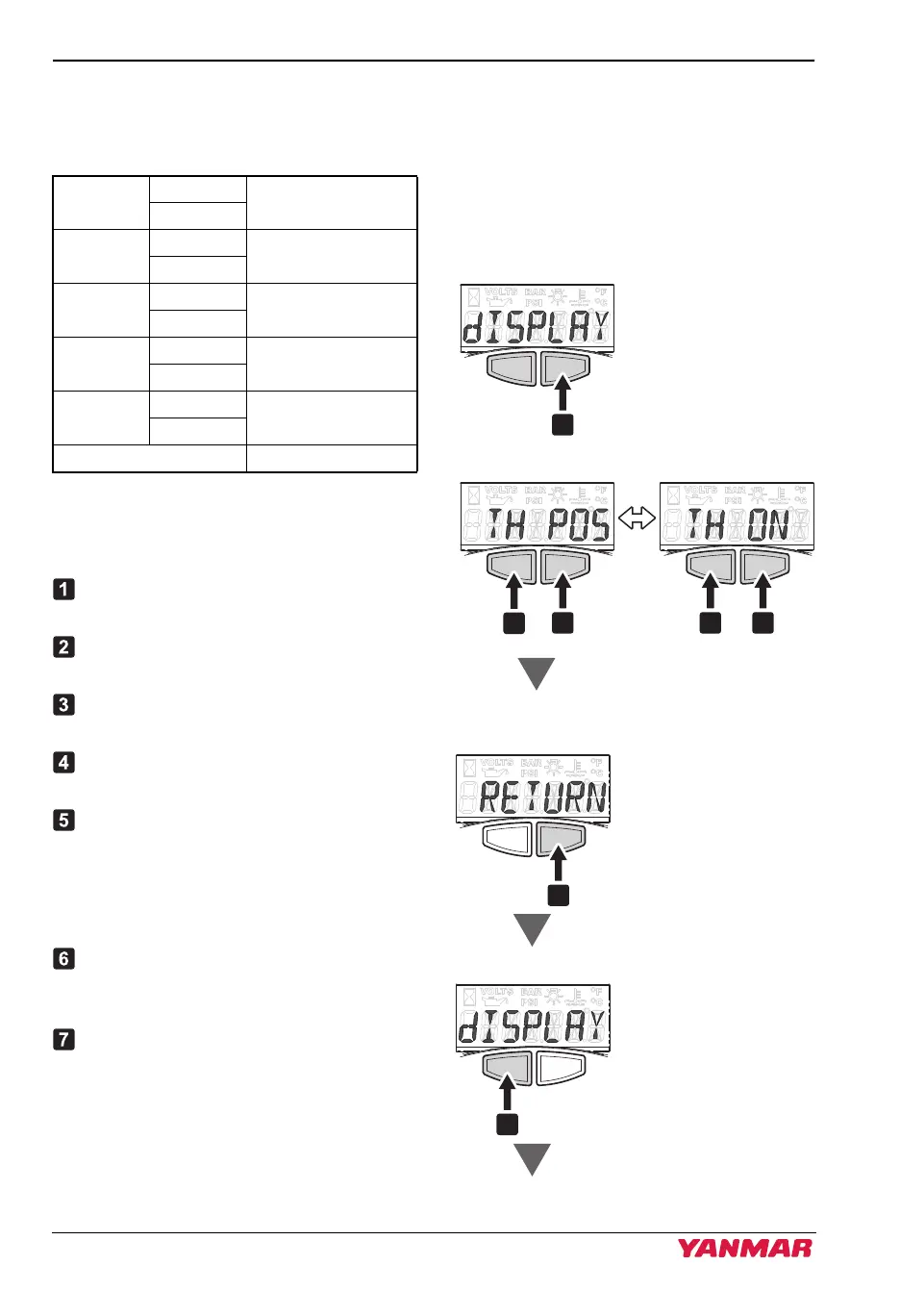
Selection of the display setting
The following indicators can be
displayed on LCD by this setting.
The display indicates "dISPLAY".
You can select to the next setting by
pressing the left button.
Press the right button to select the
indicator.
Press the right button to display the
setting screen.
Press the left button to toggle between
On/Off.
Press the right button to select the
setting.
Press the left button and go to the next
screen "ENG Ld".
Setting of the next indicator.
Repeat the same procedure to set other
indicators.
When "RETURN" is indicated on the
screen, press the right button to exit
the "dISPLAY" mode.
Press the left button and go to the next
screen "ENGINE".
Figure 7
Figure 17
Figure 8
Figure 18
TH POS
TH ON
Throttle position
%
TH OFF
ENG Ld
Ld ON
Engine load
%
Ld OFF
FL RT
FR ON
Fuel flow rate
L/h or Gal/h
FR OFF
AIR PRS
AP ON
Intake air pressure
Bar or PSI
AP OFF
FL TMP
FT ON
Fuel temperature
degC or degF
FT OFF
RETURN Return to dISPLAY
057182-00EN01
5
2 3 4
1
Select
Select
ScrollScroll
Select
112535-00EN00
3JH40_4JH45_4JH57_4JH80_4JH110_EN_OPM.book 28 ページ 2022年9月22日 木曜日 午後6時17分



 To Next Page