PRODUCT OVERVIEW
JH Series Operation Manual 29
Setting of the engine model
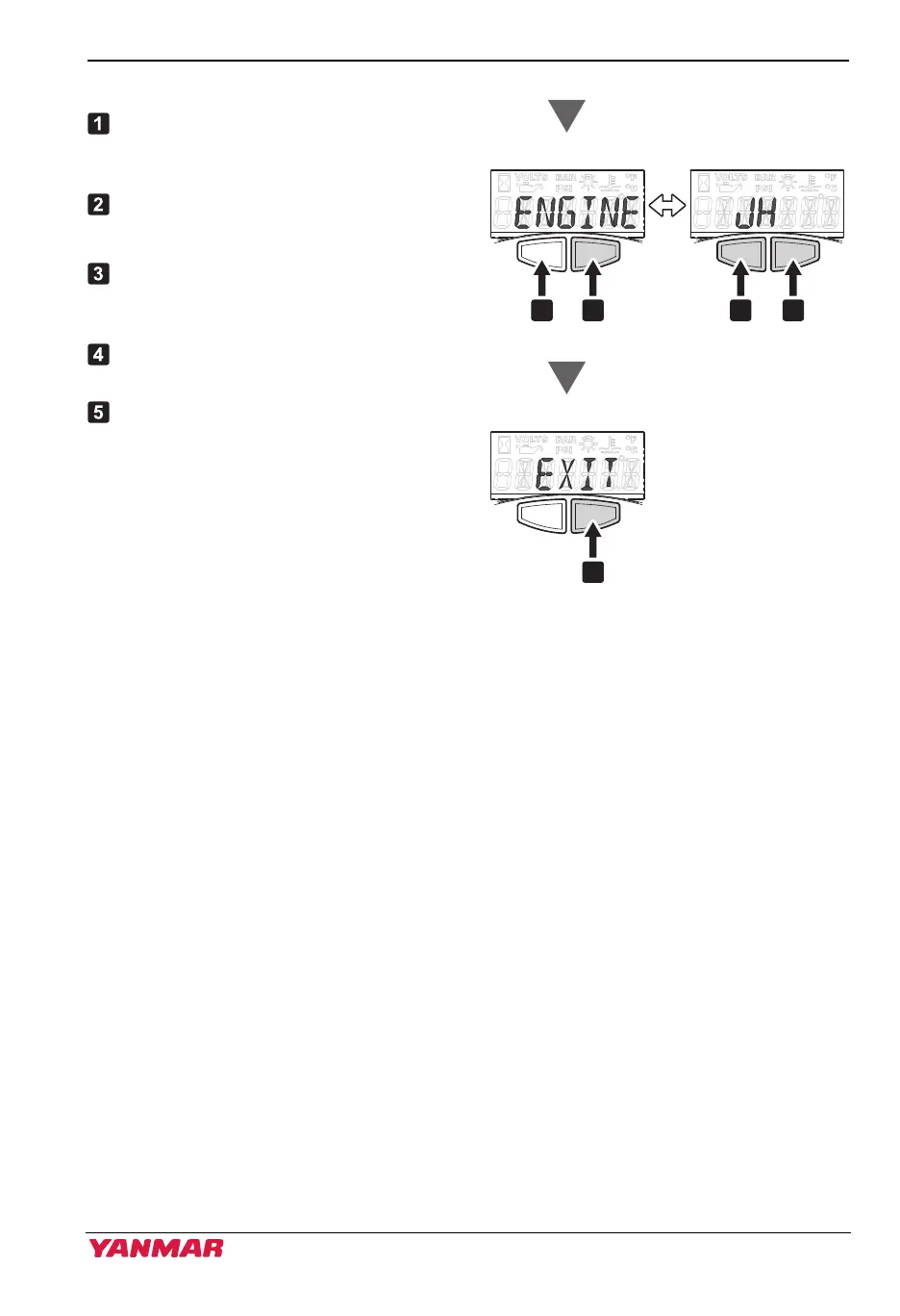
When “ENGINE” is indicated, press
the right button to select the engine
model.
Press the left button to select “JH”.
Note: Initial setting indicates “JH”.
When “JH” is indicated on the screen,
press the right button to return to
“ENGINE”.
When “ENGINE” is indicated, press
the left button to go to “EXIT”.
Press the right button when “EXIT” is
shown on the screen to exit the setup
mode.
All LCD light up for a while, and then
returns to hour meter.
Figure 19
Exit setup
SelectScroll
JH, 4LV
3JH40_4JH45_4JH57_4JH80_4JH110_EN_OPM.book 29 ページ 2022年9月22日 木曜日 午後6時17分



 To Next Page