50 51
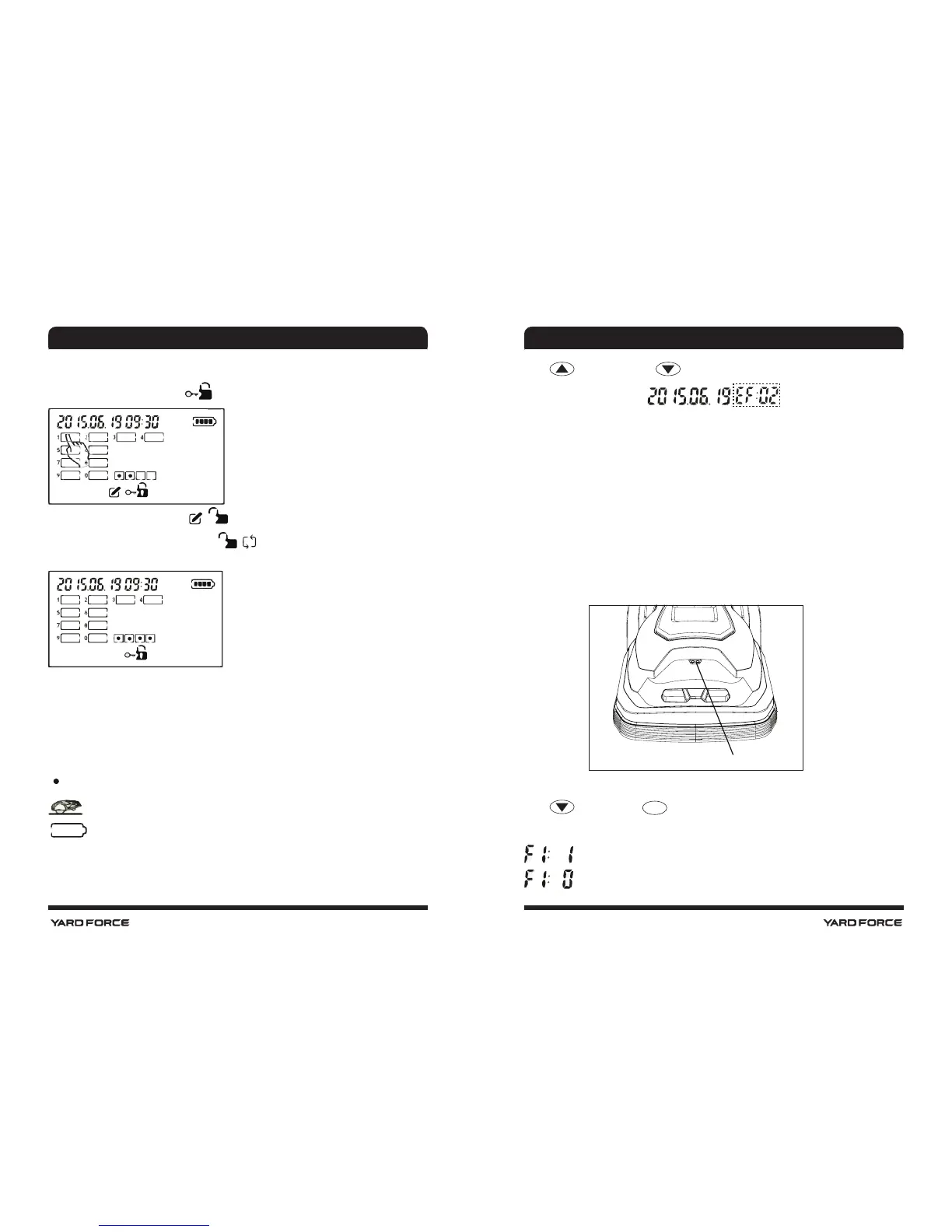
When all three button has been pressed down wait the screen display change to the PIN
code page.
Input old PIN code, when display
Input new PIN code, when display
Repeat Input new PIN code when display
When the repeated PIN code identied same with the rst inputed one, new PIN code effect.
Input PIN code again and screen will succesfully unlocked by new PIN code.
Faults Record
When you nd this Robomower stopped inside or outside the grasseld somewhere without
working any longer. You may press “STOP” button on top of the Robomower and nd the
ashing symbols.
No signal
Lifted
Empty battery.
If above three symbol does not appear, there is a hot key to review the fault code and fault
happen time.
Press
still and then press , it will display:
The left digits show the fault happen time. Right digits, circled by dots show the fault code.
Rain sensor
Mowing in the rain is not recommended.
This machine is equipped with a rain sensor, which can prevent mowing under adverse
weather conditions. When the rain sensor is triggered, the Robomower will return to the
charging station. The device will continue mowing when all below conditions are met:
1.) Battery is fully charged
2.) Rain sensor does not trigger (is dry)
3.) Current time is programmed working time.
Note: Do not short cut the two metal sensor by metal or other conductor. Doing so will
prevent normal operation.
User are free to select rain sensor effect or not by below operation:
Press
and then press
START
, display F1:1 and F1:0 will alternate. F1:1 means rain
sensor effect, while F1:0 means it closed.
rain sensor effect.
rain sensor closed.
Rain sensor
OPERATION
OPERATION





 To Next Page