32 33
PROGRAMMINGINSTALLATION GUIDE
Once the lawnmower can work normally and the charging station has been found suitable
location, use hammer and knock the pegs fully home to secure the base. Remember any
tucked under wire must not be kinked or damaged, this is very important.
2m
Area to be cut
5. Programming
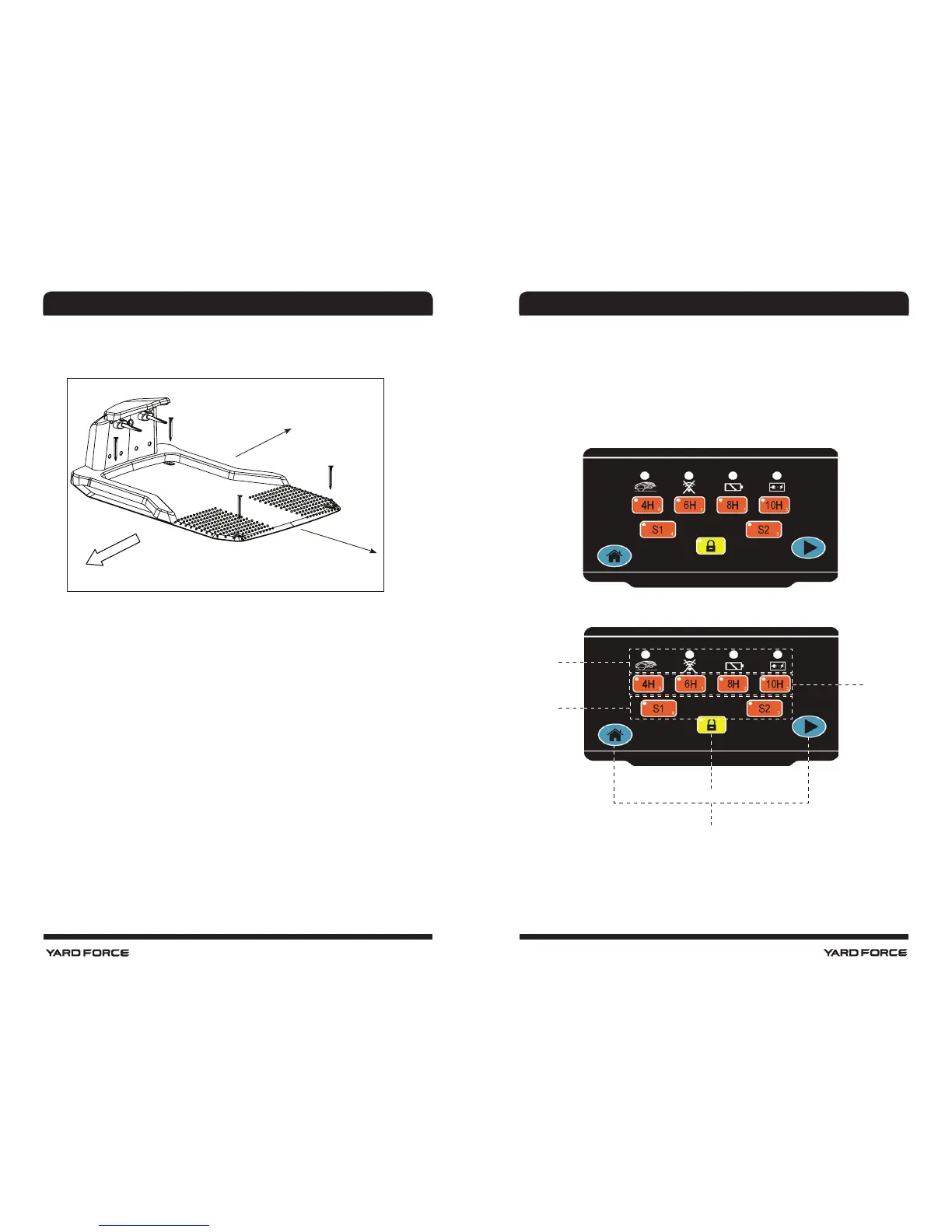
5.1. Control Panel
Once this Charging has completed the Mower programming can now be carried out.
To start programming the STOP button must be pressed again which will allow the display
window to open. Then the programming process can be followed.
The Mower has already been programmed in the factory to a set of standard settings but
these can be changed if you want. Even though factory settings will suit the majority of us-
ers it is worth familiarizing yourself with options available.
5.2. Control panel overview
1 m outside o f boundary area
need to be at
zone 1
zone 3
zone 2
zone 4
zone 5
The control panel is a combination of several functional area.
Zone 1: LED indicators for the machine status
Zone 2: Working time setting area
Zone 3: Signal setting
Zone 4: Locking button
Zone 5: Home & Start button
.















 To Next Page