Configuring a Provisioning Server
29
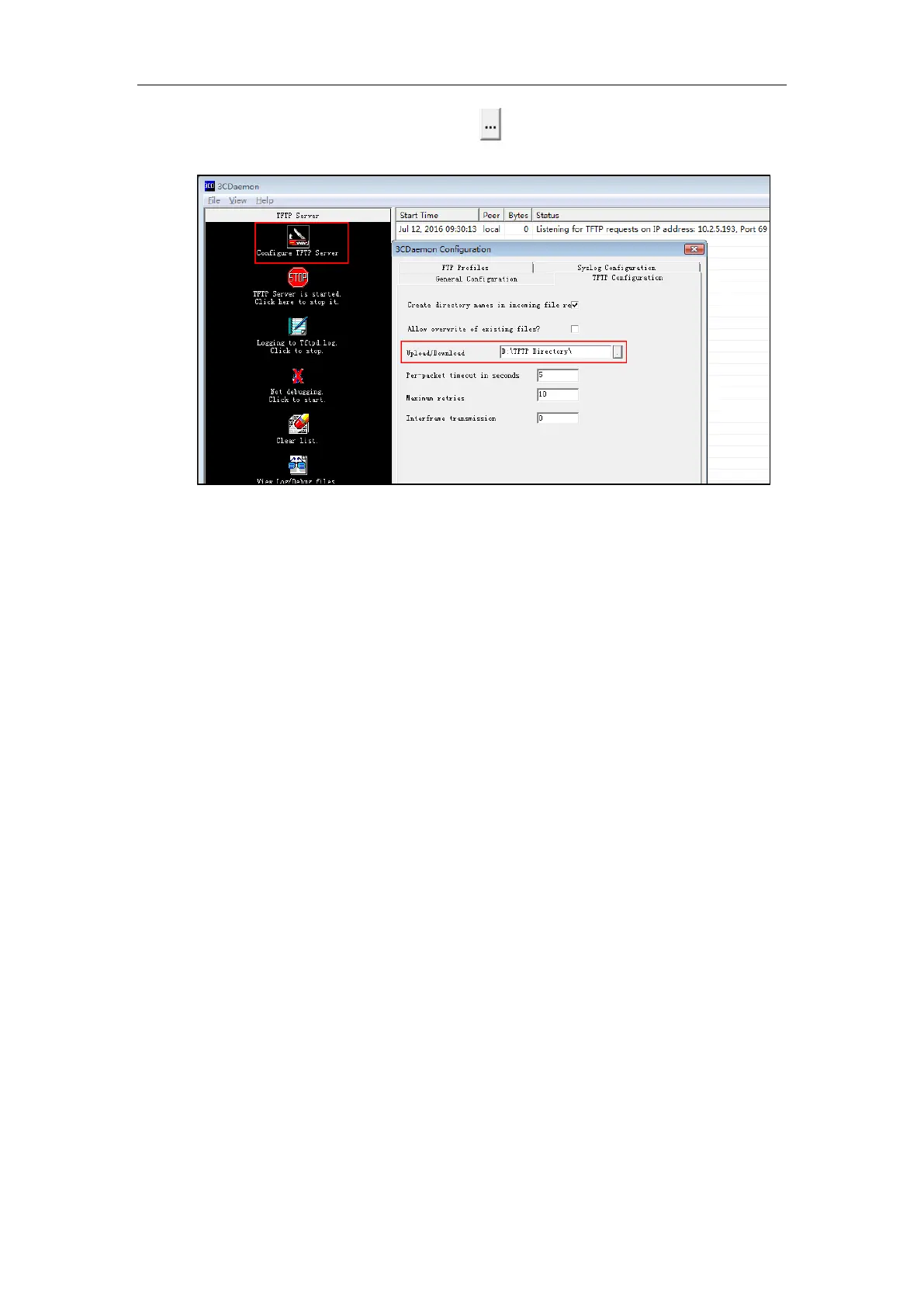
2. Select Configure TFTP Server. Click the button to locate the TFTP root directory from
your local system:
3. Click the Confirm button to finish configuring the TFTP server.
The server URL “tftp://IP/” (Here “IP” means the IP address of the provisioning server, for
example, ”tftp://10.2.5.193/”) is where the IP phone downloads configuration files from.



 To Next Page
 Loading...