To Next Page

E
ejonesSep 10, 2025
How to check content sharing on my Yealink Conference System?
- SsperezSep 10, 2025
Check the call statistics to see whether the system is sharing content on Yealink Conference System.

How to check content sharing on my Yealink Conference System?
Check the call statistics to see whether the system is sharing content on Yealink Conference System.
What does LINK failure mean on the Yealink VC?
the icon will appear on the status bar of the display device, indicating the current network is not available.
What is the microphone positioning issue on my Yealink VC Conference System?
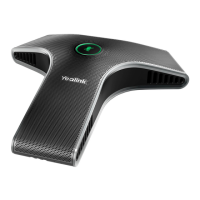
Users sit too far from or near to the microphone of Yealink Conference System.
How to resolve high indoor light interference on my Yealink VC Conference System?
Avoid high-intensity indoor light or direct sunlight on the camera of Yealink Conference System.
Why shouldn't I unplug the power adapter to power off my Yealink VC?
To avoid corrupting the system, you should not unplug the power adapter from the system to power off the Yealink Conference System.
Why is the voice quality poor during a call on my Yealink VC?
If you're experiencing poor voice quality during a call with the Yealink Conference System, it could be due to intermittent voice, low volume, echo, or other noise.
How to resolve remote control aiming issue on my Yealink Conference System?
Aim the remote control at the sensor when operating the Yealink Conference System unit.
What to do if the display device is in sleep mode or turned off with my Yealink VC Conference System?
If your Yealink Conference System is not displaying anything, press the power button on the remote control or on the display device.
What to do if my Yealink Conference System is in sleep mode?
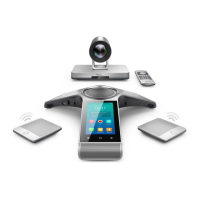
If your Yealink Conference System is not responding, press any key on the VCP40 phone or remote control to resume system operation.
What are the firmware upgrade conditions for my Yealink Conference System?
Ensure that the Yealink Conference System is powered on normally, and the network is available during the upgrade process.
Describes the method for hanging the camera on TVs with thickness less than 120mm.
Details network configuration requirements for the head office, including static IP addresses.
Steps to configure a static IP address for the VC400/VC120 via remote control.
Instructions for mapping firewall ports for Intranet deployment of the VCS.
Provides two options for deploying the VCS in a branch office environment.
 General
| Brand | Yealink |
|---|---|
| Model | VC Series |
| Category | Conference System |
| Language | English |