NeoGate TG Series User Manual
25/62
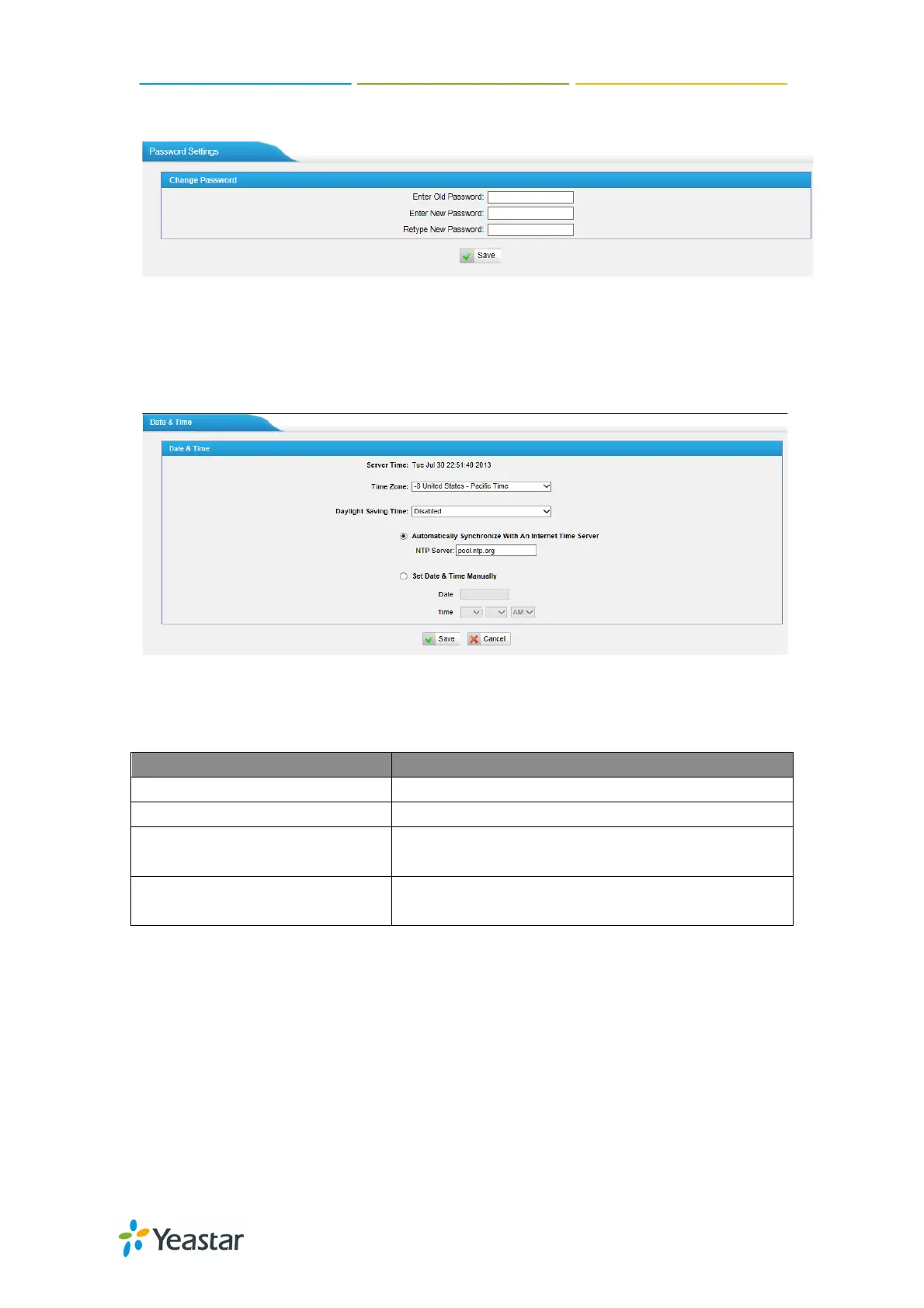
new password.
Figure 5-17
5.3.2 Date and Time
Set the date and time for NeoGate TG.
Figure 5-18
Time Zone You can choose your time zone here.
Daylight Saving Time Set the mode to Automatic or disabled
Automatically Synchronize
With an Internet Time Server
Input the NTP server so that NeoGate TG will
update the time automatically
Set Date & Time Manually
You can set the time to your local right time
5.3.3 Custom Prompts
We can upload the prompts in this page; you can also download it and save it as
a backup.


 To Next Page
 Loading...