mode. Once set and connected, the slave products will operate in
unison with the master product.
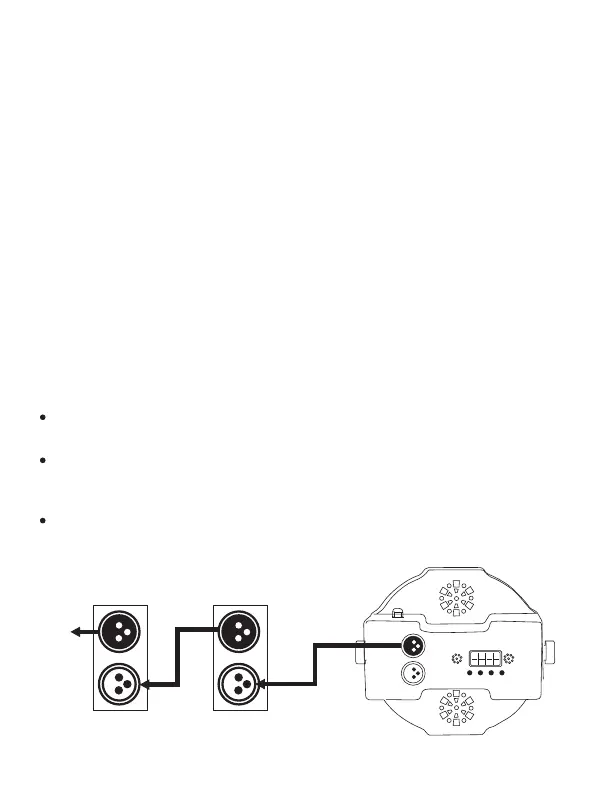
Configure the products as indicated below.
Slave products:
1.Press <MENU> repeatedly until SLAV shows on the display.
2.Press <ENTER> to accept.
3.Connect the DMX input of the first slave product to the DMX
output of the master product.
5.Connect the DMX input of the subsequent slave products to the
DMX output of the previous slave product.
6.Finish setting and connecting all the slave products.
Master product:
1.Set the master product to operate in any Stand-Alone mode.
2.Make the master product the first product in the DMX daisy chain.
Configure all the slave products before connecting the master to
the daisy chain.
Never connect a DMX controller to a DMX string configured for
Master/Slave operation because the controller may interfere with
the signals from the master.
Do not connect more than 30 slaves to the master.
-12-
DMX I N
DMX O UT
POW ER
MEN U UP DOWN E NTER
DMX IN
DMX OUT
DMX IN
DMX OUT
Master P ductroSlave P duct 1ro
Slave P duct 2ro
Additional
Products



 To Next Page