12
Take Report Snapshot
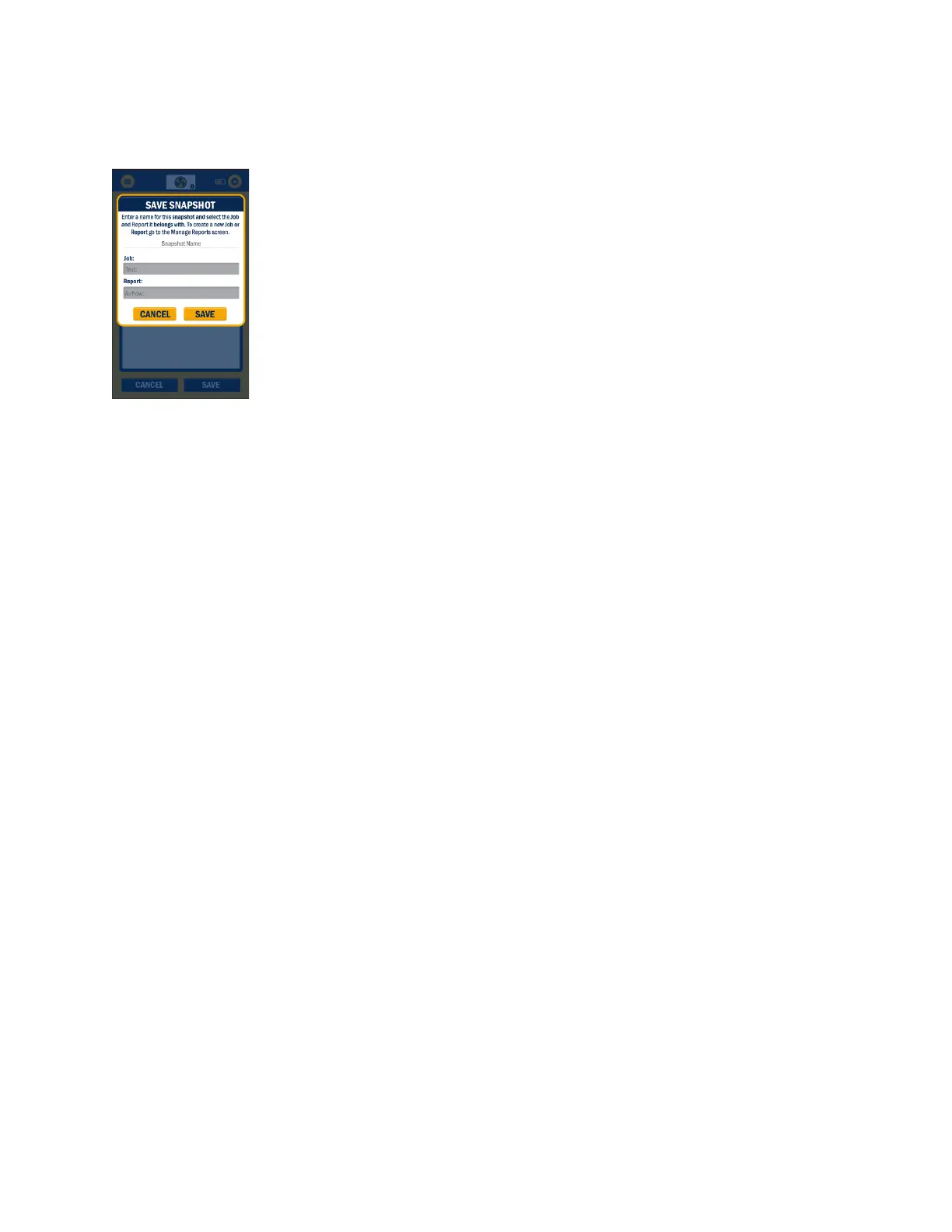
Report snapshots can be recorded to log readings during any of the sessions. To take a data “snapshot”
(record capture) from within any active session, press on the three-dot icon in the
upper right corner of the screen and select “Take Report Snapshot.”
From this screen you will Name the snapshoot and be able to pick which job and
which report to record the snapshot on. Once the name is entered and the proper
job and Report are selected, press “Save.”



 To Next Page