10
www.yellowtec.com I info@yellowtec.com
Basic functions
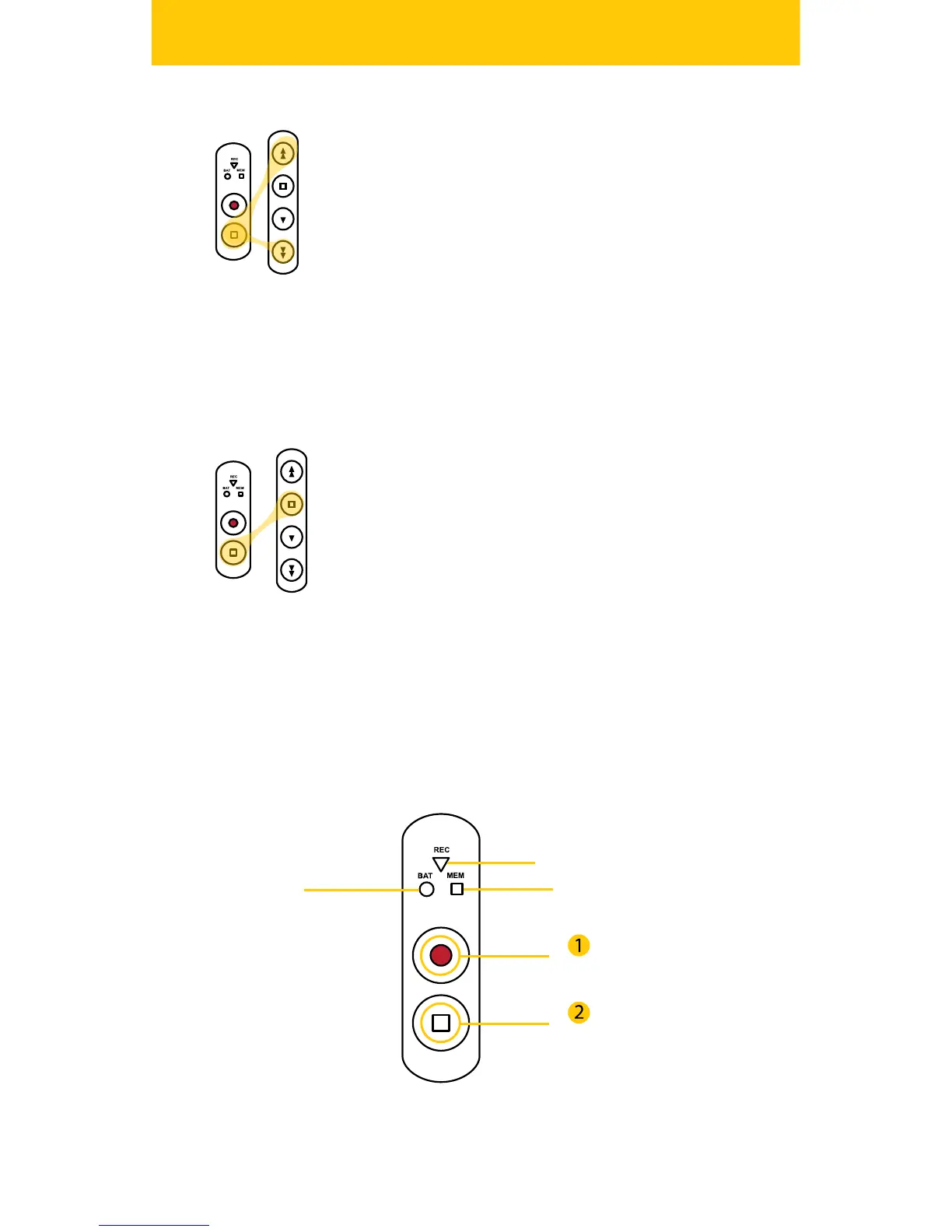
Adjust Playback Level
During playback, you can adjust the volume of your
headphone. To increase the headphone level press and
hold the STOP Button on the dashboard and press FOR-
WARD, to decrease your level hold the STOP button
and press REWIND. Each hit will cause a change of 3dB.
NOTE: Before using headphones, make sure that you
carefully set your playback level to an appropriate level
to avoid temporary or permanent hearing damage. It
is advised to set a maximum output level in the user
software.
Power O
To switch the iXm o press and hold the STOP Button of
the Dashboard and hit the STOP Button of the Playback
Keypad simultaneously. All LEDs will turn o and the
unit will power down.
Record Keypad / Dashboard
REC LED
MEM LEDBAT LED
REC
STOP


 To Next Page