12
www.yellowtec.com I info@yellowtec.com
Dashboard indicators
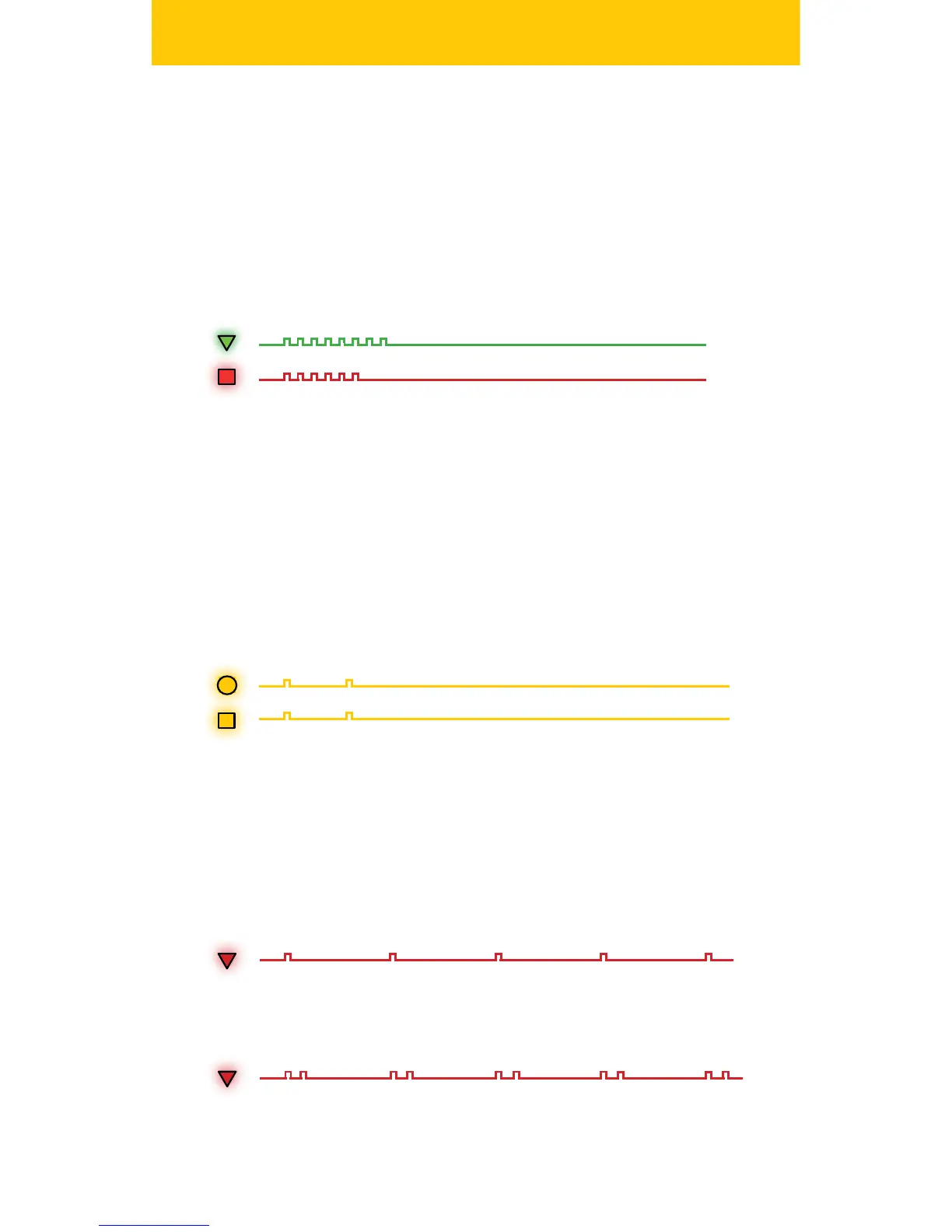
When you turn on your iXm, the REC LED will ash green during boot
sequence. Once the boot sequence is nished the MEM LED will ash red
to indicate a memory check of the SD card. With no memory card inserted
the MEM LED will continuously ash red to indicate that the iXm will not
be ready to record.
1. Boot Sequence
When the iXm is powered up and you are not recording you can
always recall the remaining battery power and the remaining memory
capacity. To indicate the time remaining simply hit the STOP button on
the Dashboard. First, the BAT LED will slow-ash yellow followed by a
yellow slow-ashing MEM LED. Each ash indicates the approximate
number of remaining hours of BAT or MEM capacity. Use this function
regularely to assure that your required recording time is safe.
2. BAT and MEM capacity check
You can select three dierent Recording Modes via software congura-
tion. Each mode will be displayed by the REC LED with a dierent ash
pattern.
Single ashes will indicate REC Ready with no other options active:
3. Record Ready and Recording
Double ashes will indicate REC Ready with Preroll active:


 To Next Page