8
www.yellowtec.com I info@yellowtec.com
Basic functions
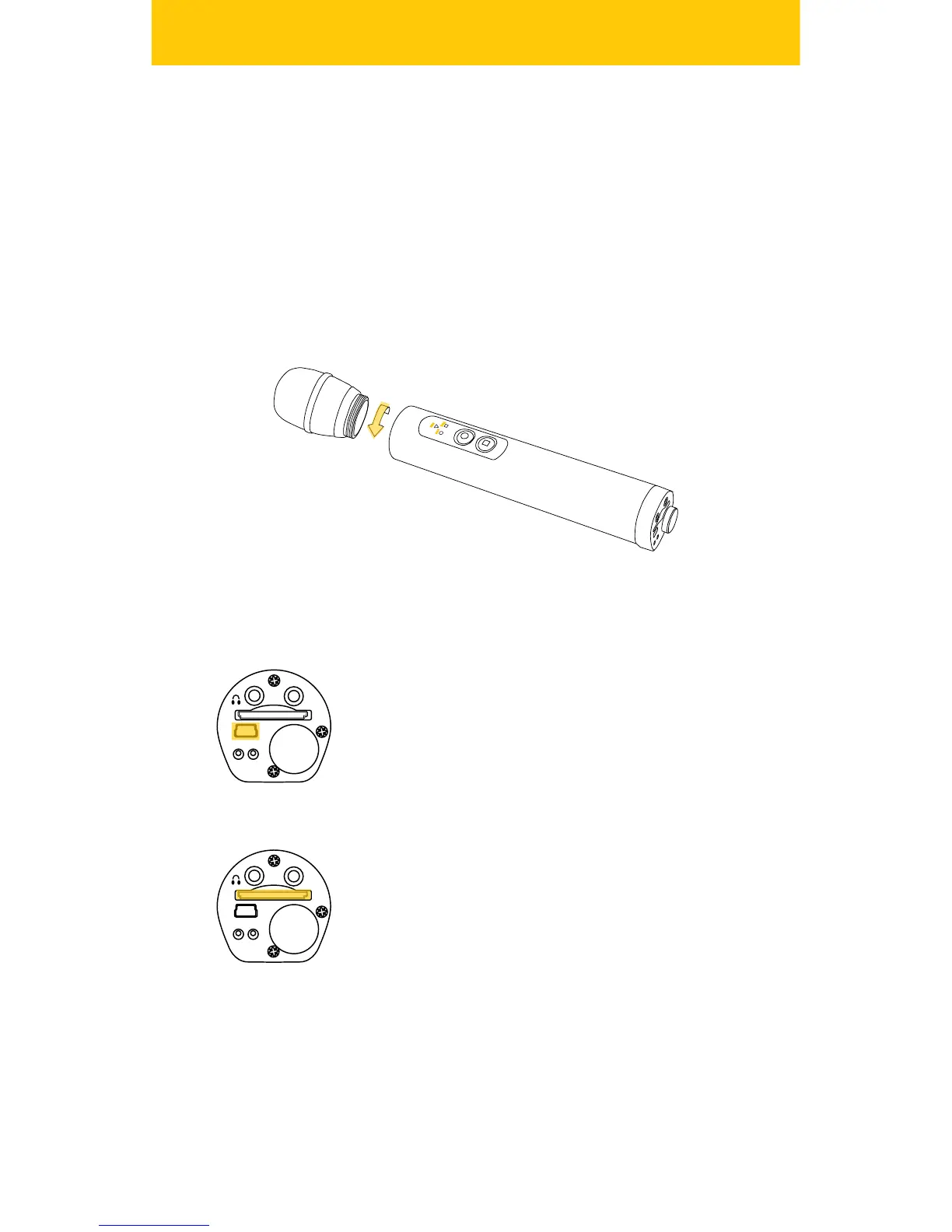
In order to operate the iXm in various recording environments you have
a choice of dierent Mic Heads. Mic Heads can be exchanged easily by
the TOTO mount (twisting-o-twisting-on).
In order to protect the thread and the electronic contacts always make
sure that you never use the Microphone Recorder without a Mic Head
installed! Always hold the Mic Head straight and twist it gently tight. Do
not risk cross-threading.
Charge Internal Li-Ion Battery
Before using iXm for the rst time, charge the
internal Li-Ion battery until the amber BAT indicator
stops ashing. Use the provided USB cable to
connect iXm with the wall charger, car adaptor or
personal computer.
Insert SD Memory Card
Insert an SD memory card with its label facing up
until it latches. Should the Memory Indicator quick
ash red, the SD card is not usable. Read more at
`Use of SD-Cards‘ .


 To Next Page