13
www.yellowtec.com I info@yellowtec.com
Dashboard indicators
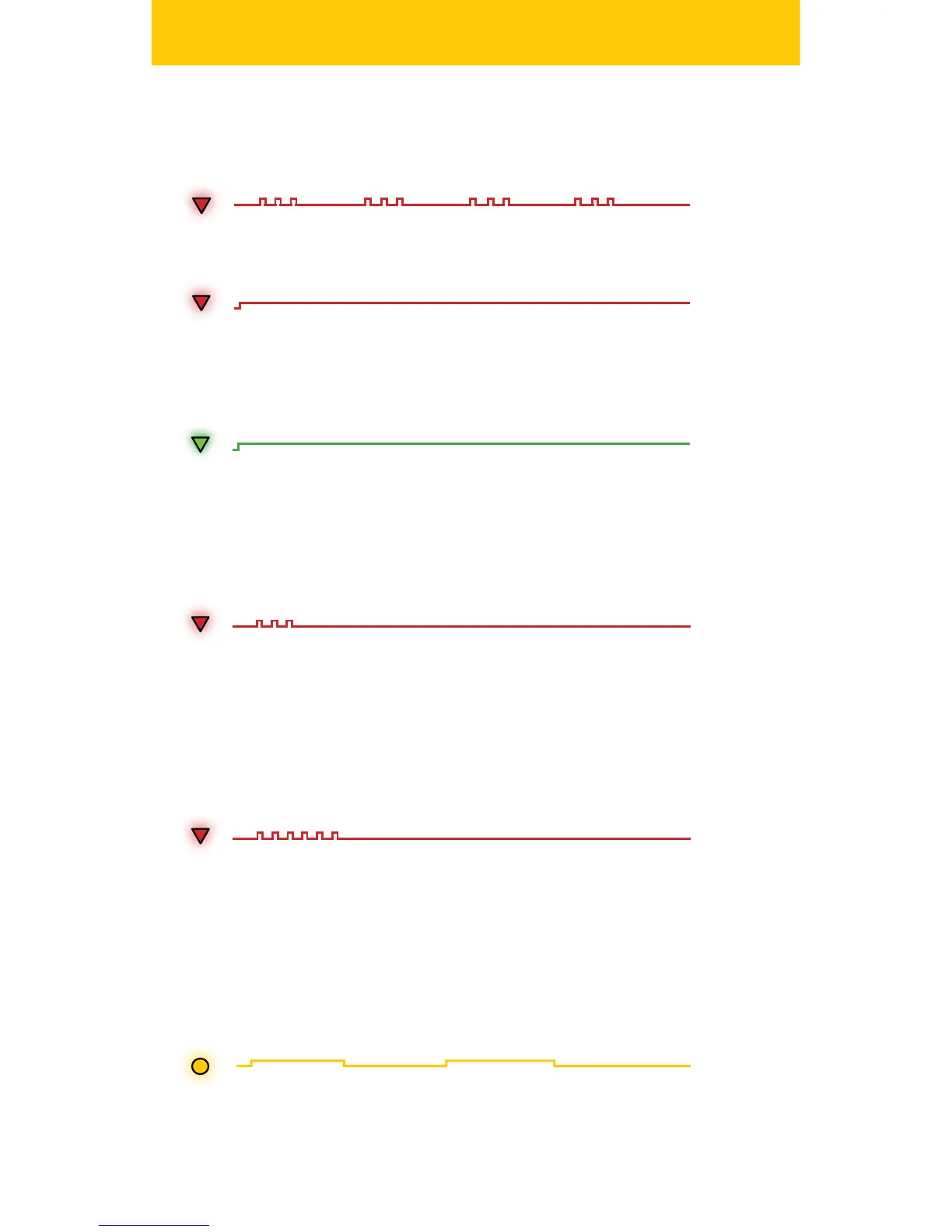
The REC LED will illuminate green during PlayBack. Play Back can always
be interrupted by hitting the REC Button. Once powered up iXm is
always in one of the seleceted Record Ready modes.
During recording you can use the REC Button to set markers. Due to
it‘s click-free design you will not suer from any audible noise. Setting
markers will be tallied by a double ashing REC LED.
4. Markers
Triple ashes will indicate Record Ready with Voice Activation active:
Once you have started your recording the REC LED will light red:
When you stop the recording the REC LED will quick ash red for a very
short period of time which indicates the remaining audio data is being
transferred to the SD memory card. When the transfer is nished (after
approx 1 sec) the REC LED will switch back to indicate Record Ready.
5. End of recording
When the iXm is connected to a power source via USB. The internal bat-
tery is being automatically charged. The BAT LED will slowly ash amber
to indicate charging. You do not need to have your iXm switched on for
charging. When charging is completed the BAT LED will stop ashing.
6. BAT LEDs


 To Next Page