
 Need help?
Do you have a question about the Yongnuo RF-603 and is the answer not in the manual?
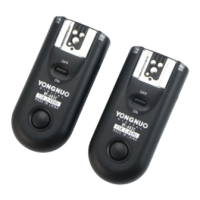
Set two or more transceivers to the same code using the channel setting switch.
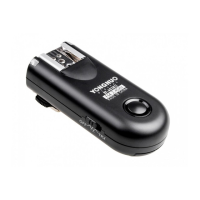
Install two AAA batteries into each transceiver following the +/- marks in the battery room.
Slide the power switch to 'ON' to turn on the device; slide to 'OFF' to turn it off.
Install and lock the flash onto the transceiver's hot shoe securely.
Mount the transceiver onto a light stand bracket using its hot shoe mounting foot.
Mount the transceiver onto the camera's hot shoe using its hot shoe mounting foot.
Use the RF-603 with flash as a remote control for synchronized flash triggering.
Control multiple cameras and flashes wirelessly for synchronized remote shooting.
 General
| Frequency | 2.4 GHz |
|---|---|
| Channels | 16 |
| Range | Up to 100m |
| Compatibility | Nikon, Canon, Pentax, Olympus |
| Power Source | 2 x AAA batteries |




 To Next Page