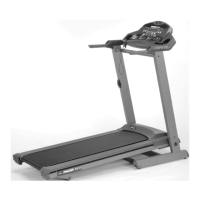
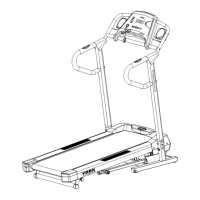
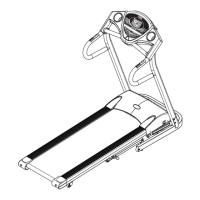
The device is a YORK FITNESS Pegasus Plus Treadmill, Model No. 51072. It is designed for home, personal, family, or household use, offering a comprehensive fitness solution with various features for monitoring performance and setting targets.
Function Description
The Pegasus Plus Treadmill provides a platform for walking, jogging, and running exercises. It incorporates a range of features to enhance the user's workout experience, including adjustable speed and incline, pre-set workout programs, and user-programmable routines. The treadmill is equipped with a computer console that displays key workout metrics such as incline, pulse, time, speed, distance, calories burned, and elevation gain. It also includes an MP3 player input and speakers for entertainment during workouts.
A critical safety feature is the Magnetic Safety Key, which must be inserted for the treadmill to operate. If the key is pulled out (e.g., if the user falls), the running mat will decelerate and stop, preventing injury. The treadmill is also foldable for storage and transportation, making it suitable for home environments where space may be limited.
Important Technical Specifications
- Speed Range: 0.8 ~ 18 KPH (kilometers per hour)
- Power Incline: 0 ~ 12 levels
- Running Area: 142cm x 51cm
- Dimensions (L x W x H): 192cm x 86cm x 139cm
- Power Supply: AC 230V, 50Hz
- Speed Control: Push button
- Maximum User Load: 275lb (125kg)
- Safety Standards: Meets EU's EMC and Low Voltage directives and ISO 20957 parts 1 and 6, indicated by the CE mark.
- Warranty: Lifetime frame, 10-year treadmill motor, 12-month other parts, 12-month labor.
Usage Features
The treadmill's computer console is central to its operation, allowing users to monitor their performance and customize workouts.
Keys on the Console:
- POWER KEY: Activates the treadmill.
- START/STOP KEY: Initiates the treadmill at the lowest speed and gradually increases to the training speed. Also slows the running mat to a complete stop.
- SELECT KEY: Used to choose preset or user program profiles and display elevation & elevation gain values.
- ENTER KEY: Confirms program selection and target values during user program setup.
- SPEED KEYS (UP/DOWN): Adjusts speed from 0.8 ~ 18 KPH. Holding these keys increases/decreases speed quickly.
- INCLINE KEYS (UP/DOWN): Adjusts elevation from 0 ~ 12. Holding these keys increases/decreases incline quickly.
- RAPID SPEED KEYS: 9 preset buttons (2km/h, 4km/h, 6km/h, 8km/h, 10km/h, 12km/h, 14km/h, 16km/h, 18km/h) for automatic speed selection.
- RAPID ELEVATION KEYS: 12 preset buttons (1-12) for automatic elevation selection.
Workout Programs:
The Pegasus Plus offers a variety of workout programs:
- Quick Start: Default settings (0% elevation, 0.8km/h speed), adjustable during workout.
- Manual Program: Allows users to set target speed and elevation manually.
- Preset Incline Programs (P1-P4): Focus on incline variations. Default time for these programs is 10-minute segments, repeating until stopped.
- Preset Speed Programs (P5-P6): Focus on speed variations. Default time for these programs is 10-minute segments, repeating until stopped.
- User Programs (U1-U2): Allows users to program and store their own routines with 10 segments, each with individual speed and elevation settings.
Monitoring Functions:
- INCLINE: Displays current elevation in %.
- PULSE: Shows current heart rate via hand pulse sensors. Users must grip both sensors simultaneously for an accurate reading.
- TIME: Tracks workout duration (MAX 99:00min).
- SPEED: Displays current speed in KPH (MAX 999.9km).
- DISTANCE: Shows distance covered in KM (MAX 999.9km).
- CALORIES: Provides an approximate estimate of calories burned (MAX 9999 Cal).
- ELEVATION GAIN: Displays total climbing distance in meters (MAX 9990m) for target elevation gain programs.
- DOT MATRIX: An 8x10 dot matrix displays profiles of the 6 preset programs and 2 user programs, and a 0.4km running track for manual, target distance, target calories, target time, or target elevation gain programs.
Heart Rate Training:
The manual emphasizes the importance of heart rate training for achieving fitness goals (good health, weight loss, improving fitness levels). It provides a formula (220 - age) to estimate maximum heart rate and calculate target heart rate zones. Users are advised to monitor their heart rate throughout the workout, ideally using a chest strap (if the machine has a wireless receiver) or a heart rate monitor.
Maintenance Features
Regular maintenance is crucial for the treadmill's longevity and safe operation.
- Regular Inspection: Users should regularly examine the equipment for wear and tear, ensuring all pins/fixings are tight and secure. Defective components should be replaced immediately.
- Mat Alignment and Tension: The running mat's alignment and tension are pre-set but may require adjustment over time. Instructions are provided for correcting issues like the mat moving to the left or right, or feeling too loose or too tight. Adjustments involve turning screws at the end of the main frame by 1/2 turn increments while the treadmill runs at low speed.
- Mat and Deck Lubrication: The treadmill features a pre-lubricated deck system, but periodic lubrication is necessary to maintain function and life. Lubrication frequency depends on usage:
- Less than 3 hours/week: every 8 months
- 3-5 hours/week: every 4 months
- More than 5 hours/week: every 2 months
Instructions are provided for applying silicone lubricant between the mat and the running board.
- Cleaning: The treadmill should be wiped down with a damp cloth after each workout.
- Electrical Safety: Users are reminded to unplug the power cable before maintenance and to keep all electrical components away from water.
- Troubleshooting: A dedicated section provides solutions for common issues like "ERR1 on screen" (speed sensor error), treadmill not starting, running mat slipping, treadmill noisy, and inaccurate pulse rate. It advises users to check connections, safety key, circuit breaker, and mat tension, and to contact customer support if problems persist after basic troubleshooting.


 To Next Page
 General