EasyManua.ls Logo

York YLPA 0115SE - User Manual

York YLPA 0115SE
90 pages
Print Icon
To Next Page IconTo Next Page
Loading...
Products are produced at a
f a c ilit y wh o s e qu a l i t y -
management systems are
ISO9001 certified.
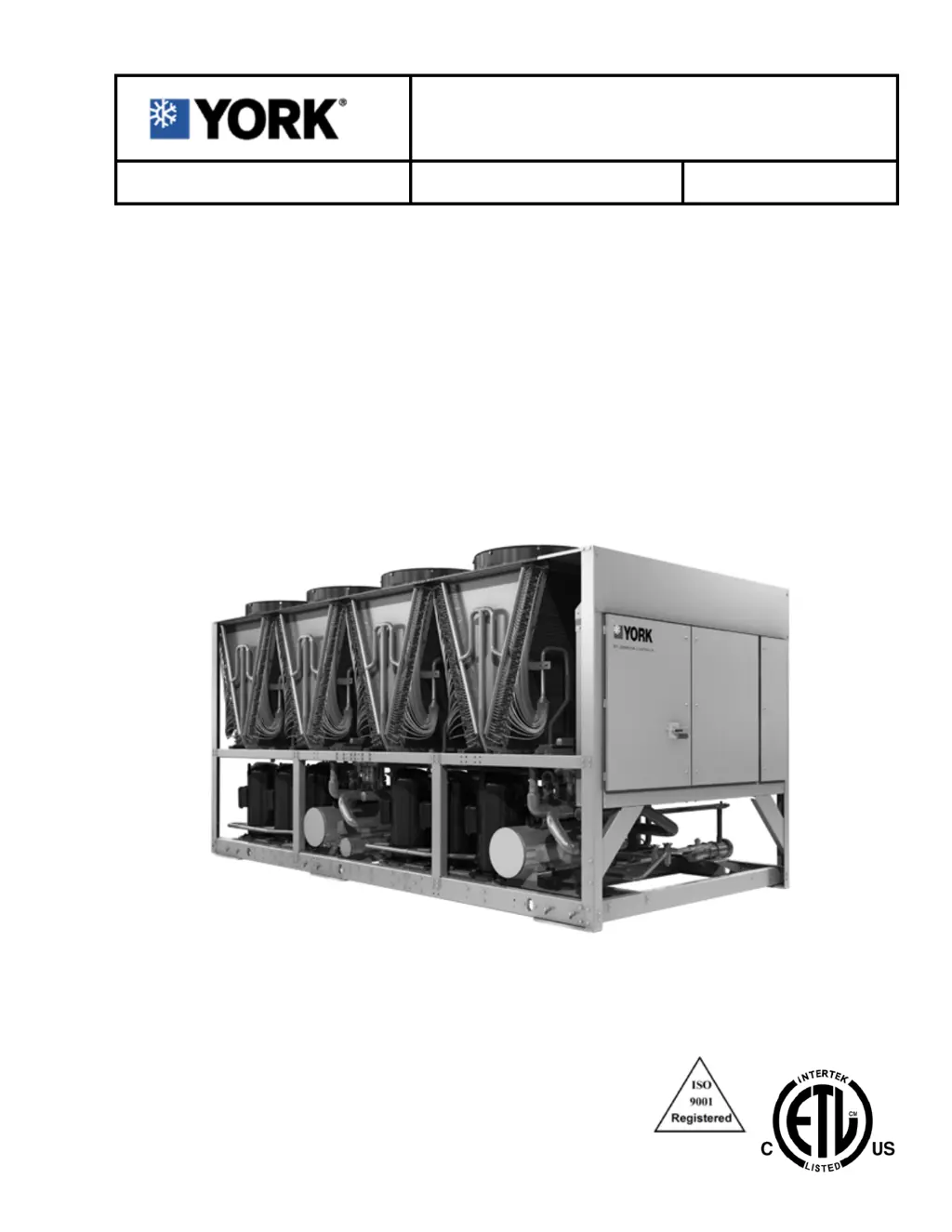
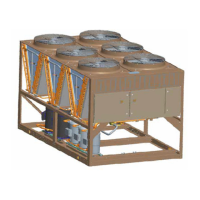
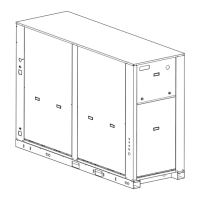
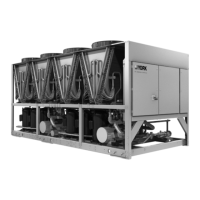
MODEL YLPA AIR TO LIQUID
REVERSIBLE SCROLL HEAT PUMPS
STYLE B
Cooling Capacities: 115 Tons to 170 Tons
Cooling Capacities: 400 kW to 600 kW
Heating Capacities:1390 MBH to 2040 MBH
Heating Capacities: 400 kW to 600 kW
60Hz
HFC-410A
Issue Date:
October 15, 2020
035-23346-100
YLPA 0115SE, 0145SE, 0170SE
INSTALLATION, OPERATION AND
MAINTENANCE
Supersedes: 150.68-ICOM1 (1217) FORM 150.68-ICOM1 (1020)

Table of Contents

Questions and Answers

  • M
    Michelle MayoAug 17, 2025
    What causes a lack of cooling effect in my York Heat Pump?
    • L
      Larry FordAug 17, 2025
      A lack of cooling effect can stem from a few issues. A fouled cooler surface, indicated by low suction pressure, may be the cause; in this case you should contact the local Johnson Controls service representative. Alternatively, improper flow through the cooler or a low refrigerant charge (also indicated by low suction pressure) could be responsible. If it's an improper flow, reduce flow to within unit design specification. If it's low refrigerant charge, check subcooling and add charge as needed, and also check for leaks.
  • N
    Nancy DavisAug 20, 2025
    What to do if my York Heat Pump displays 'No display on panel - Unit will not operate'?
    • G
      Gerald HendersonAug 20, 2025
      If there is no display on the panel and the unit does not operate, check the following: * Ensure the main supply to the unit is switched on. * Verify the remote emergency stop device is in the ON position. * Check fuses -F3 and -F6, and wiring to -T1 and fuse -F1. * Inspect the wiring from -T1 to J14 on the microprocessor board for 24 VAC supply. * Change transformer -T1 if there is no 24 VAC output. * Unplug connections at the microprocessor board to isolate any short circuits in the wiring to temperature sensors or pressure transducers. * If the issue persists, the microprocessor board or display board may be defective, consider replacing the board after contacting Johnson Controls Service.
  • M
    Marcia MorenoAug 22, 2025
    What causes 'SYS X HIGH DSCH PRES' on my York Heat Pump, and how do I fix it?
    • A
      Anthony ReyesAug 23, 2025
      The 'SYS X HIGH DSCH PRES' error indicates high discharge pressure. Here's what to check: * Ensure the discharge pressure cut-out is correctly set. * Inspect for airflow restrictions through the condenser coils, such as blockages or damaged fins. * Verify condenser fans are operating correctly and airflow is upward. Check the fan motor, fuses, and contactors. * Evacuate and recharge the system if there's air in the refrigerant system. * Remove refrigerant if there's an excessive charge. * Check the discharge transducer calibration and wiring to ensure accurate pressure measurement.
  • B
    Brittany KimAug 26, 2025
    Why does my York Heat Pump say 'FLOW SWITCH OPEN' and what can I do?
    • J
      Jermaine DyerAug 26, 2025
      The 'FLOW SWITCH OPEN' message indicates a lack of liquid flow. Verify that liquid pumps are running, valves are correctly set, and flow is established. Also, check that the flow switch is functional and properly installed according to the manufacturer's instructions. Note that on some systems the pump starter may be wired to the unit and controlled to start by the unit. If the flow switch is defective, replace it.
  • V
    victorduranAug 28, 2025
    What does 'SYS X LOW SUCT PRESS displayed' mean on my York Heat Pump?
    • B
      bmartinezAug 28, 2025
      The 'SYS X LOW SUCT PRESS' message indicates low suction pressure. Check the following: * Ensure the suction pressure cut-out is correctly set. * Consider replacing the expansion valve if it's faulty. * Check for restricted chilled liquid flow or fouled tube surfaces, which can reduce cooler performance. * Look for leaks if the refrigerant charge is low. * Check for a blocked filter/drier or moisture in the system, which can restrict refrigerant flow. * Verify the suction pressure transducer calibration/pressure switch and wiring to ensure accurate pressure measurement.
  • B
    Brianna SmithAug 31, 2025
    What does it mean when my York YLPA 0115SE Heat Pump displays 'UNIT FAULT: LOW LIQUID TEMP displayed'?
    • D
      Denise HernandezAug 31, 2025
      The 'UNIT FAULT: LOW LIQUID TEMP displayed' message indicates that the liquid temperature is too low. Try these steps: * Re-program the leaving chilled liquid temperature cut-out (glycol only) if it is improperly adjusted. * Readjust the control panel setpoint/range values if they are improperly programmed. * Increase chilled liquid flow if it is too low. * Compare the -BLCT sensor against a reliable temperature sensing device, ensuring it's properly installed with heat conductive compound. Refer to the Sensor Calibration Charts.
  • R
    robertscharlesSep 2, 2025
    How to troubleshoot 'UNIT FAULT: LOW AMBIENT TEMP displayed in either mode or HIGH AMBIENT TEMP displayed in heating mode' on York YLPA 0115SE Heat Pump?
    • J
      Jamie SmithSep 2, 2025
      This message indicates that the ambient air temperature is outside the programmed operating limits. Use the OPER DATA key to display the temperature and confirm its accuracy. The message should clear when the temperature reaches the programmed limit. Also, check that the programmed settings are correct for the unit's options. If the displayed temperature is incorrect, check the sensor calibration, location, and wiring.
  • C
    Catherine LopezSep 5, 2025
    What does 'SYS X MP/HPCO FAULT displayed' mean on my York YLPA 0115SE Heat Pump?
    • L
      lisagrahamSep 5, 2025
      The 'SYS X MP/HPCO FAULT displayed' message indicates a fault with the compressor motor protector or high-pressure cut-out. Verify the refrigerant charge is not low, the superheat setting is between 10°F and 15°F, the compressor rotation is correct, and the compressor is not overloaded. Also, refer to the High Discharge Pressure Fault information, and consider replacing the -FHP switch if it is defective.
  • F
    Felicia DavenportSep 8, 2025
    What to do if my York Heat Pump compressor(s) do not start?
    • T
      Tracy RandolphSep 8, 2025
      If the compressor(s) do not start, it could be due to several reasons. There may be no problem if the demand is not sufficient. Check if the water temperature sensor is defective by comparing the display with a thermometer; it should be within +/- 2°F. See the BLCT calibration charts. Also, a contactor failure or a compressor failure could be the cause. Replace the defective part or diagnose the cause of failure and replace the compressor.
  • A
    Anthony CookSep 12, 2025
    What does 'UNIT FAULT: 115 VAC UNDERVOLTAGE displayed' mean on my York YLPA 0115SE Heat Pump?
    • C
      Crystal PowersSep 12, 2025
      The 'UNIT FAULT: 115 VAC UNDERVOLTAGE displayed' message indicates a low mains supply voltage. Check that the mains supply is stable and within allowable limits, and check for voltage dip on compressor start.

Summary

GENERAL INFORMATION & SAFETY

INTRODUCTION

Overview of YORK YLPA units, their purpose, and manual content.

WARRANTY

Johnson Controls' warranty terms for equipment and materials, including conditions.

SAFETY STANDARDS

Lists applicable industry standards, codes, and certifications for YLPA units.

FLUORINATED GREENHOUSE GASES

Information on refrigerants, Kyoto Protocol, global warming potential, and venting.

SAFETY RESPONSIBILITIES AND EQUIPMENT USE

RESPONSIBILITY FOR SAFETY

Outlines user responsibilities for safe operation, maintenance, and equipment utilization.

MISUSE OF EQUIPMENT

Discusses suitability for intended applications and hazards of improper use.

PRODUCT DESCRIPTION

UNIT OVERVIEW

Factory assembly, construction materials, and general design of YLPA units.

COMPRESSORS

Details hermetic scroll compressors, their efficiency, and motor protection features.

REFRIGERANT CIRCUITS

Describes the two independent refrigerant circuits and their components.

HEAT EXCHANGERS

Explains the refrigerant to water heat exchanger details.

PRODUCT COMPONENTS

POWER AND CONTROLS PANELS

Describes the IP55 cabinet housing power and control components.

MICROPROCESSOR CONTROLS

Explains automatic control functions, setpoints, and displayed data.

ACCESSORIES AND OPTIONS

ACCESSORY COMPONENTS

Lists and describes optional accessories like flow switches, isolators, and breakers.

REFRIGERANT FLOW DIAGRAMS

COOLING AND DEFROST MODES

Illustrates refrigerant flow during cooling and defrost operations.

HEAT PUMP MODE

Illustrates refrigerant flow during heat pump operation.

COMPONENT IDENTIFICATION

LOCATION DIAGRAM

Diagram showing the physical location of major unit components.

NOMENCLATURE

Explains the model number coding for YLPA units.

HANDLING AND STORAGE

DELIVERY AND STORAGE

Precautions for unit delivery, storage, and inspection.

MOVING THE UNIT

Guidelines for safely lifting and moving the unit.

INSTALLATION REQUIREMENTS

SITE SELECTION AND CLEARANCES

Essential site requirements for optimal performance and service access.

OUTDOOR INSTALLATIONS

Guidelines for ground-level and rooftop installation locations.

INSTALLATION PROCEDURES

PIPEWORK CONNECTIONS

Recommendations for connecting liquid and refrigerant piping.

PIPEWORK ARRANGEMENTS

Suggested pipework configurations for single unit installations.

CHILLED LIQUID SYSTEM

WATER QUALITY REQUIREMENTS

Specifies water quality parameters for the unit's liquid system.

REFRIGERANT RELIEF VALVE PIPING

Guidelines for piping refrigerant relief valves to the exterior.

ELECTRICAL CONNECTIONS

POWER AND GROUNDING

Proper connection of unit power supply and grounding.

CONTROL WIRING

Details for connecting control circuits, contacts, and devices.

COMMISSIONING

PREPARATION CHECKS

Pre-commissioning checks for electrical, refrigerant, and mechanical systems.

FIRST TIME START-UP

Step-by-step procedure for initial unit start-up and checks.

OPERATION

CONTROL PANEL INTERFACE

Explanation of control panel keys and their functions.

OPERATING STATUS MESSAGES

Displays and explains unit status messages shown on the control panel.

FAULT AND SAFETY MESSAGES

UNIT SAFETY SHUTDOWNS

Lists safeties causing compressor shutdown and fault types.

OPER DATA KEY FUNCTIONS

DISPLAYED OPERATING DATA

Explains how to access and interpret unit operating parameters.

PRINT AND HISTORY FUNCTIONS

PRINT KEY OPERATIONS

How to obtain printouts of system data and fault history.

HISTORY KEY FUNCTIONS

Accessing and clearing stored safety shutdown information.

DISPLAYED HISTORY MESSAGES

UNIT FAULT MESSAGES

Lists various unit fault conditions and their display.

SYSTEM CONFIGURATION SETTINGS

Displays settings like unit type, liquid type, and modes.

UNIT KEY FUNCTIONS

OPTIONS KEY OPERATIONS

Navigating and changing unit configuration options.

SETPOINTS KEY OPERATIONS

Viewing and programming cooling/heating setpoints and ranges.

SETPOINT CONFIGURATION

COOLING SETPOINT AND RANGE

Setting and viewing cooling liquid temperature setpoints and ranges.

HEATING SETPOINT AND RANGE

Setting and viewing heating liquid temperature setpoints and ranges.

SCHEDULE;ADVANCE DAY KEY

Programming daily schedules, holidays, and start/stop times.

SCHEDULE AND PROGRAMMING

PROGRAM KEY FUNCTIONS

Setting cut-outs, timers, and switching points.

SETPOINT AND CUT-OUT SETTINGS

COOLING SETPOINTS AND RANGES

Recommended limits for cooling liquid setpoints and ranges.

HEATING SETPOINTS AND RANGES

Recommended limits for heating liquid setpoints and ranges.

CUT-OUT SETTINGS

Configuration of pressure, ambient, and liquid temperature cutouts.

FAN AND COMPRESSOR SETTINGS

Settings for fan stages, compressor count, and suction superheat.

UNIT KEY SETTINGS

LOCAL;REMOTE MODE

Configuring the unit for local or remote control operation.

CONTROL MODE

Setting the unit's primary operating mode (cooling or heating).

REMOTE TEMPERATURE RESET INPUT

REMOTE TEMPERATURE RESET INPUT

Configuring inputs for remote temperature setpoint resets.

CLOCK AND DATALOG FUNCTIONS

CLOCK KEY OPERATIONS

Displaying and setting the unit's date, time, and calendar.

OPTIONAL PRINTER INSTALLATION

BAS;EMS TEMPERATURE RESET

Resetting setpoints using BAS/EMS voltage or current signals.

REMOTE SIGNAL INPUTS

Configuring remote signal inputs for cooling mode.

REMOTE SIGNAL CONFIGURATION

REMOTE SIGNAL TYPES

Details for configuring 0-10VDC, 2-10VDC, 0-20mA, 4-20mA signals.

HEATING MODE REMOTE SIGNALS

Configuring remote signal inputs for heating mode.

EMS-PWM REMOTE SETPOINT RESET

EMS PWM REMOTE SETPOINT RESET

Resetting setpoints using EMS-PWM feature and contact closures.

EMS-PWM REMOTE TEMPERATURE RESET

EMS-PWM REMOTE TEMPERATURE RESET

Adjusting cooling/heating setpoints via PWM input signals.

NETWORK COMMUNICATIONS CONFIGURATION

BACNET, MODBUS, AND YORKTALK 2 PARAMETERS

Configuring network communication settings for various protocols.

BACNET AND MODBUS COMMUNICATIONS

DATA POINT TYPES

Explanation of BACnet object types and Modbus data points.

COMMUNICATION DATA MAP

ANALOG WRITE POINTS TABLE

Table listing analog write points for BACnet/Modbus.

BINARY WRITE POINTS TABLE

Table listing binary write points for BACnet/Modbus.

YORKTALK 2 COMMUNICATIONS

RECEIVED DATA (CONTROL DATA)

Unit receives data from Micro-Gateway or E-Link for remote control.

TRANSMITTED DATA

Unit transmits operational or history data based on requests.

MAINTENANCE

GENERAL MAINTENANCE REQUIREMENTS

Importance of regular maintenance for continuous operation.

DAILY MAINTENANCE

Daily checks to be performed by the operator.

SCHEDULED MAINTENANCE

MINOR AND MAJOR SERVICE

Routine service schedules and tasks by qualified engineers.

HEAT EXCHANGER IN-SERVICE INSPECTION

Inspection of the water side of the heat exchanger for corrosion.

TROUBLESHOOTING GUIDE

UNIT OPERATION PROBLEMS

Common issues like no display, flow switch faults, and ambient temp faults.

TROUBLESHOOTING GUIDE (cont.)

SYSTEM PRESSURE AND COMPRESSOR FAULTS

Troubleshooting pressure faults, compressor issues, and battery warnings.

SENSOR CALIBRATION CHARTS

TEMPERATURE SENSORS

Calibration data for various temperature sensors.

PRESSURE TRANSDUCERS

Calibration data for pressure transducers.

TECHNICAL DATA

WATERSIDE PRESSURE DROP GRAPH

Graph illustrating pressure drop versus flow rate for evaporators.

OPERATING LIMITATIONS AND PHYSICAL DATA

OPERATING LIMITATIONS

Performance limits for cooling and heating modes.

PHYSICAL DATA

Specifications like refrigerant charge, oil, dimensions, and weight.

ELECTRICAL DATA AND SOUND DATA

ELECTRICAL DATA

Electrical specifications including power supply, ampacity, and fuses.

SOUND DATA

Sound power levels for different YLPA models.

DIMENSIONS

YLPA 0115 DIMENSIONS

Physical dimensions and connection points for the YLPA 0115 model.

YLPA 0145 DIMENSIONS

Physical dimensions and connection points for the YLPA 0145 model.

YLPA 0170 DIMENSIONS

Physical dimensions and connection points for the YLPA 0170 model.

YLPA P&I DIAGRAM

ISOLATOR DATA

ONE INCH DEFLECTION SPRING ISOLATORS CROSS REFERENCE

Cross-reference table for 1-inch deflection spring isolators.

ONE INCH DEFLECTION SPRING ISOLATORS INSTALLATION

SPARE PARTS

RECOMMENDED SPARES

Details on spare parts availability and ordering.

RECOMMENDED COMPRESSOR OIL

Specifies the correct type of compressor oil for the unit.

DECOMMISSIONING, DISMANTLING AND DISPOSAL

GENERAL PROCEDURES

Safe procedures for isolating, draining, and disposing of the unit.

York YLPA 0115SE Specifications

General IconGeneral
Model NumberYLPA 0115SE
CategoryHeat Pump
Heating Capacity12.5 kW
Power Supply380-415V/3Ph/50Hz
RefrigerantR410A
Operating Temperature Range (Cooling)-5°C to 46°C
Operating Temperature Range (Heating)-15°C to 24°C

Related product manuals