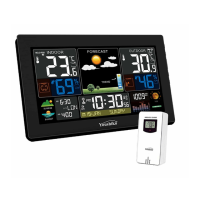
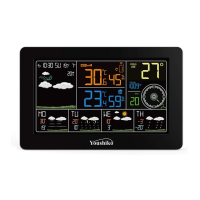
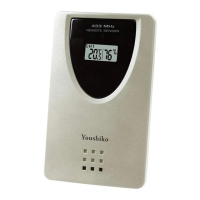
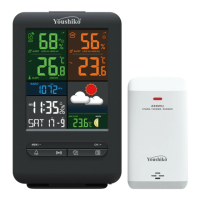
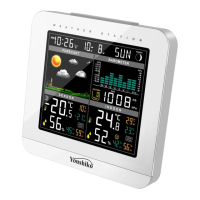
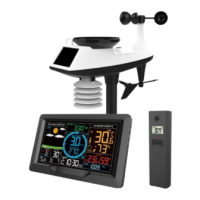
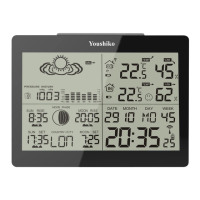
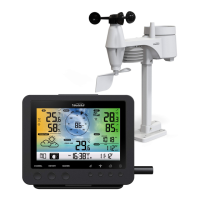
The Youshiko YC9444 Radio Control Weather Station is a comprehensive device designed to provide accurate weather information and timekeeping functions. It consists of a main colour display indoor unit and a wireless remote sensor.
Function Description:
The weather station automatically sets itself up using the MSF Radio control system, ensuring accurate time and date. It features an indoor sensor for temperature and humidity, and a wireless remote sensor for outdoor temperature and humidity. The device displays a 24-hour barometric pressure trend, moon phases, and provides weather forecasts. It includes a daily alarm with snooze function and temperature alerts for both upper and lower limits, as well as a frost alert. The main unit also has a USB charging socket for mobile phones.
Important Technical Specifications:
- Time Function: MSF Radio control time function, Perpetual Calendar up to Year 2099, 12/24 hour format.
- Barometric Pressure: Measurement ranges from 600 hPa/mb to 1100 hPa/mb (17.72 inHg to 32.50 inHg). Displayed alternatively in hPa/mb or inHg.
- Humidity: Indoor & Remote measurable range: 20%RH to 95%RH. Indoor and outdoor humidity error within ±5%.
- Temperature:
- Indoor: 0°C (32°F) to 50°C (122°F).
- Remote: -20°C (-4°F) to 60°C (140°F).
- Displayed alternatively in °C or °F. Indoor and outdoor temperature error within ±1°C.
- Wireless Remote Sensor:
- One Wireless Thermo Sensor Included (supports up to 3 channels).
- 433.92MHz RF transmitting frequency.
- 60 meter (196 feet) transmission range in an open area.
- Power Supply:
- Weather Station: 2 x AA batteries (Not Included) and/or Main power supply (Included).
- Wireless Remote Sensor: 2 x AA batteries (Not Included).
- Display: Colour LCD display with adjustable backlight brightness (5 states: 4 brightness levels and off).
Usage Features:
- Automatic Setup: Connect the main unit to power and insert batteries into the sensor. The station will self-set via MSF Radio control within minutes to hours, or by 05:00 am. Automatic time changes for Spring & Autumn are handled.
- Manual Time Settings: Allows changing the Month/Date format to Date/Month and setting time manually.
- RCC (Radio-Controlled Clock): The display turns off for 7 minutes during RCC activation to reduce interference. RCC starts automatically at 1:00 am, 2:00 am, and 3:00 am daily. If unsuccessful, it retries at 4:00 am and 5:00 am. Manual RCC activation is possible by holding the "▲" button for 2-3 seconds.
- Remote Sensor Connection: Ensure the main unit and sensor are on the same channel. If the outdoor temperature is not displayed (horizontal line), deactivate automatic channel switching by pressing "▼". The sensor transmits data every 60 seconds.
- Temperature/Humidity Accuracy: Readings become more accurate after 3 hours of operation.
- Alarm Clock: Functions even when powered by batteries.
- Backlight: Continuous bright display when powered by adapter. When on batteries, the screen is darker and turns off after 8-15 seconds to save power. Backlight brightness can be adjusted through 5 states (4 brightness levels and off) by pressing the sun icon button.
- Daily Alarms: Set daily alarms with a snooze function (approx. 5 minutes). The alarm sounds for 2 minutes and increases in volume over 4 stages.
- Lunar Phases: Automatically displays the current lunar phase.
- Comfort Display: Calculates indoor comfort level based on temperature and humidity, displayed in 5 levels.
- Temperature/Humidity Trend: Shows rising, constant, or falling trends for both indoor and remote temperature/humidity.
- Remote Sensor Channel Switching: Supports up to 3 wireless sensors. Press "▼" to switch between channels. A "C" symbol indicates automatic channel switching every 5 seconds.
- Maximum/Minimum Data: Press "MEM" to toggle between current, maximum, and minimum temperature/humidity values. Hold "MEM" for 2 seconds to reset recorded max/min data.
- Temperature Alert Setting: Set upper and lower temperature limits for alerts. The "Alert" icon flashes when activated.
- Frost Alert: Activates when the remote sensor temperature is between -1°C and +3°C (30°F and 37°F), indicated by a flashing "ice" symbol.
- Weather Forecast: Provides a 12-hour forecast based on barometric pressure trends, displayed with various weather symbols (sunny, slightly cloudy, cloudy, rainy, heavy rainy, snowy). The forecast accuracy is approximately 70%.
Maintenance Features:
- Battery Replacement: Use alkaline batteries only. Observe correct polarity. Change low batteries promptly to prevent damage from leakage. Wear protective glasses and gloves when handling leaked batteries.
- Interference Avoidance: Keep the weather station at least 2.5 meters (8.2 feet) away from sources of interference such as TVs, computers, Wi-Fi hubs, and mobile phones.
- Optimal Placement: Place the station near a window and away from metal surfaces or electrical appliances for optimal signal reception. Concrete walls can weaken radio reception.
- Care: Do not expose to extreme temperatures, water, or direct sunlight. Avoid corrosive materials, excessive force, dust, or humidity. Do not open the inner back case or tamper with components.
- Disposal: Electrical and electronic waste contains hazardous substances. Dispose of the device at appropriate collection sites according to national or local recycling regulations. Do not dispose of in general rubbish collection facilities.

 Need help?
 General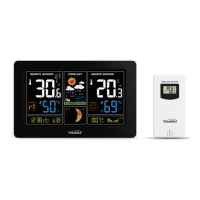

 To Next Page