EasyManua.ls Logo

Youshiko YC9460 - User Manual

Youshiko YC9460
19 pages
Print Icon
To Next Page IconTo Next Page
Loading...
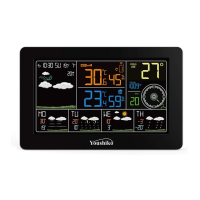
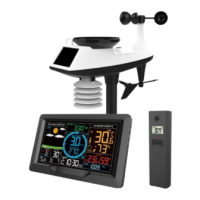
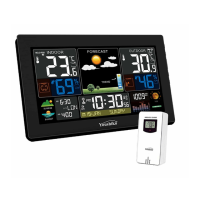
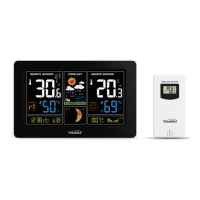
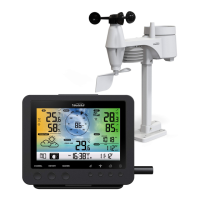
Youshiko YC9460 WiFi Weather Station
Technical Data and Features
Base station:
Perpetual Calendar Up to Year 2099
Day of week in 8 languages user selectable: English, German, Italian, French, Spanish, Dutch, Danish
and Russian
Time in optional 12 / 24 hour format.
Automatic calibration of network ( Internet ) time service
Barometric pressure:
Air pressure data source network
Pressure alternatively in hPa/mb or inHg or mmHg
Wind speed and direction:
—Wind speed and direction data
source network
—Wind speed alternatively in km/h or Mph
Indoor humidity measurable range: 20%RH to 95%RH
Indoor temperature:
Temperature measurement ranges:-20°C to 60°C or(-4°F to 140°F)
Temperature alternatively in °C or °F.
Minimum/maximum display for humidity and temperature
Feels like temperature data source via internet.
The future weather forecast and temperature report function, weather forecast information provided by the
network
Connects dir
ectly to Wi-Fi network
Power Supply:
Battery: 2 x LR6 AA ( not included )
Mains adapter: DC5V 1.2A ( Included )
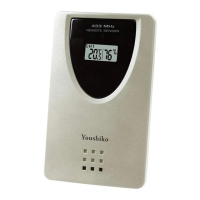
Wireless Outdoor Sensor:
Outdoor temperature measurement ranges: -40°C (-4°F) ~ 70°C (158°F)
Outdoor measurable range: 20%RH to 95%RH
Data transmission frequency: 433 MHz
Wireless range: max. 60 m (open area)
Batteries: 2 x LR06 (UM-3), 1.5 V (size AA) ( not included )
Protection class: IPX4
Question and Answer IconNeed help?

Do you have a question about the Youshiko YC9460 and is the answer not in the manual?

Summary

Technical Data and Features

Base Station Specifications

Details on perpetual calendar, time format, calibration, barometric pressure, wind, indoor conditions, and power supply.

Wireless Outdoor Sensor Specifications

Covers outdoor temperature, humidity ranges, data transmission, wireless range, batteries, and protection class.

Base Station Appearance

Device Components

LCD Display and Button Layout

Identification of parts for the positive LCD screen, and buttons on the base station.

Wireless Outdoor Sensor Components

Sensor Part Identification

Labels and descriptions for the wireless outdoor sensor's components.

Initial Operation and APP Software

Hardware and Software Requirements

Lists requirements for smart devices and operating systems to use the weather station APP.

User Registration and Wi-Fi Connection

APP User Registration Process

Steps for registering an account and activating it via email for the weather station APP.

Connecting to Wi-Fi Network

Instructions on how to connect the base station to a Wi-Fi network and the APP.

Sensor Communication and Time Setting

Outdoor Sensor Data Transmission

Details on receiving sensor signals, connecting multiple sensors, and manual transmission.

Manual Time and Unit Configuration

Guide for manually setting time, temperature, pressure, and wind speed units.

Alarm and Time Zone Settings

Setting Daily Alarms and Time Zones

Instructions for setting daily alarms and configuring time zone preferences.

Alarm Modes and Data Logging

Alarm Opening, Closing, and Snooze

Procedures for managing alarm functions, including opening, closing, and snooze.

Maximum;Minimum Temperature Data

How to access and reset maximum/minimum temperature and humidity data.

Battery Status and Network Forecast

Low Battery Indicators and Lighting

Information on low battery icons and controlling the background lighting.

Network Weather Forecast Explanation

Details on how the station acquires and displays network weather information.

Weather Forecast Icons

APP Interface Details

Front Page Data Display Overview

Explanation of the main dashboard elements and data points on the APP.

Data Chart Presentation

Viewing Daily, Weekly, Monthly Charts

Instructions on accessing and interpreting daily, weekly, and monthly data graphs.

Temperature and Humidity Alerts

Setting Alerts for Main Equipment

Guide for configuring temperature and humidity alerts for the base station.

Wireless Sensor Alerts Configuration

Setting Alerts for Wireless Device

Guide for configuring temperature and humidity alerts for the wireless outdoor sensor.

App Menu and Settings

Main Menu and Device Management

Overview of the APP's main menu, device management, and account settings.

Important Notes and Battery Care

Interference, Placement, and Battery Replacement

Advice on placement, avoiding interference, battery replacement, and disposal.

Youshiko YC9460 Specifications

General IconGeneral
BrandYoushiko
ModelYC9460
CategoryWeather Station
LanguageEnglish

Related product manuals