EasyManua.ls Logo

Youshiko YC9440 - User Manual

Youshiko YC9440
8 pages
Print Icon
To Next Page IconTo Next Page
Loading...
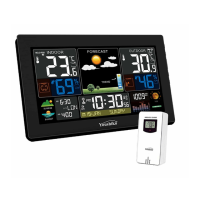
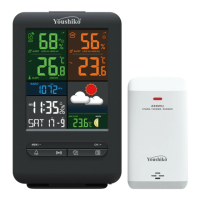
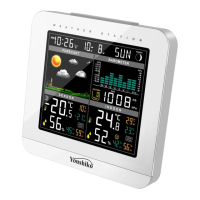
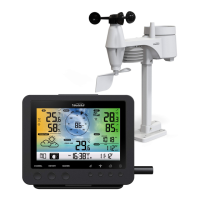
Youshiko YC9440 Colour Changing Weather Station
Features:
MSF Radio control time function
Time in optional 12/24 hour format
Daily Alarm Function
Snooze function (OFF or 1~60min)
Low battery indicate
USB socket can charge for mobile device (5V1A)
Temperature in optional °C /°F hour format
Humidity: Indoor & Outdoor measurable range: 20%RH ~ 95%RH
Temperature:
Indoor temperature measurement ranges: -9.9°C (14.2°F) ~ 50°C (122°F)
Outdoor temperature measurement ranges: -25°C (-13°F) ~ 50°C (122°F)
Temperature alternatively in
or .
Outdoor thermometer ice alert
Maximum /minimum value record of temperature and humidity
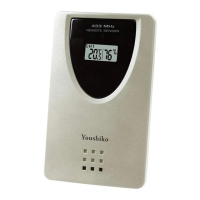
Wireless Outdoor Sensor:
Wall Mount or Table Stand
—3 Channel selectable
433.92MHz RF transmitting frequency
60 meter transmission range in an open area
Weather forecasting function
Power Supply:
Weather Station: Battery: 2 x LR06 AA ( Not Included ) / UK Power Adapter: 5V1.2A ( Included )
Remote Sensor: Battery: 2 x LR06 AA ( Not Included )
Question and Answer IconNeed help?

Do you have a question about the Youshiko YC9440 and is the answer not in the manual?

Summary

Appearance Description

Part A-Positive LCD

Details of the main LCD display and its components, including icons and readings.

Part B - Back Button and Power

Identifies the buttons and power-related components located on the back of the device.

Part C - Wireless Outdoor Sensor

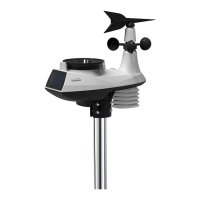
Describes the components and features of the wireless outdoor sensor unit.

One Step Automatic Set Up

Initial Detailed Operation

Radio Signal Reception

Manual Time Setting

Alarm Functions

Setting the Daily Alarms

Instructions for configuring the daily alarm time and snooze settings.

Snooze Function

Details on how to activate and use the snooze feature when an alarm is ringing.

Switching Off the Alarm Signal

Procedure to stop the alarm when it sounds and manage its recurrence.

RF Transmission Procedure

Data Recording and Alerts

Maximum;Minimum Numerical Value

How to view and reset recorded maximum and minimum temperature/humidity values.

Ice Alert

Explanation of the ice alert symbol and the temperature conditions that trigger it.

Weather Forecasting Function

Device Features and Maintenance

Background Lighting

Instructions for controlling the display backlight color and illumination time.

Battery Replacement

Guidelines for safely replacing batteries, including polarity and handling precautions.

Youshiko YC9440 Specifications

General IconGeneral
BrandYoushiko
ModelYC9440
CategoryWeather Station
LanguageEnglish

Related product manuals