Need help?
Do you have a question about the Youshiko YC9388 and is the answer not in the manual?
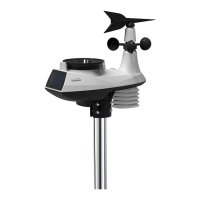
Instructions for setting up the wireless outdoor sensor, including pairing and mounting.
Provides essential steps and considerations for correctly mounting the wireless outdoor sensor.
Process for establishing a connection between the wireless sensor and the main console.
Explains the icons indicating wireless sensor signal strength and reception status.
How to view wind direction, real-time indicators, and past directions on the display.
Setting wind speed units (m/s, km/h, etc.) and direction display format (360°, 16-dir).
Explains UV index readings and how to calibrate the UV sensor gain.
Details the Beaufort scale for wind velocity, including descriptions and land conditions.
How to set the barometer unit (hPa, inHg, mmHg) and switch between Absolute/Relative.
Instructions for setting the rainfall measurement unit to millimeters (mm) or inches (in).
How to choose display modes for rainfall: hourly, daily, weekly, monthly, rate, or accumulate.
Procedure to reset the accumulated rainfall data.
How to view the daily maximum and minimum recorded weather data.
How to view the accumulated maximum and minimum recorded weather data.
Procedure to reset the maximum and minimum data records.
Guide to configuring various weather alerts for temperature, humidity, wind, and pressure.
How to check the remaining capacity of the console's data logger.
Setting data recording frequency and clearing logged data.
Steps to download, install, and connect the console to the PC via USB for software use.
Information on the 'Weather Tool' software for displaying and exporting data.
 General
| Brand | Youshiko |
|---|---|
| Model | YC9388 |
| Category | Weather Station |
| Language | English |

 To Next Page