EasyManua.ls Logo

Youshiko YC9370 - User Manual

Youshiko YC9370
8 pages
Print Icon
To Next Page IconTo Next Page
Loading...
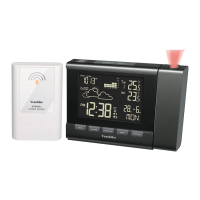
RC PROJECTION CLOCK AND WEATHER STATION
WITH COLOUR CHANGING DISPLAY
Model: YC9370
USER MANUAL
Thank you for purchasing this delicate color changing projection
clock. Utmost care has gone into the design and manufacture
of the product. Please read the manual carefully and keep it well
for future reference.
PRODUCT OVERVIEW
Main Unit
1.
[ REVERSE ]
button
2.
[ SNOOZE / LIGHT ]
button
3. Projector
4. LCD
5.
[ TIME ]
button
6.
[ ALARM ]
button
7.
[ +/CHANNEL ]
button
8.
[ -/MEM ]
button
9.
[ HISTORY ]
button
10.
[ °C / °F ]
slide switch
11.
[ RCC ]
button
12.
[ BARO ]
button
13.
[ SENSOR ]
button
14.
[ RESET ]
button
15.
[ FORECAST/DEMO ]
slide switch
16.
[ PROJECTION ON/OFF ]
slide switch
17.
[ LIGHT ON/OFF ]
slide switch
18.
[ L / H ]
slide switch
19. DC jack
20. Battery compartment
21. FOCUS knob
Function Modes
Normal time mode
1. Time
2. 12+Hour forecast
3. Barometer reading
4. rel/abs indicator
5. Baro unit (hPa/inHg/mmHg)
6. Histogram of Baro
7. Low battery indicator for sensor
8. Ice alert
9. Sensor signal indicator
10. Outdoor temperature
11. Indoor temperature
12. Date-Month
13. Day of the week
14. Daylight saving time
15. RC signal indicator
Alarm time mode
1. Time of alarm 1
2. Alarm 1 on
3. Alarm 2 on
Outdoor Sensor
1. Red LED indicator
2. Wall Mount Hole
3.
[ RESET ]
button
4.
[ CH 1/2/3 ]
Slide Switch
5. Battery compartment
GETTING STARTED
1. Remove battery door of main unit and sensor.
2. Insert 3 new AA size batteries to the main unit, and 2 new
AA size to the sensor, matching the polarities “
+ / -
Replace
the battery door.
3. For the main unit, user can plug the DC adaptor to power it.
4. The main unit will automatically receive 433 MHz signal in
8 seconds. And after 5-minute sensor signal test, it will turn
to RC signal reception.
NOTE:
Powered by batteries, display of main unit without backlight is
quite dark, and its backlight lasts for 5 seconds. But powering
by DC adaptor enables long lasting backlight for easy viewing.
HOW TO PAIR MAIN UNIT AND SENSOR
1. Press
[ + / CHANNEL ]
button on main unit to select a channel.
2. On sensor, slide channel switch to corresponding channel.
(For additional sensors, select a different channel). Press
[ RESET ]
button.
3. Press
[ SENSOR ]
on main unit to initiate search for 433 MHz
reception.
WIRELESS SENSOR RECEPTION
If the main unit receives wireless sensor signal successfully,
the signal icon “ ” displays. While if it cannot receive sensor
signal or signal is lost, icon “ ” displays.
MSF SIGNAL RECEPTION (AUTOMATICALLY TIME SET)
The MSF signal is a signal broadcast within 1500 km
(932 miles) of Anthorn, England. This RC clock includes a
built-in receiver which picks up the signal from the MSF
station. Therefore, the clock automatically sets the time,
date and weekday.
The clock automatically carries out four periodic
synchronization procedures (at 2:00 AM, 8:00AM,2:00 PM
and 8:00 PM daily) with the MSF signal to correct any
deviations to the exact time.
Once the unit synchronizes successfully to the MSF signal,
the signal icon “ ” will show up. Each synchronization
process will take between 6 to 16 minutes. When the
reception stops, signal icon displays as “ ”.
To manually start or stop the MSF signal reception, press
[ RCC ]
button.
NOTE:
1. The strength of radio-controlled time signal from the
transmitter tower may be affected by geographical location
or building around.
2. Always place the unit away from interfering sources such
as TV set, computer, etc.
3. Avoid placing the unit on or next to metal plates.
4. Closed areas such as airport, basement, tower block, or
factory are not recommended.
SIGNAL STRENGTH INDICATOR
When the wave segment is ashing this means time
the signals are being received.
The signal icon could be classied into 3 types:
No signal / Reception stopped
Signal is being received
Signal received successfully
Disable / Enable RCC Signal Reception
1. Press and hold
[ RCC ]
button for 8 seconds to disable the
reception.
2. Press and hold
[ RCC ]
button for 8 seconds to enable
automatic RCC reception.
RC off RC on
TO MANUALLY SET THE TIME AND CALENDAR
To manually set the time and calendar, rst press and hold
[ RCC ]
button for 8 seconds to disable RCC reception.
1. In normal time mode, press and hold
[ TIME ]
button for 2
seconds, “12 H” or “24 H” digit ashes.
2. Press
[ + / CHANNEL ] / [ - / MEM ]
button to set 12/24 hour
format.
3. Press
[ TIME ]
button again to proceed to hour setting.
Press
[ + / CHANNEL ] / [ - / MEM ]
button to set the value.
4. Repeat 3 to complete setting in this sequence:12/24 Hour
format>Hour>Minute>Year>M&D/D&M>Month>Date>Zone
(+/-23 Hour offset)>Language
5. Press
[ TIME ]
button to conrm and exit setting.
NOTE:
1. The range of Zone is between -23 and +23 hours.
2. The language options are GB(English), FR(French),
DE(German), ES(Spanish) and IT(Italian).
3. DST (Daylight Saving Time) feature is set to Auto (factory
set). The clock has been programmed to automatically
switch when the daylight saving time is in effect.
TO SET ALARM
1. In normal time mode, press
[ TIME ]
button to select Alarm
1 or Alarm 2 mode.
2. In alarm 1 or alarm 2 mode, press and hold
[ ALARM ]
button for 2 seconds, hour digit ashes. Press
[ + / CHANNEL ] / [ - / MEM ]
button to set hour.
3. Press
[ ALARM ]
button to proceed to minute setting,and
press
[ + / CHANNEL ] / [ - / MEM ]
button to set minute.
C8416B-PD16151M-Youshiko-A3-2016.7.15.indd 1 2016/7/15 15:30:10

Question and Answer IconNeed help?

Do you have a question about the Youshiko YC9370 and is the answer not in the manual?

Overview

The Youshiko Model YC9370 is an RC Projection Clock and Weather Station featuring a color-changing display. This device is designed to provide accurate time, weather forecasts, and temperature readings, with the added convenience of a projection feature.

Function Description:

The main unit of the Youshiko YC9370 serves as the central hub for all its functions. It displays the current time, a 12-hour weather forecast, barometer readings (with relative/absolute indicator and unit selection in hPa/inHg/mmHg), a histogram of barometric pressure, indoor and outdoor temperatures, date, month, and day of the week. It also indicates daylight saving time and RC signal reception. The device includes a built-in sensitive pressure sensor to predict weather for the next 12 to 24 hours.

The projection feature allows the user to project the time, indoor temperature, and outdoor temperature onto a dark background from 1 to 4 meters away. The projected image can be reversed, and its quality can be adjusted using the FOCUS knob. The projector can be set to turn on for 5 seconds, 30 minutes, or continuously when powered by a DC adapter.

The clock automatically sets the time, date, and weekday via MSF signal reception. It performs four periodic synchronization procedures daily (at 2:00 AM, 8:00 AM, 2:00 PM, and 8:00 PM) to ensure accuracy. The MSF signal is broadcast within 1500 km (932 miles) of Anthorn, England. The device indicates signal reception status with an icon.

Two independent alarms can be set, with options to turn them on or off. The alarm beeps for 2 minutes and can be snoozed for 5 minutes, with continuous snooze operation possible.

The display backlight offers two color modes:

  1. WEATHER FORECAST: The backlight color changes according to the weather forecast (Red for Sunny, Orange for Partly Cloudy, Green for Cloudy, Blue for Rainy). This mode requires RC reception to be stopped; otherwise, the backlight will be green.
  2. DEMO: The backlight color gradually changes between the available colors.

The device also records maximum and minimum temperatures and barometric readings, along with their timestamps. Users can review these records and clear them individually. It can also display past 24-hour indoor/outdoor/barometric records and their timestamps.

An Ice Alert feature activates when the outdoor temperature falls between -2°C and 3°C (28°F to 37°F), displaying a flashing ice alert icon on the LCD.

Important Technical Specifications:

Main Unit:

  • Displayed Range: -40.0~70.0°C (-40.0~158.0°F)
  • Operating Range: 0.0~45.0°C (32.0~113.0°F)
  • Temperature Resolution: 0.1°C / °F
  • Barometer Resolution: 1hPa / 0.01inHg / 0.1mmHg
  • Radio-controlled Signal: UK (MSF)
  • No. of Remote Sensor: Up to 3 units
  • Hi Display: Indoor temperature >70°C
  • Lo Display: Indoor temperature <-40°C
  • Dimension: 158(W) x 108(H) x 43(D) mm
  • Power: 4.5V, use 3xAA 1.5V battery; DC 4.5V, 200mA adaptor

Remote Sensor:

  • Displayed Range: -40.0~70.0°C (-40.0~158.0°F)
  • Operating Range: -20.0~60.0°C (-4.0~140.0°F)
  • Temperature Resolution: 0.1°C / °F
  • TR Transmission Frequency: 433MHz
  • TR Transmission Range: Maximum 50 meters
  • Dimension: 65(W) x 100(H) x 35(D) mm
  • Power: 3V, use 2xAA 1.5V battery

Usage Features:

  • Easy Setup: Requires inserting batteries into both the main unit and the sensor. The main unit can also be powered by a DC adaptor for continuous backlight.
  • Sensor Pairing: Multiple sensors (up to 3) can be paired by selecting different channels on the main unit and sensor.
  • Manual Time Setting: Allows manual adjustment of time, date, and calendar if MSF signal reception is not desired or available.
  • Temperature Unit Selection: Users can switch between Celsius (°C) and Fahrenheit (°F) for temperature display.
  • Barometric Unit Selection: Barometric pressure can be displayed in hPa, inHg, or mmHg, with options for relative or absolute mode.
  • Projection Control: The projection can be activated by pressing the SNOOZE/LIGHT button. When powered by DC, the projection can be continuously ON via a slide switch. The projected data can be reversed using the REVERSE button.
  • Backlight Control: The SNOOZE/LIGHT button activates the backlight. A H/L slide switch allows selection of backlight brightness.
  • Channel Auto-Change: The main unit can automatically cycle through readings from multiple outdoor sensors every 4 seconds.
  • Language Options: The day of the week can be displayed in GB (English), FR (French), DE (German), ES (Spanish), and IT (Italian).
  • DST Feature: Daylight Saving Time feature is set to Auto (factory set), automatically switching when DST is in effect.

Maintenance Features:

  • Battery Replacement Indicator: The LCD segments becoming dim or the low battery indicator appearing signals the need for battery replacement in the main unit or sensor, respectively.
  • Troubleshooting Sensor Reception: If the sensor signal is lost, the manual suggests relocating the main unit and sensor within the effective range (approx. 50 meters) and resetting the main unit if necessary.
  • Optimal Placement: The main unit is designed for flat surfaces, while the wireless sensor should be installed outdoors in a location protected from direct sunshine and heavy rain for accurate readings.

The Youshiko YC9370 is a versatile device designed for convenience and accuracy in monitoring time and local weather conditions, with a visually engaging color-changing display and a practical projection function.

Youshiko YC9370 Specifications

General IconGeneral
BrandYoushiko
ModelYC9370
CategoryWeather Station
LanguageEnglish

Related product manuals