1
USER MANUAL
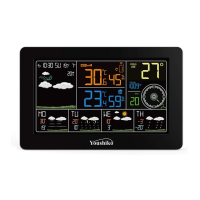
YOUSHIKO YC9337 WEATHER STATION
AUTOMATIC SETTINGS:
Insert batteries in main unit first, then make sure sensor is on CH1, and
then, insert batteries in the outdoor sensor , then leave it, this weather
station will self set everything automatically, Radio control signal may
take time, depends on the location in UK, but will pick up the signal
within few minutes to few hours ( Max between 1am to 3 am ), weather
station will set UK time / date and temperature / humidity etc, itself and
then you don't have to do anything ever. You must keep the weather
station well away from other electronics devices like TV, computer etc to
avoid any interfaces for the radio control signal.
1. Features
1.1 Weather Forecast - Sunny, Slightly Cloudy, Cloudy, Rainy and Snow animation
1.2 Time - Radio Controlled Time
- Perpetual Calendar Up to Year 2099
- Daily Alarm Function
1.3 Humidity - Indoor & Outdoor measurable range: 0 ~ 99%
- Outdoor Humidity Record from Start-Up/Reset, and the corresponded time
- 24 Hours Min/Max Humidity Record
1.4 Temperature - Temperature of multi channels
- Measures °C / °F user selectable
- 24 Hours Lowest & Highest Temperature Record
- Comfort Indicator Icon

 Need help?
 General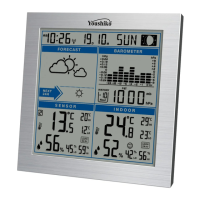

 To Next Page