Need help?
Do you have a question about the Youshiko YC9445 and is the answer not in the manual?
Details the process of the weather station searching for a radio control signal.
Explains that multiple attempts may be needed for signal reception.
Addresses screen turning off, RCC function, and manual activation.
Explains why outdoor temperature/humidity may not display and screen inconsistencies.
Confirms alarm clock's functionality during power outages using batteries.
Covers MSF radio control time, perpetual calendar, 12/24hr format, and daily alarms.
Details humidity, temperature ranges, comfort index, and weather forecasting.
Outlines wireless sensor range, frequency, and power supply requirements.
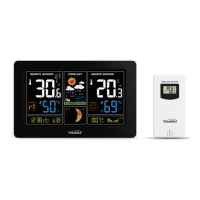
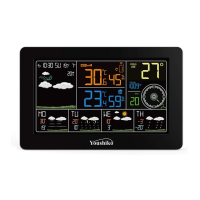
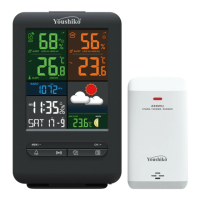
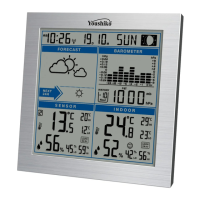
Identifies and labels elements on the main LCD screen (A1-A19).
Details the buttons and power inputs on the back of the unit (B1-B12).
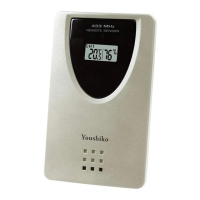
Lists and labels the parts of the wireless remote sensor (C1-C7).
Guides through initial power-up, sensor connection, and signal reception.
Explains how to manually set time, units, RCC, and DST.
Details setting alarm 1 and alarm 2 hours, minutes, and repeat.
Describes how to turn alarms on/off and the indication icons.
Instructs on how to silence the alarm sound and stop it.
Explains how to activate and exit snooze mode for alarms.
Details the display of moon phases and tide information.
Guides users on selecting their city for accurate forecasts.
Specifies measurable ranges for indoor/outdoor temperature and humidity.
Explains how the weather station receives and displays outdoor sensor data.
Shows how trends (rising, falling, constant) are displayed for temp/humidity.
Details how to view and reset max/min temperature and humidity values.
Guides setting upper/lower limits for outdoor temperature alerts.
Explains enabling/disabling temperature alerts and triggers.
Describes frost alarm activation criteria and icon.
Explains calculation of indoor comfort and mold risk levels.
Explains detection and use of atmospheric pressure for forecasting.
Illustrates and describes icons used for weather forecasting.
Details automatic and manual reception of the MSF radio signal.
Covers adjusting backlight brightness, night mode, and auto-dimming.
Provides instructions and safety precautions for battery replacement.
 General
| Category | Weather Station |
|---|---|
| Model | YC9445 |
| Brand | Youshiko |
| Display | LCD |
| Indoor Temperature | Yes |
| Outdoor Temperature | Yes |
| Temperature Units | °C / °F |
| Indoor Humidity | Yes |
| Outdoor Humidity | Yes |
| Humidity Range | 20% to 95% |
| Weather Forecast | Yes |
| Radio Controlled Clock (RCC) | Yes |
| Alarm | Yes |
| Snooze Function | Yes |
| Moon Phase | Yes |
| Comfort Level Indicator | Yes |
| Trend Indicator | Yes |
| Backlight | Yes |
| Wireless Outdoor Sensor | Yes |
| Memory | No |
| Clock | Yes |
| Calendar | Yes |
| Indoor Temperature Range | 0°C to 50°C |
| Power Source | Battery |
| Battery Type | AAA |
| Outdoor Temperature Range | -20°C to +60°C |

 To Next Page