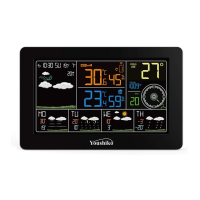
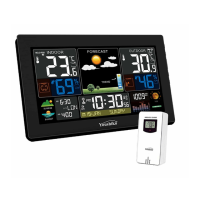
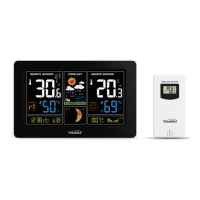
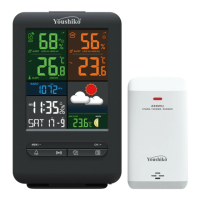
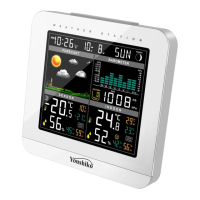
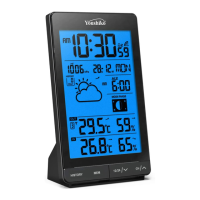
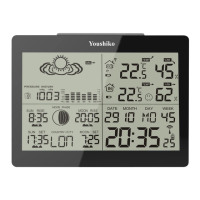
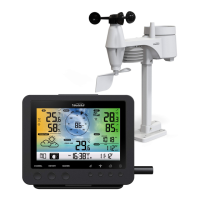
This document describes the Youshiko YC9467 Professional Weather Station, a device designed for comprehensive weather monitoring.
Function Description:
The Youshiko YC9467 is a professional weather station that provides real-time weather data and forecasts. It consists of a main console with a color display unit and an outdoor multi-combination sensor with a built-in solar panel. The station measures and displays various weather-related variables, including temperature, humidity, air pressure, wind speed, wind direction, and rainfall. It also offers weather forecasting, daily alarms, and a snooze function. An optional temperature/humidity wireless remote sensor (Model no: YC9318) can be added to monitor up to three additional locations.
Important Technical Specifications:
General:
- MSF Radio control time function: Ensures accurate timekeeping.
- Perpetual Calendar: Displays dates up to the year 2099.
- Alarms: Two daily alarms with an automatic snooze function (OFF or 5-60 minutes).
- Display Backlight: Level 3 display backlight.
- USB Charging Function: Allows charging of external devices via a USB port.
Temperature:
- Indoor Measurement Ranges: 0°C (32°F) to 50°C (122°F).
- Outdoor Measurement Ranges: -40°C (-40°F) to 70°C (158°F).
- Display Features: Displays "feels like" temperature, wind chill temperature, heat index, and dew point temperature.
Humidity:
- Indoor and Outdoor Measurement Ranges: 20% to 95%.
Air Pressure:
- Range: 600 to 1100 hPa (17.72 to 32.48 inHg or 450 to 825.1 mmHg).
Rain:
- Range: 0 to 9999mm (0-393.6 inches).
Wind:
- Speed Range: 0 to 180 km/h (0 to 111 mph).
- Direction Range: 0 to 359 degrees.
Wireless Outdoor Sensor (Multi-combination Sensor, Model: YC1120):
- RF Transmitting Frequency: 433.92MHz.
- Transmission Range: 100 meters (300 feet) in an open area (not including walls or floors).
- Power: Dual-power operation (solar power assists main batteries).
- Battery: 3 x LR6 AA 1.5V.
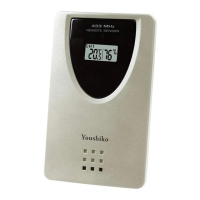
Optional Temperature | Humidity Wireless Remote Sensor (Model: YC9318):
- Battery: 2 x LR6 AAA 1.5V.
- Operating Temperature Range: -30°C to +70°C.
- Note: Alkaline zinc manganese batteries work at -20°C to +60°C. Polymer lithium ion rechargeable batteries work at -40°C to +70°C.
Power Supply:
- Weather Station:
- Power Adapter: DC5V1.2A.
- Battery: 2 x LR6 AA 1.5V (for backup).
Usage Features:
Setup and Installation:
- Easy Installation: The weather station is designed for easy setup. Users insert batteries into the outdoor multi-combination sensor, power up the display unit, and the sensor will automatically connect.
- Optional Sensor Setup: For the optional YC9318 sensor, users choose a channel number, insert batteries, and the sensor will connect after the outdoor multi-combination sensor is set up.
- Placement: For best results, the weather station and sensors should initially be placed together (2 to 10 feet apart) for at least 15 minutes to allow repeated connection. The outdoor sensor array should be installed at least 5 feet (1.52m) from buildings, structures, ground, or rooftops, and clear from all directions for clear airflow. It should be mounted in direct sunlight for accurate temperature readings.
- Wireless Range: Radio communication can reach up to 330 feet (100 meters) in an open field without interfering obstacles. In most conditions, the maximum wireless range is 100 feet (30 meters).
- Radio Interference: Avoid placing the console near computers, radios, televisions, or other sources of interference.
- Outdoor Sensor Orientation: When installing the multi-combination sensor, the solar panel should face south, and the "N" North Embossed Mark on top should be used with a compass for accurate wind direction. The top bubble level ensures the sensor is level for accurate rainfall readings.
- Mounting Optional Sensor: The optional sensor can be mounted on a wall or screw, ensuring it hangs vertically to vent moisture.
Time and Alarm Functions:
- RCC Timing: After power-on, the station automatically enters RCC timing mode (MSF UK & Ireland). The screen turns off during the 7-minute search to reduce interference. If the signal fails, it retries at 1:00 am, 2:00 am, 3:00 am, 4:00 am, and 5:00 am daily. Manual RCC activation is possible by holding "Up" for 2-3 seconds.
- Manual Settings: Time, date, units (temperature, pressure, wind speed, rainfall), and other settings can be manually configured.
- Alarm Control: Two daily alarms can be set with a snooze function (5 to 60 minutes). Alarms can be set to repeat on weekdays (M-F), weekends (S-S), or all week (M-S). The alarm sound is a crescendo over 2 minutes.
Weather Data Display:
- Temperature/Humidity Readings: View high/low temperature and humidity, "feels like" temperature, dew point temperature, heat index, and wind chill index. History can be cleared by holding the " " button for 3 seconds.
- Wind Readings: Displays wind direction (letters or degrees) or 1-hour top speed. History includes 1 hour, 24 hours, 7 days, month, and year. History can be cleared by holding the " " button for 3 seconds.
- Rain Readings: Displays cumulative rainfall or rainfall rate. History includes NOW (past 30 minutes), HOUR (past 60 minutes), 24 HOURS, DAY, 7 DAYS, MONTH, YEAR, and TOTAL (since station started). History can be cleared by holding the " " button for 3 seconds.
- Trend Indicators: Arrows indicate rising or dropping temperature/humidity.
- Weather Forecast: Calculates a 12-hour forecast based on barometric pressure trends, providing an approximate indication of local weather development. Icons include sunny, mostly cloudy, cloudy, rainy, thunder rainy, snow, gale, storm, and snowstorm.
- Snowy icon: Appears if outdoor temperature is below -4°C (+25°F) and forecast is rainy or thunder rainy.
- Gale icon: Appears if wind speed is above 50KM/H and forecast is sunny, mostly cloudy, or cloudy.
- Storm icon: Appears if wind speed is above 50KM/H and forecast is rainy or thunder rain.
- Weather Alerts: Users can set alerts for outdoor/indoor high/low temperature, high/low humidity, high wind speed, high 24-hour rainfall, and high rainfall rate. When an alert value is reached, the station beeps 5 times per minute, and the alert icon flashes. Alerts are off by default.
Wireless Sensor Connection:
- Multi-sensor Support: Connects to one multi-combination wireless sensor and up to three additional temperature/humidity wireless sensors.
- Automatic Search: The station automatically searches for and registers sensor IDs within 3 minutes of power-on.
- Channel Viewing: Users can cycle through different sensor channels to view data.
- Sensor Replacement: If a sensor is replaced or added, the station can search for new signals by holding the " " button for 3 seconds in channel view mode.
Background Lighting:
- Activation: Touch the " / ZZ" button to activate the backlight for 15 seconds.
- Brightness Adjustment: Press the " " button to adjust brightness (3 levels).
- Automatic Dimming: The backlight automatically turns off during RCC signal reception to prevent interference.
Maintenance Features:
Battery Management:
- Low Battery Indicator: The " " icon indicates low battery for the corresponding channel wireless sensor, prompting replacement.
- Battery Type: Alkaline or lithium batteries are recommended, especially for prolonged periods below 32°F (0°C). Rechargeable batteries should not be used. Do not mix old and new batteries.
Outdoor Sensor Maintenance:
- Rain Gauge Cleaning: The rain gauge should be cleaned every few months.
- Battery Replacement: Batteries in the multi-combination sensor should be changed every 1-2 years.
- Rainforest Structure Cleaning: The rainforest structure of the sensor needs regular cleaning (recommended cycle 1-3 months, depending on rain frequency). This involves removing the rainwater funnel, gently removing debris or insects from the rain sensor, cleaning the funnel itself (especially the drain), and reinstalling the bucket. Do not apply oil to the rain sensor.

 Need help?
 General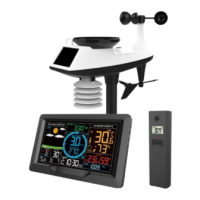

 To Next Page