Need help?
Do you have a question about the Youshiko YC9430 and is the answer not in the manual?
Sunny, Slightly Cloudy, Cloudy, Rainy and Snow animation.
Radio Controlled Time, Perpetual Calendar Up to Year 2099, Daily Alarm Function.
Indoor & Outdoor measurable range: 20 ~ 99%, Min/Max Display for Outdoor Humidity.
Indoor/Outdoor measurable range: -10 ~ 50°C / -20 ~ 50°C, °C/°F selectable.
Low-battery indicator, Wall Mount or Table Stand, 433MHz RF transmitting frequency.
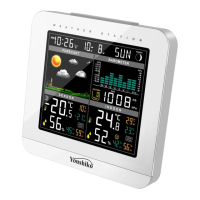
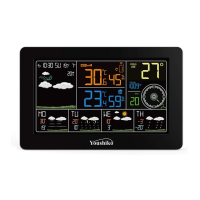
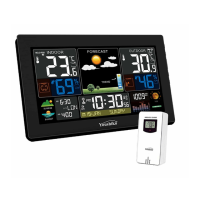
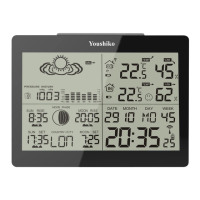
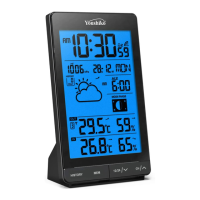
Description of LCD display elements like Time, Temperature, Humidity, Forecast, Icons.
Details of buttons on the main unit like MODE/SET, MEMORY, ALARM, SNOOZE, WAVE.
Battery Cover and Adaptor plug of the main unit.
Instructions for inserting batteries or connecting the power adapter to the main unit.
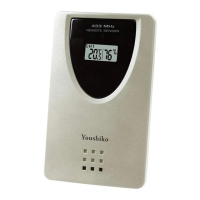
Instructions for inserting batteries into the outdoor thermo sensor.
How to set the current weather forecast on the main unit and initial forecast timing.
Description of the 5 different weather status animations shown on the forecast display.
Procedure for the main unit receiving signals from the outdoor sensor and manual search.
Details on viewing past 24-hour and recorded max/min temperature and humidity.
How to select Celsius or Fahrenheit for temperature display, and range indicators.
Details on humidity measurement range and display for low values.
How to activate/deactivate and set upper/lower temperature alerts and their display.
Function of the Comfort Indicator Bar for displaying pleasant/unpleasant climate.
How the clock automatically scans for time signals and manual scan options.
Steps to manually set the Time, Date, and Calendar on the main unit.
How to set, activate/deactivate, and use the snooze function for daily alarms.
How to adjust the LED brightness of the main unit.
Explanation of the low battery icon and when to replace batteries.
Important safety and operational precautions for the device.
 General
| Brand | Youshiko |
|---|---|
| Model | YC9430 |
| Category | Weather Station |
| Language | English |


 To Next Page