EasyManua.ls Logo

Youshiko YC9330 - User Manual

Youshiko YC9330
10 pages
Print Icon
To Next Page IconTo Next Page
Loading...
1
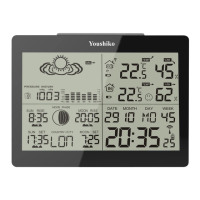
YOUSHIKO YC9330 WEATHER STATION
USER MANUAL
AUTOMATIC SETTINGS:
Insert the batteries in outdoor sensor first, then insert batteries in the main
unit, then leave it, this weather station will self set everything automatically,
Radio control signal may take time, depends on the location in UK, but will
pick up the signal within few minutes to few hours ( Max between 1am to
5 am ), weather station will set UK time / date and temperature / humidity etc,
itself and then you don't have to do anything ever.
You must keep the weather station well away from other electronics devices
like TV, computer etc to avoid any interfaces for the radio control signal.
1. Features
1.1 Weather Forecast Two Weather Icon
Sunny, Slightly Cloudy, Cloudy, Rainy and Snow animation
1.2 Time Radio Controlled Time
Perpetual Calendar Up to Year 2099
Daily Alarm Function
1.3 Humidity Indoor & Outdoor measurable range: 20 ~ 99%
Outdoor Humidity Record from Start-Up/Reset, and the corresponded time
24 Hours Min/Max Display for Outdoor Humidity
1.4 Temperature Indoor measurable range: -10 ~ 50°C
Measures °C / °F user selectable
Outdoor measurable range: -20 ~ 50°C
Outdoor Temperature Record from Start-Up/Reset, and the corresponded time
24 Hours Min/Max Display for Outdoor Temperature
Comfort Indicator Bar
1.5 Wireless Outdoor Sensor Low-battery indicator for Outdoor Thermo Sensor
Wall Mount or table standing
One Wireless Thermo Sensor Included
433MHz RF transmitting frequency
Up to 30 meter transmission range in an open area
Question and Answer IconNeed help?

Do you have a question about the Youshiko YC9330 and is the answer not in the manual?

Summary

Automatic Settings

Automatic Setup Procedure

Describes the automatic self-setting process for the weather station upon battery insertion.

Features Overview

Wireless Outdoor Sensor

Details the sensor's low-battery indicator, mounting options, and transmission.

Outdoor Thermo Sensor

Getting Started

Main Unit Setup

Instructions for inserting batteries and resetting the main unit.

Outdoor Sensor Setup

Guidance on inserting batteries into the outdoor thermo sensor.

Installation Guidelines

Outdoor Sensor Mounting

Instructions for securely mounting the sensor away from rain and sun.

Thermometer Functions

RF Transmission Procedure

Details the process of receiving transmission from the outdoor sensor.

Outdoor Temperature Alerts

How to set up and manage outdoor temperature alert functions.

Time and Alarm Settings

Radio Controlled Clock

Details the automatic scanning and reception of MSF time signals.

Manual Time Setting

Step-by-step guide for setting time, date, and calendar manually.

Youshiko YC9330 Specifications

General IconGeneral
TypeWeather Station
ModelYC9330
BrandYoushiko
Indoor Temperature Range0°C to +50°C
Humidity Range20% to 95%
DisplayLCD
Power Source (Main Unit)AC Adapter or Batteries
FeaturesWeather Forecast
AlarmYes

Related product manuals