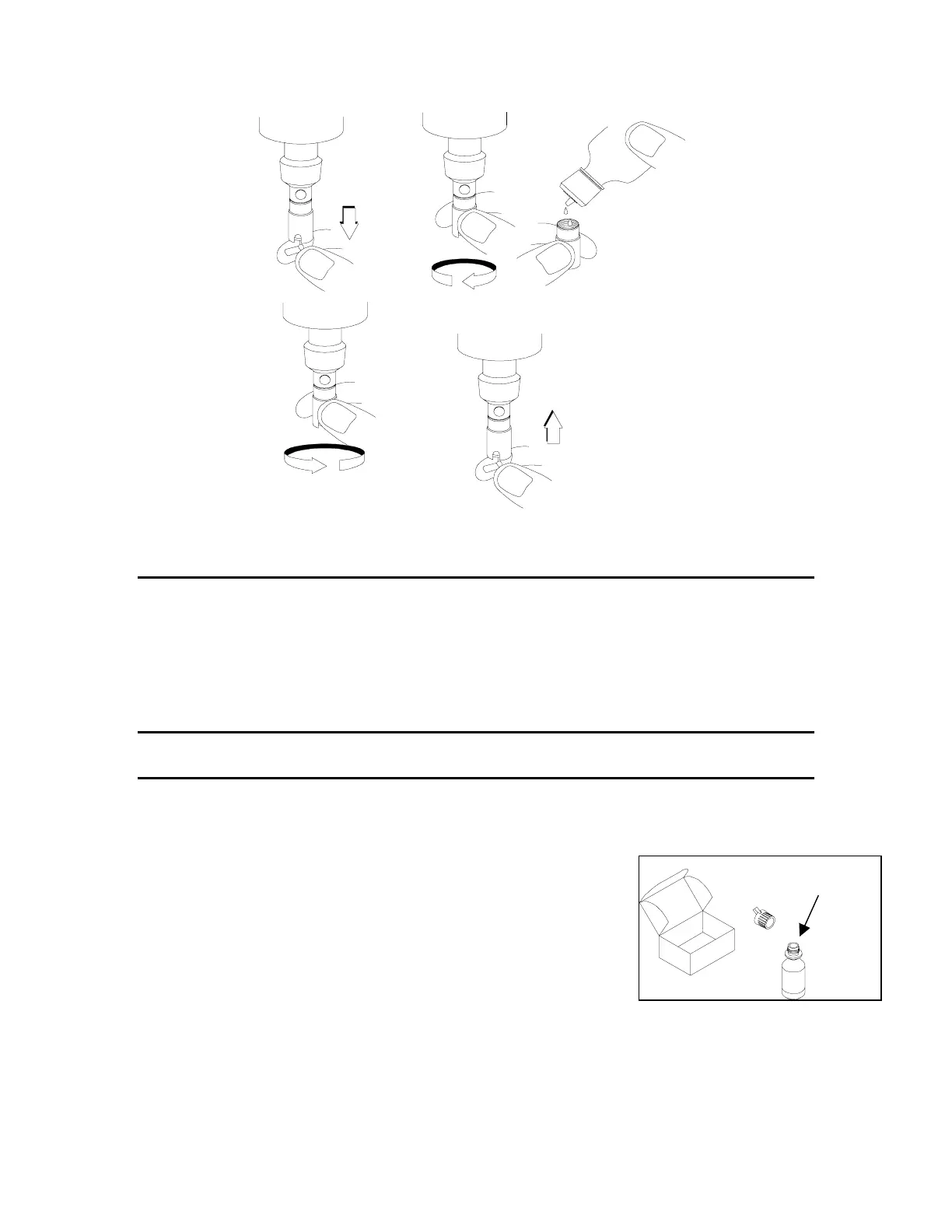
Fill Membrane Cap
with Solution
Unscrew Cap
Remove
Stir Paddle
Screw Cap on
moderately tight
Replace
Stir Paddle
Figure 3
CHECKING THE PROBE ZERO
The probe zero is checked by immersing the probe in a sodium sulfite solution (0.08M or 3g
Na
2
SO
3
/300mL), or in water which has an inert gas bubbling through it (e.g. nitrogen, argon). The
meter should read less than 1% dissolved oxygen in either of these environments. If it does not,
change the membrane or clean the probe.
3.3.3 MEMBRANE INSTALLATION FOR THE 5700-SERIES PROBES
MEMBRANE INSTALLATION
All YSI 5700 Series Probes have similar sensors and should be cared for in the same way. They are
precision devices and require careful treatment if measurements of high accuracy are to be made.
Prepare the probe as described below.
1.
ADD DI OR DISTILLE
WATER
Figure
4
WARNING: All probes are shipped dry, you must follow these
instructions!
1. Open the membrane kit and prepare the electrolyte solution.
Dissolve the KCl in the dropper bottle by filling it to the neck
with deionized or distilled water and shaking until the solids are
fully dissolved. After the KCL is dissolved, wait a few minutes
until the solution is free of bubbles.
2.
Remove the o-ring and the dry membrane from (after unscrewing the sensor guard.
Thoroughly rinse the sensor with electrolyte fluid.
YSI Incorporated YSI 58 DO Meter 8


 To Next Page